The Hands-Free $599 XbotGo Falcon Captures Sports Like a TV Broadcaster

What would a parent do with the power to record a full game their son or daughter played in without touching the camera? The XbotGo Falcon just launched for pre-order at CES 2026 in Las Vegas as a $599 bet on capturing sporting events with the parallels of broadcast television.
Clearly not with the myriad of camera angles and team of on-air personalities adding all the color to the matchup, but this device feels like it’s an amateur sports broadcaster’s dream. The prospect here is that a parent, coach, fan, or player can ditch the phone and use something like the Falcon to do the job by turning computer vision and automated camera control into a hands-free, AI-powered sports camera operator.
There’s no subscription to use it, making the standalone purchase a somewhat affordable gamble for anyone salivating over the chance to track live play across multiple sports, automatically pan, tilt, zoom, and even isolate individual players. The promise is simple but ambitious: set it up, press record, and let the system handle the rest.
Physical Design and Optics
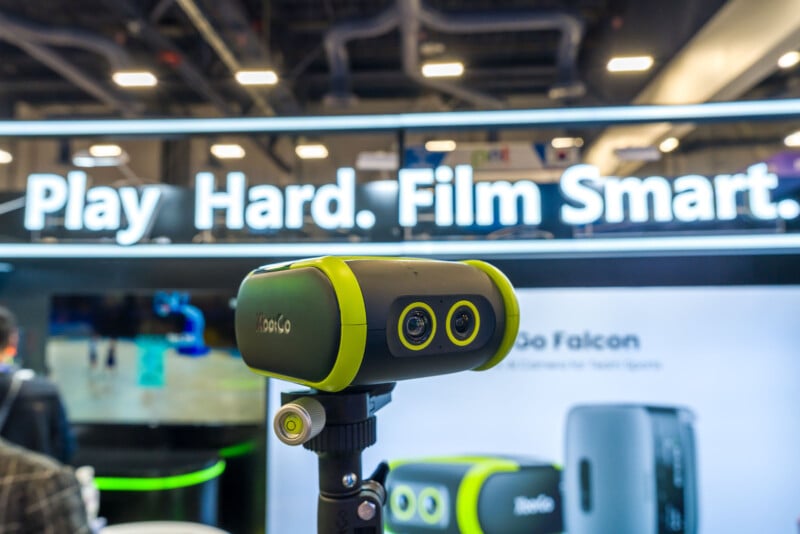
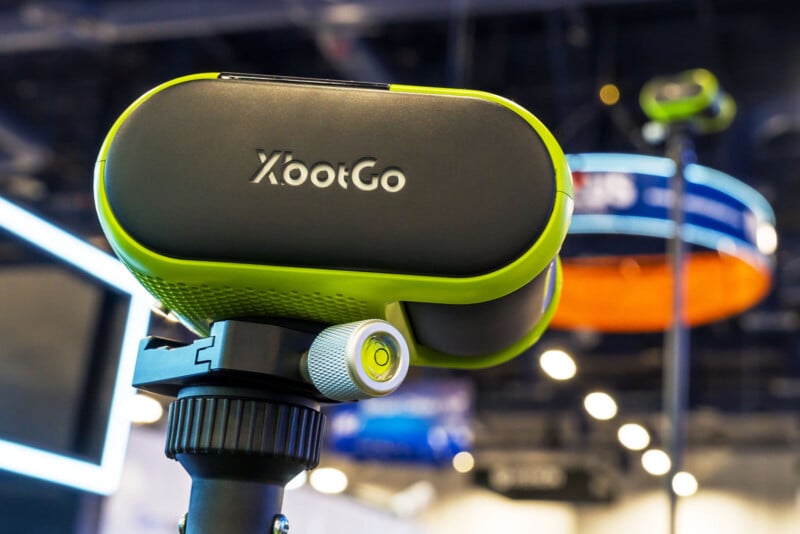
Physically, the Falcon is compact and relatively lightweight at 810 grams (28.6 ounces). It offers 360° rotation and 160° of tilt, driven by motorized controls rather than manual adjustments. The camera’s 120° field of view provides a wide baseline image that the system crops and zooms digitally as needed.
It uses a Sony IMX678 RK Type 1/1.8-inch CMOS sensor XbotGo positions as being good enough and optimized for both day and night games. There are two lenses, or “AI Eyes”, where one focuses on following the action while the other homes in on catching highlights and isolating players when needed. All told, there are 6 TOPS of AI processing available. The 10,000mAh battery is good for up to three hours of recording per charge.
The general idea with the Falcon is to not hold it at all. Instead, it comes with a dedicated tripod that can extend up to four meters. For extra stability, you can weigh it down with sandbags or water-filled weight bags. The system includes optical stabilization but has no hope of holding off constant shaking or strong wind gusts.
Notably missing in all this are still photos. The Falcon doesn’t snap them, so this is every bit a video play. That’s not to say it won’t be possible through a later firmware update, but there are no apparent plans to do so right now.
Tracking the Game — and the Player
At the core of the Falcon is an AI Sports algorithm built on computer vision models tuned separately for each sport. The Falcon can support at least 10 sports. Soccer, basketball, hockey, football, and rugby each present different challenges, from wide fields to fast-moving objects. But they also have one thing in common, which is that we as viewers see the playing surface from a lateral point of view onscreen. The action simply follows where the play is going.
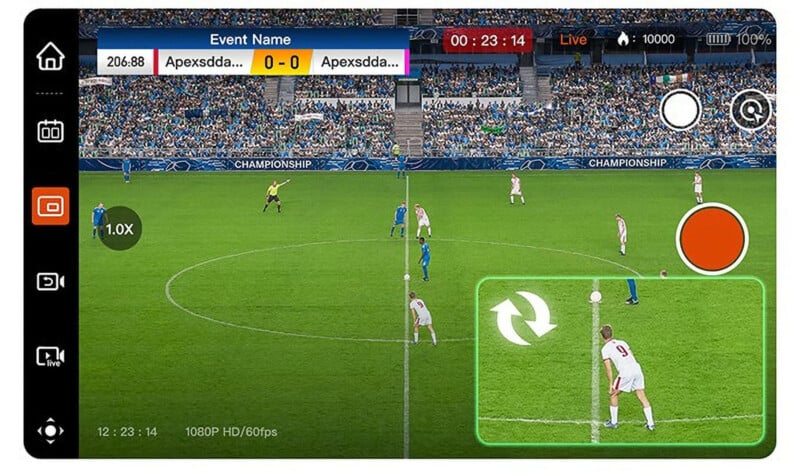
That’s what the Falcon does in a nutshell, though there’s more to it after talking to company reps at the show. It tries to maneuver between a one-size-fits-all approach and a system that applies “sport-specific logic” to decide where the camera should look at any given moment.
That could be simply following the action as it comes, or diving in deeper into player iso. Using jersey number recognition, the Falcon can lock onto a specific athlete and follow them throughout an entire game. A parent can tell the system to track “number 11,” and the camera will do its best to keep that player centered, zooming in and out as necessary. When jerseys lack numbers, the XbotGo app lets them manually tap a player to assign tracking.

Paradoxically, the parent morphs into a director in this scenario. Not only are they filming the game, but they are also determining what the camera should prioritize. While the AI handles the mechanics of filming, human intuition handles the nuance—whether that’s a star forward, a goalie, or a child playing their first organized sport.
Recording, Storage, and Streaming
The Falcon handles recording through a combination of cloud and local storage. XbotGo includes 20GB of free cloud storage, which it claims is enough to hold a substantial number of games depending on resolution. A typical 50-minute match recorded at 1080p consumes roughly 1.3GB of data, making it possible to store an entire season’s worth of games if that resolution is good enough. In 4K, you’re not getting very far.
Local storage becomes far more prominent with a microSD card slot, supporting cards up to 1TB. With 2TB cards now showing up at CES, it will be interesting to see if there’s eventual support for those because there’s no way to make an external SSD work as an alternative. Regardless of where the game saved, the XbotGo app collects both local and cloud recordings for playback and editing.
There’s also the option to livestream the video directly to the XbotGo website or via other platforms that support RTMP (real-time messaging protocol), such as YouTube and Facebook. Those with access to the link don’t need to create an account or install an app to tune in.
Different Sports, Different Challenges
The issue is that it’s hard to see how effective the XbotGo can be in sports where the action changes direction or perspective more often. Indoor sports like basketball and hockey take place within contained playing areas, whereas outdoor sports like soccer and football are played on larger surfaces with greater distance, depth, and scale.
Then there’s baseball, which poses several challenges. The main broadcast angle from behind the pitcher facing the batter demands an opposite angle once the ball is hit to visualize where it goes. The Falcon’s designers say they’ve built a dedicated baseball mode that allows the system to follow players leaving the batter’s box, track base runners, and handle multiple runners simultaneously. The goal is to ensure you don’t miss a play, even with only two cameras mounted behind the backstop.
In hockey, the puck is small, black, and fast, and it can go off sticks, skates, and glass. In those instances, the camera will prioritize players congregating near the net and zoom in on that cluster. There’s no optical zoom here, so don’t expect superb quality as it gets closer and closer. During breakaways, it follows the fastest-moving, most isolated player by assuming they’re driving the play.
XbotGo makes recommendations on placement but not necessarily height, leaving that part up to the user. It would largely depend on the size of the playing area and any potential for broader vantage points.
Highlights and Post-Game Editing
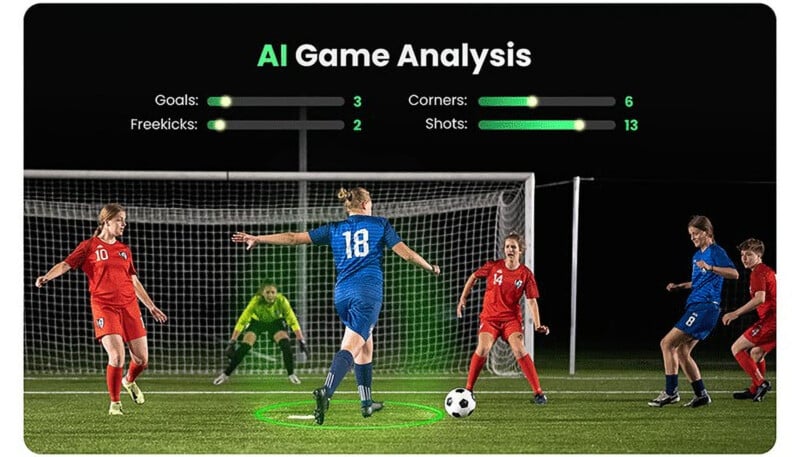
As for post-production, the onboard AI can scan footage to identify key moments and compile highlight reels. This isn’t universal across the device yet, with basketball currently being the lone sport where that happens on its own.
Since the Falcon has mics to record audio, it will do its best to capture the game’s sounds, as they are. It can also support external USB mics, like a lavalier or USB boom mic, to enable someone to record their voice while watching the game. This does make it theoretically possible to set up a shoestring broadcast for local leagues that want to capture all the teams playing, and then create highlight packages they can share on social media later. The very idea of house leagues adding play-by-play commentary hints at how tools like the Falcon could add a professional tone to amateur sports in different communities.
Ready to Play
The $599 price tag is a little surprising given what it does. Sports are already pricey enough in some respects, so families, coaches, and players already spending money per season on league fees, equipment, and travel might find this device easier to justify.
For now, XbotGo is only selling the Falcon directly from its website and online retailers, along with the Chameleon, a previous product that did the same thing, only using a mounted smartphone instead. Neither has the chance to replace professional broadcast crews, but local sports might find real utility in a handheld device that can capture every game.
Parents want high-quality footage of their children’s games, leagues want affordable ways to archive and share matches, and amateur broadcasters dream of something that looks closer to professional coverage.
Low-light performance is emphasized as a priority, reflecting the reality of evening practices and poorly lit community fields.
The length and structure of each highlight depend on the sport. In football, a clip might encompass an entire play from snap to completion. In basketball, it might include a few seconds of buildup before a shot. This context-aware editing is intended to reduce the time parents and coaches spend scrubbing through hours of footage.
Coaches, leagues, and community organizations may find even greater value in a shared device that can cover multiple games.