Google Photos Now Lets You Turn Still Images into 6-Second Videos
Google has announced the ability to “bring your photos to life” with the introduction of a couple of new creative tools that give Photos users the ability to “remix” their memories.
The tools include ways to make videos out of still photos and turn photos into illustrations all while making it easier to find and search through possible creative options. The first feature is one that has been experimented with in the past by other companies.
“We’ve already seen so much creativity from people using our video generation tools across Google products, including the new photo-to-video capability in Gemini (and now YouTube). Starting today, we’re bringing a similar photo-to-video feature (powered by Veo 2) to Google Photos, making it easier than ever for you to create fun, short videos from the photos already saved in your gallery,” Josh Sassoon, Director of UX, Google Photos and Google One, says. “Imagine that perfect selfie with friends from a few years ago suddenly coming to life with subtle movements, or a cherished photo of your parent as a child smiling back at you.”
The animation tool gives users one of two prompts to choose from: “Subtle movements” or “I’m feeling lucky.” The result is a six-second video clip made from that base photo. The “photo to video” tool will roll out to Google Photos users on Android and iOS starting today.
This tool is also coming to Google Shorts sometime later this year, allowing users to select an image and turn it into a video.
“For instance, with Photo to video you can add movement to landscape photos, animate pictures of everyday photos, or bring group photos to life,” Google’s Aarah Ali, VP of Product Management, YouTube Creation Experiences, says. “Photo to video and generative effects are powered by Veo 2, and we’re excited to bring Veo 3 to YouTube Shorts later this summer!”
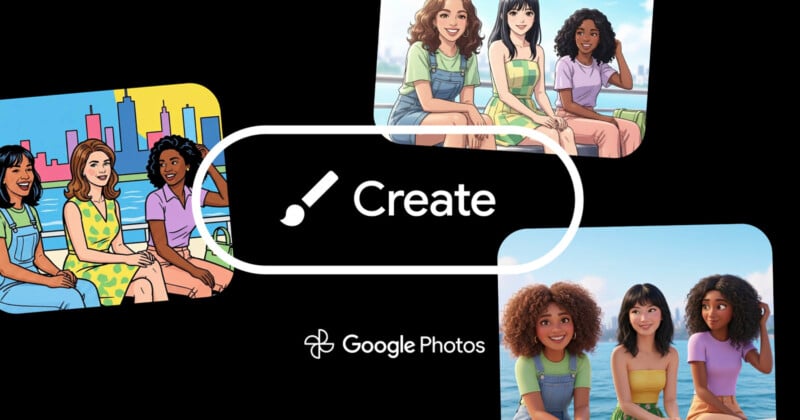
The other new feature coming to Photos is called Remix and turns a photo into an illustration-style image.
“Have you ever wondered what you, your friends and family or even your pets would look like as anime, comics, sketches or 3D animations? With Remix in Google Photos, pick a photo from your gallery and choose your favorite style to easily transform pictures right in your gallery into these kinds of images in seconds to share with your friends and family,” Sassoon explains.
The technology behind this tool sounds similar to the one Samsung added to its Galaxy smartphones earlier this year. Remix will start rolling out in the U.S. on Android and iOS in “the next few weeks.”
Google is unlikely done with adding these new “creative” tools to Google Photos as it is also adding a new way to use and find similar tools. Called the Create tab, it lives in the Photos app and shows each feature — including Photo to video, Remix, collages, highlight videos and more — all in one place. It will begin showing up in the app in the United States starting in August.
With these additions, the company says that it wants to give people the ability to leverage their memories in new ways and that it sees Google Photos as more than an archive, but also a “canvas” to build from. That said, with these additional AI-powered tools coming to Photos, Google is restating its “safety” protocols with the technology through added transparency.
“As we bring features like Photo to video and Remix to people, we know it’s important to do so responsibly, providing transparency when images are created or edited using our photo and video generation tools. All videos and photos generated with Photo to video and Remix will include an invisible SynthID digital watermark — just like images edited using Reimagine in Photos. Videos generated in Photos will also include a visual watermark for added transparency, similar to what you’ll see on videos generated in Gemini,” Sassoon says.
“We want everyone to have a good experience with Photo to video and Remix, which is why we take safety measures. This includes extensive “red teaming” to proactively identify and address potential issues, as well as thorough evaluations to understand how these features can be used and prevent misuse. These features are experimental, and we know some outputs may not be exactly what you expect or may even be inaccurate. Use the thumbs up and down buttons on your generated images and videos to give us feedback, which we’ll use to make ongoing improvements to our safety measures and overall experience.”
Image creditsGoogle
Affiliate Disclosure PetaPixel articles may include affiliate links; we may earn a commission if you buy through one.