
Halide Mark III Promises ‘Most Beautiful Photos Possible’ on iPhone
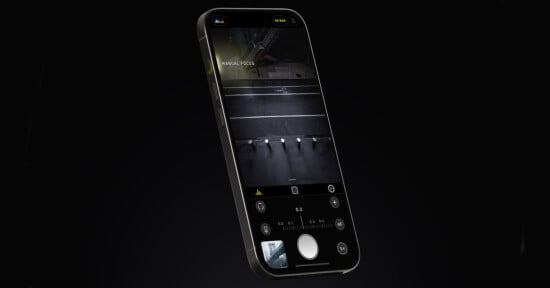
Halide Mark III, which was first previewed back in December 2024, has finally arrived. As developer Lux detailed earlier this year, the new major update to one of the most popular iPhone camera apps on the market promises an AI-free mobile photography experience and an all-new “Looks” feature.
All-New ‘Looks’ Promise ‘Most Beautiful Photos Possible From an iPhone’
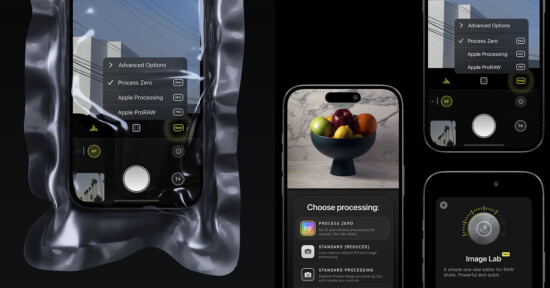
Looks traces its roots back to Process Zero, which arrived in summer 2024 with the promise to make iPhone photos look significantly more natural and realistic.


“In 2024, we launched Process Zero, our own approach to rendering photos that removes all the AI and computational photography from your iPhone,” Lux explains. “After its incredibly positive reception, we invested all of efforts into the the next generation of Halide’s photo processing, built on top of Process Zero. We wanted to build a camera that produces the most beautiful photos possible from an iPhone.”
This was a significant undertaking, and Lux partnered with Hollywood colorist Cullen Kelly to design what Lux believes is “the best photo pipeline of any iPhone app.” Halide Mark III and its new Looks feature promise to take full advantage of an iPhone camera sensor’s expansive color gamut and wide dynamic range, without making photos look overly processed or artificial.


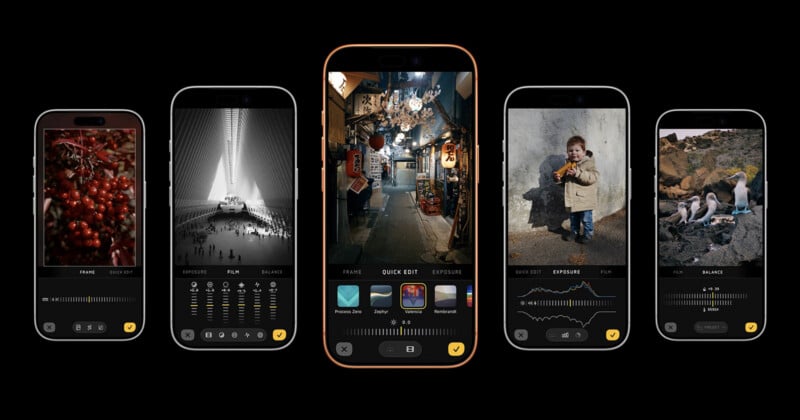
Lux describes Looks as “physically accurate alternative processes” that work alongside the app’s film simulation engine and optional HDR. Halide Mark III launches with five Looks, each carefully developed to deliver a specific style.
Valencia is built with landscapes and cityscapes in mind, although it also promises interesting effects on skin tones in portraits. It has “thick contrast, deep saturation, and solid color separation.”

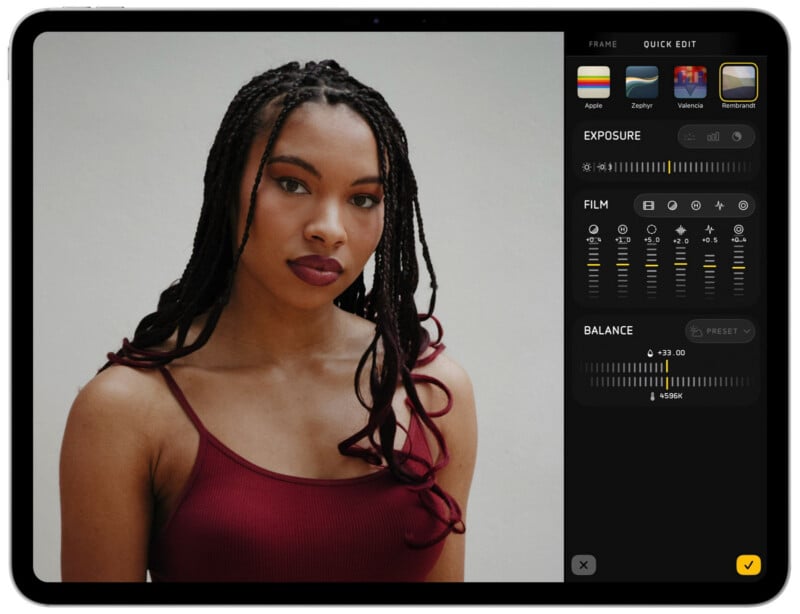
Rembrandt is Halide Mark III’s premiere portrait Look, emphasizing bone structure and lighting.
“Abundant color in the low end converges to white as exposure increases, for perfect uniformity in skin-tones to emphasize contour of the face,” Lux says. “Compared to the default iPhone processing, we find the differences striking.”

Next up is Nova, another landscape-and-cityscape style. This promises beautiful, rich color, tight contrast, and warm highlights.

Zephyr offers subtle, film-like contrast and has a “refined” appearance. Lux says its neutral tone scale and carefully tuned contrast make it a great option for just about any photographic scenario.

Rounding out the launch group is Chroma Noir, Halide Mark III’s in-house, panchromatic-inspired black-and-white Look.


The Photo Lab
Halide Mark III also introduces an all-new Photo Lab. When photographers shoot in RAW on their iPhone, they can access a new Quick Edit section where they can try different Looks, adjust exposure, toggle HDR, and use film simulations. After just a few more swipes, the Photo Lab offers cropping, color balance, and more.
A New Camera
Halide Mark III also features a newly designed camera interface. Lux says the revised design puts the most important tools within easy reach without overwhelming the user.
“Composition is the bedrock of photography, so we put composition tools front and center,” Lux says. “Choose an aspect ratio that matches popular film cameras: 35mm (3:2), medium format (1:1), and pano (65:24). We even have a dynamic aspect ratio for Instagram, which changes depending on landscape or portrait.”
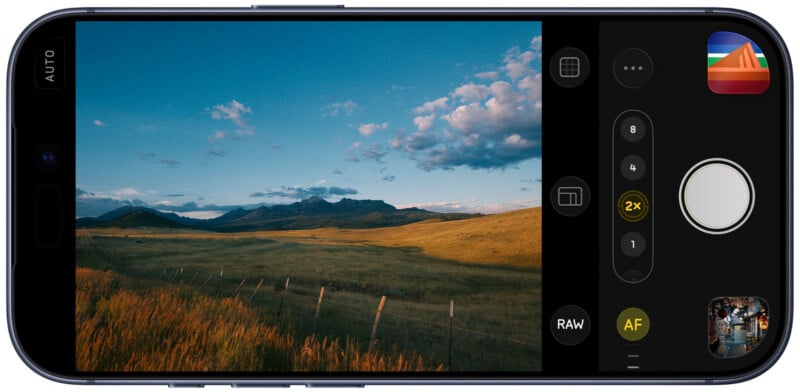
The camera refresh also embraces Apple’s Liquid Glass aesthetic, which it introduced in iOS 26 last year.
“We’re really excited about the new design, but we also know that a new UI can feel disruptive. That’s why you can still access the Halide Mark II design with a few taps,” the developer explains.
Not Just for iPhone Photos
When the Lux team was developing Halide Mark III’s Looks, they realized that in many cases, their iPhone photos looked better than those captured with their expensive, standalone cameras. That’s not necessarily a great feeling after spending thousands of dollars on high-end cameras and lenses.

To help quiet this discomfort, the team decided to combine Halide Mark III’s Photo Lab and Looks with RAW photos captured on dedicated cameras. Halide Mark III can open and edit RAW files from Canon, Sony, Nikon, Leica, Fujifilm, and Hasselblad cameras. This RAW support is technically still a beta feature, but it looks promising.
Pricing and Availability
Halide Mark III is available now on the Apple App Store. It is a free upgrade for all users who purchased Halide Mark II and all current Halide subscribers.
For all-new customers, Halide Mark III is $59.99 for a lifetime license or $19.99 annually as part of a subscription. Either purchasing option includes all future Looks that Lux may develop.
Image credit: Lux (Halide Mark III)
Affiliate Disclosure PetaPixel articles may include affiliate links; we may earn a commission if you buy through one.