Vivo X300 Ultra Review: The Versatility Here Is Just Ridiculous
Vivo’s “Ultra” phones have always been the company’s best but this one is the first to venture outside the Chinese market. More like a phone in a camera than the other way around, it feels like a camera system built from the sum of its many parts.
The X300 Ultra doesn’t just feel like a phone camera, it feels like a whole system built on a sprawling foundation.
Pros
- Exceptional versatility with photography kit and telephoto extenders
- Industry-leading color science
- High-quality ultra-wide camera sensor
- Robust IP68 and IP69 durability
- Powerful and customizable camera system
Cons
- High price point
- Confusing and unintuitive exposure compensation controls
- Aggressive AI processing can make images look unnatural
- Inconsistent dynamic range in certain lighting scenarios
- Lack of built-in MagSafe support
Vivo’s focus on video with this phone doesn’t mean it’s paid little attention to still photography. Quite the opposite, actually. Not only is this essentially a fully loaded phone camera on its own, but the photography kit with a case, grip, and two telephoto extender lenses broadens the scope of what the device is capable of. As has been the case for years now, the company wants to be the best in the business.
While it was a rocky start for me taking photos with the device initially, two subsequent software updates have addressed some of the points I’ll describe below. Capturing images in places as varied as Hong Kong, Toronto, and Mexico provided more than enough insight into what’s truly possible here.
Vivo X300 Ultra Review: Design and Build
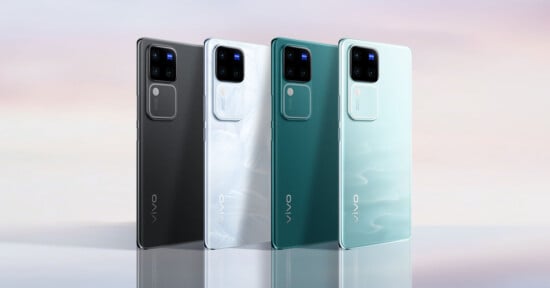
Vivo doesn’t really try anything dramatic on the outside. Neither the black nor green variant is particularly flashy, whereas the white one adds a little flair. The familiar rounded camera module, complete with branded Zeiss T* Coating, is a triple array that protrudes a fair bit from the back panel. Even with a case, this phone will never lie flat on its back.
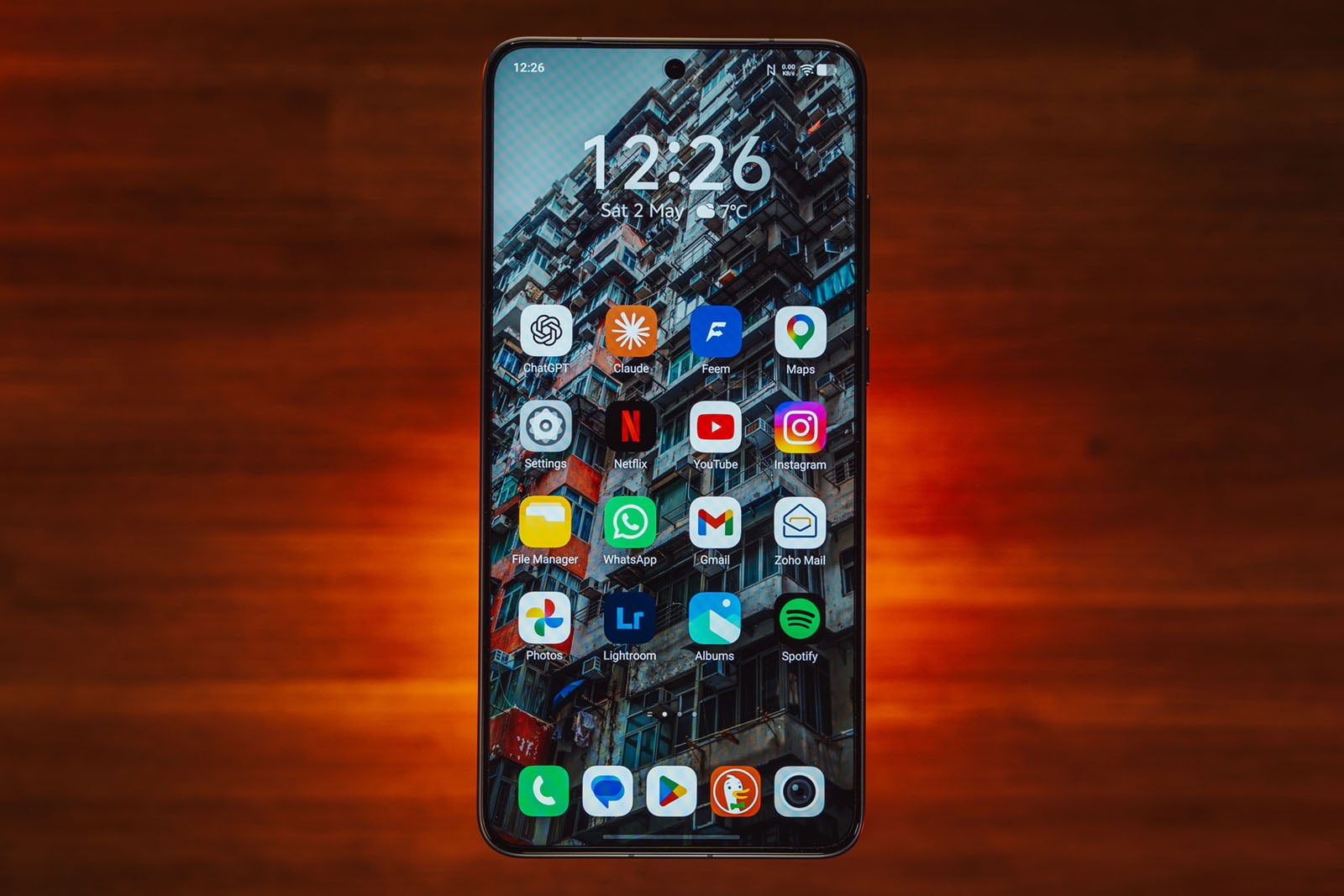
The 6.82-inch AMOLED (3168 x 1440) is a vibrant panel that’s easy on the eyes and has the option to change color mode from Natural (default, soft palette), Professional (better accuracy), or Bright (vivid, more saturated), as well as standard support for both Dolby Vision and HDR10+. A 144Hz refresh rate is really only there for select games that can hit that speed.
The body has both IP68 and IP69 dust and water resistance, giving it real durability in the field. That also goes for the longevity courtesy of the sizeable 6600mAh silicon-carbon battery inside. Vivo remains one of the few to include a charger (European in my case) in the box, and the phone can support up to 100W wired or 40W wireless charging speeds. Unfortunately, there’s no built-in MagSafe support, so only a third-party case can make that work.
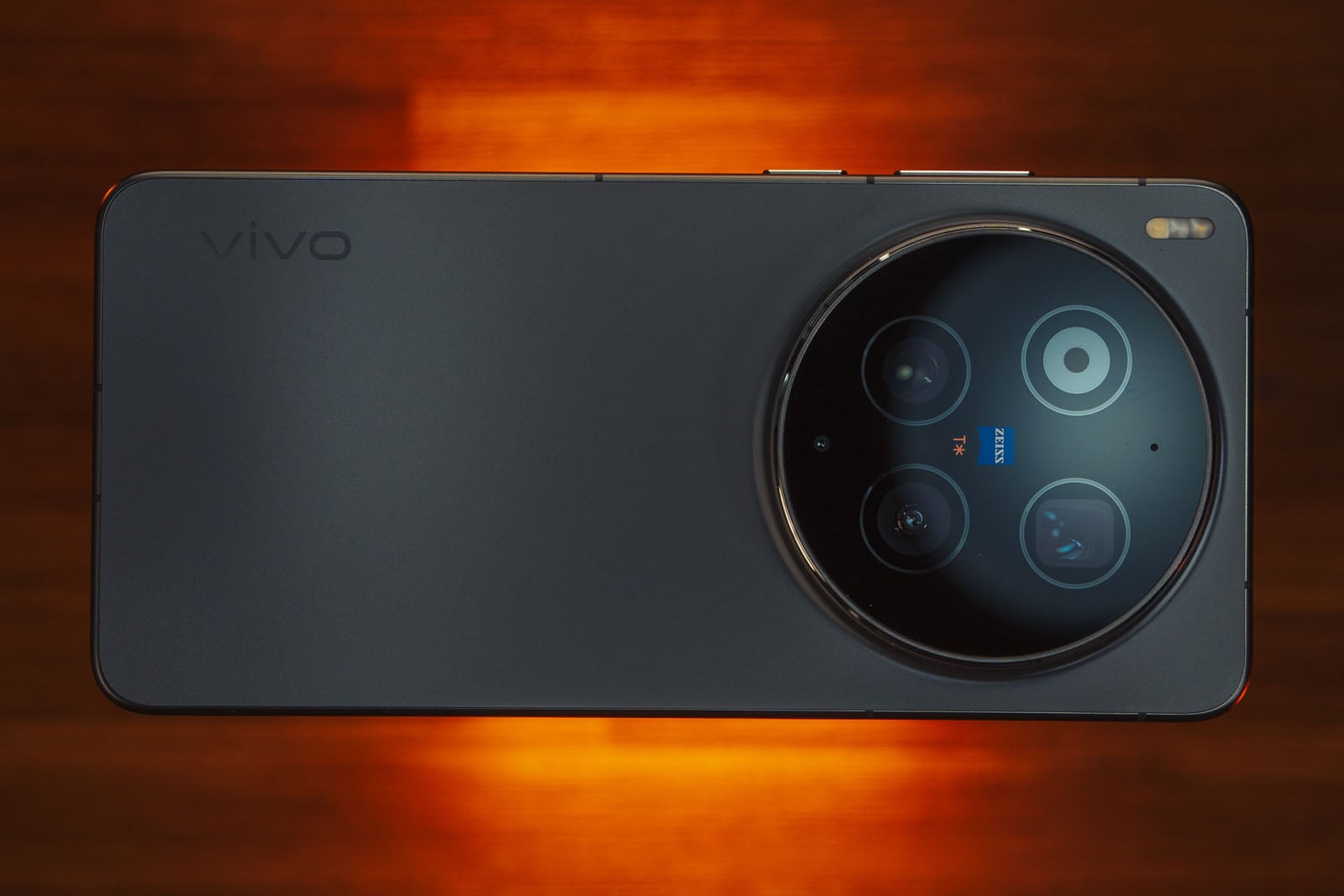
The X300 Ultra also deviates from the X300 Pro by using the Snapdragon 8 Elite Gen 5 chipset over the latter’s MediaTek silicon. Configurations also start at 16GB of RAM and 512GB of storage, though my review unit was the 1TB variant. Good thing, too, given all the 4K video I recorded while testing the extensive options and settings.
Vivo X300 Ultra Review: Camera Features
The 200-megapixel Sony LYT-901 Type 1/1.12 sensor with f/1.85 aperture and full OIS is the centerpiece of the rear array. It’s the same image sensor for the main camera in the Oppo Find X9 Ultra, except Vivo sticks with the 35mm optical equivalent it uses on its Ultra devices, thus cutting out 23mm entirely. You can, however, get a 28mm crop from the ultra-wide camera. Native 35mm is great and is my preferred focal range on a phone nowadays.
Unlike Oppo’s flagship, which has two telephoto lenses, or Xiaomi’s 17 Ultra with its continuous zoom lens, the X300 Ultra only has the singular telephoto (85mm equivalent), a 200-megapixel Type 1/1.4 Samsung HP0 sensor. Co-developed with Samsung, it appears to be an incremental update from the previous HP9 sensor, though it also tightens the aperture to f/2.7.
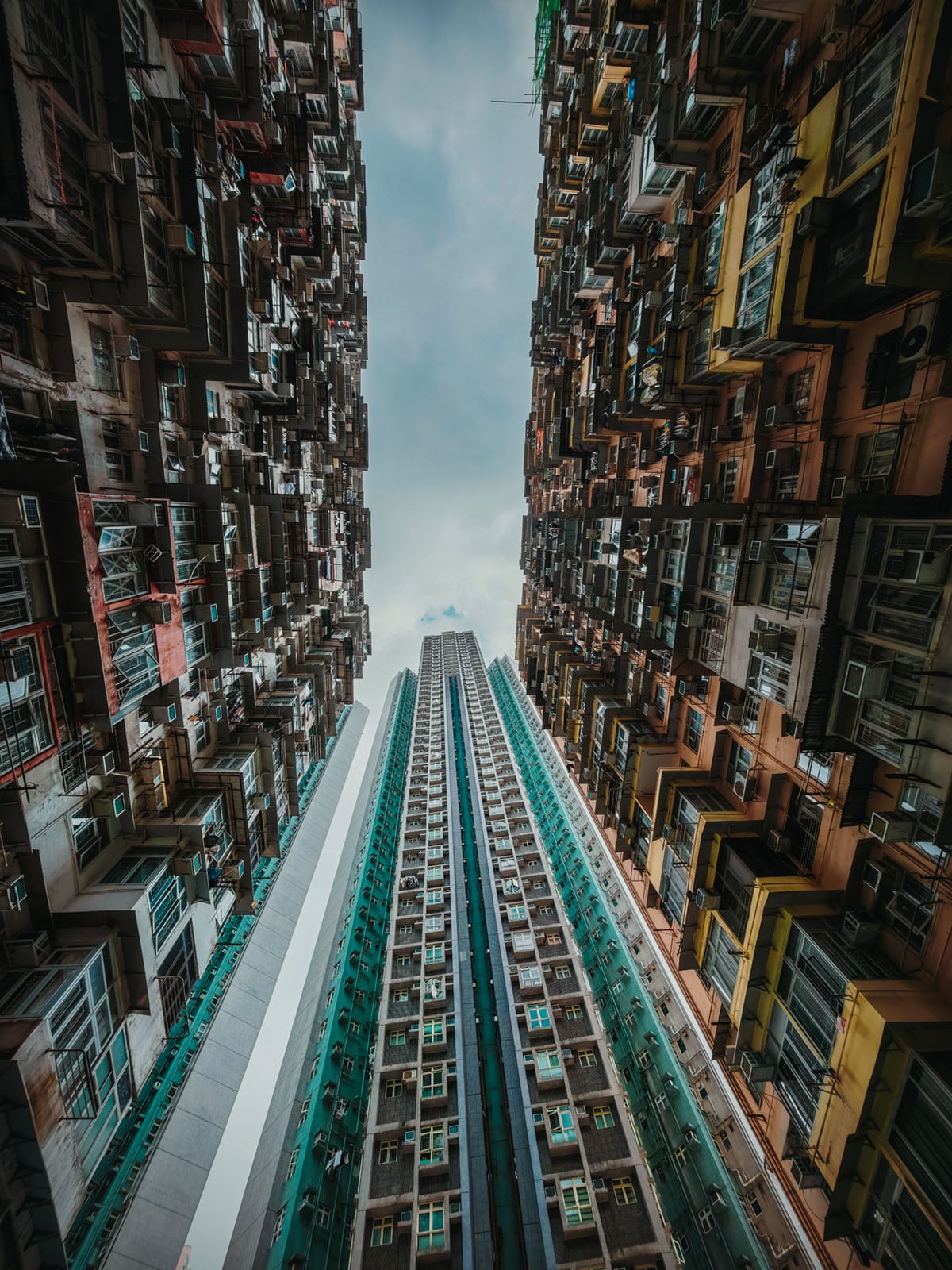
The ultra-wide is a strength — finally. Its 50-megapixel Sony LYT-818 Type 1/1.28 sensor is noticeably larger than what competitors (and Vivo) routinely offer these days. So much so, in fact, that it’s actually bigger than the main sensor in the iPhone 17 Pro/Pro Max. A 14mm equivalent, it has an f/2 aperture and solid autofocus, while also not straying from the dynamic range and color science in the other rear lenses.
Granted, Vivo has no built-in optical answer to Oppo’s 10x 230mm equivalent telephoto on the Find X9 Ultra, but it aims to make up for that with the photography kit. Fortunately, Vivo doesn’t follow suit with ridiculous claims that digital crops represent additional “cameras,” since results can vary when introducing them.
Vivo X300 Ultra Review: Some Serious Kit
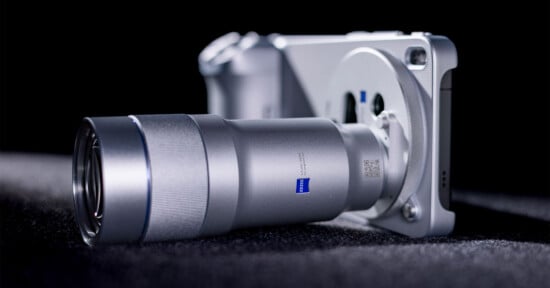
I thoroughly enjoyed the way Vivo implemented its apochromatic (APO) telephoto lens in the X300 Pro but this approach feels like more of an extension of what Vivo did for both that phone and the X200 Ultra with two lenses this time. The first is actually a smaller version of the previous lens — a 200mm equivalent with a 2.35x magnification made up of two groups of 15 high-transmission glass elements. The second is a 400mm equivalent with 4.7x magnification that basically has the same glass elements along with five ultra-low dispersion elements and one glass aspherical element to minimize chromatic and spherical aberrations.
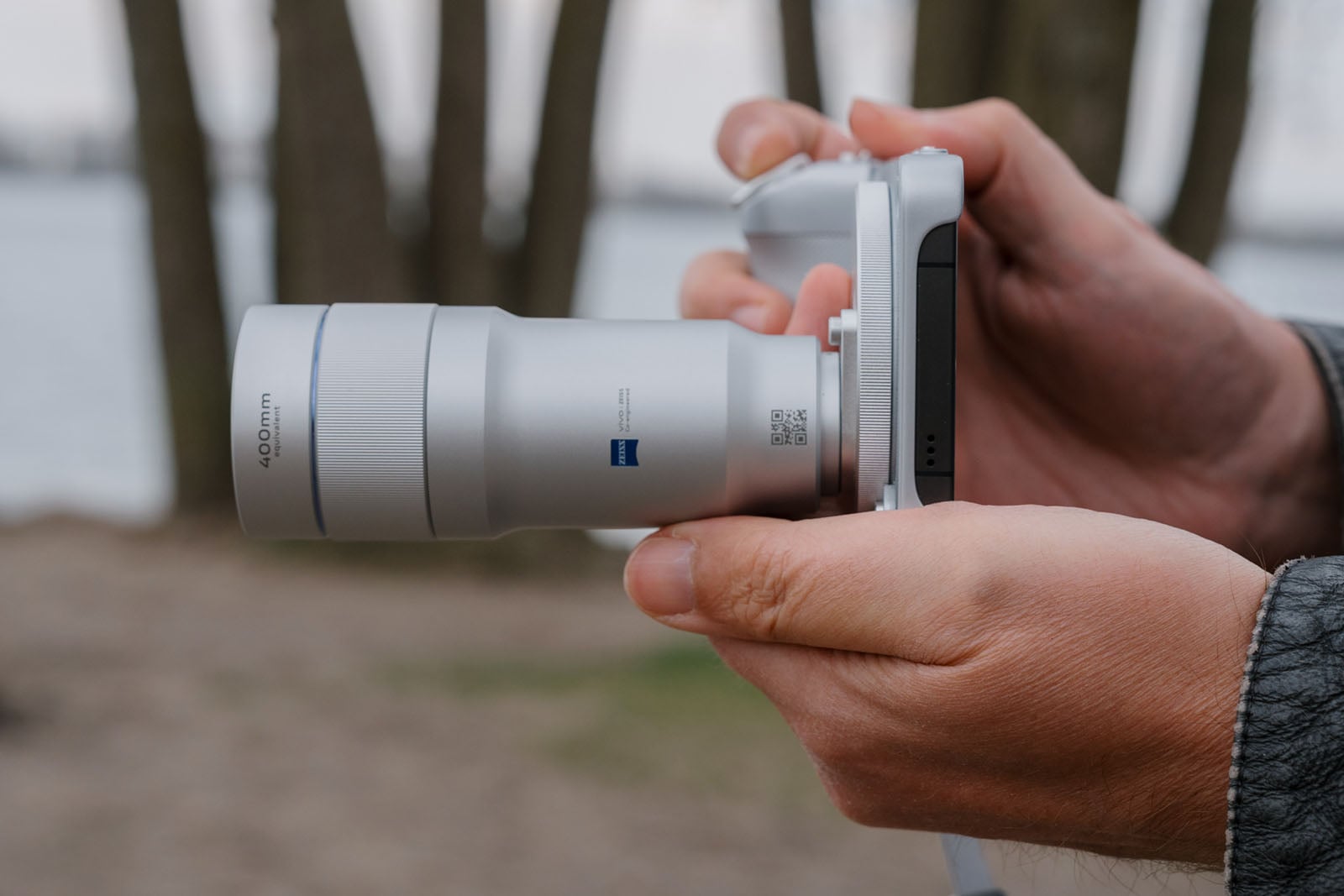
As before, Zeiss had a big hand in developing these lenses as well, both sturdy and hefty in their own way. Vivo wisely retains the same lens mount, allowing the previous lens to be used with this phone’s kit. For now, the reverse isn’t possible, so you can’t use either of these two lenses with the X300 Pro until Vivo releases an update to make that possible (coming soon, apparently).
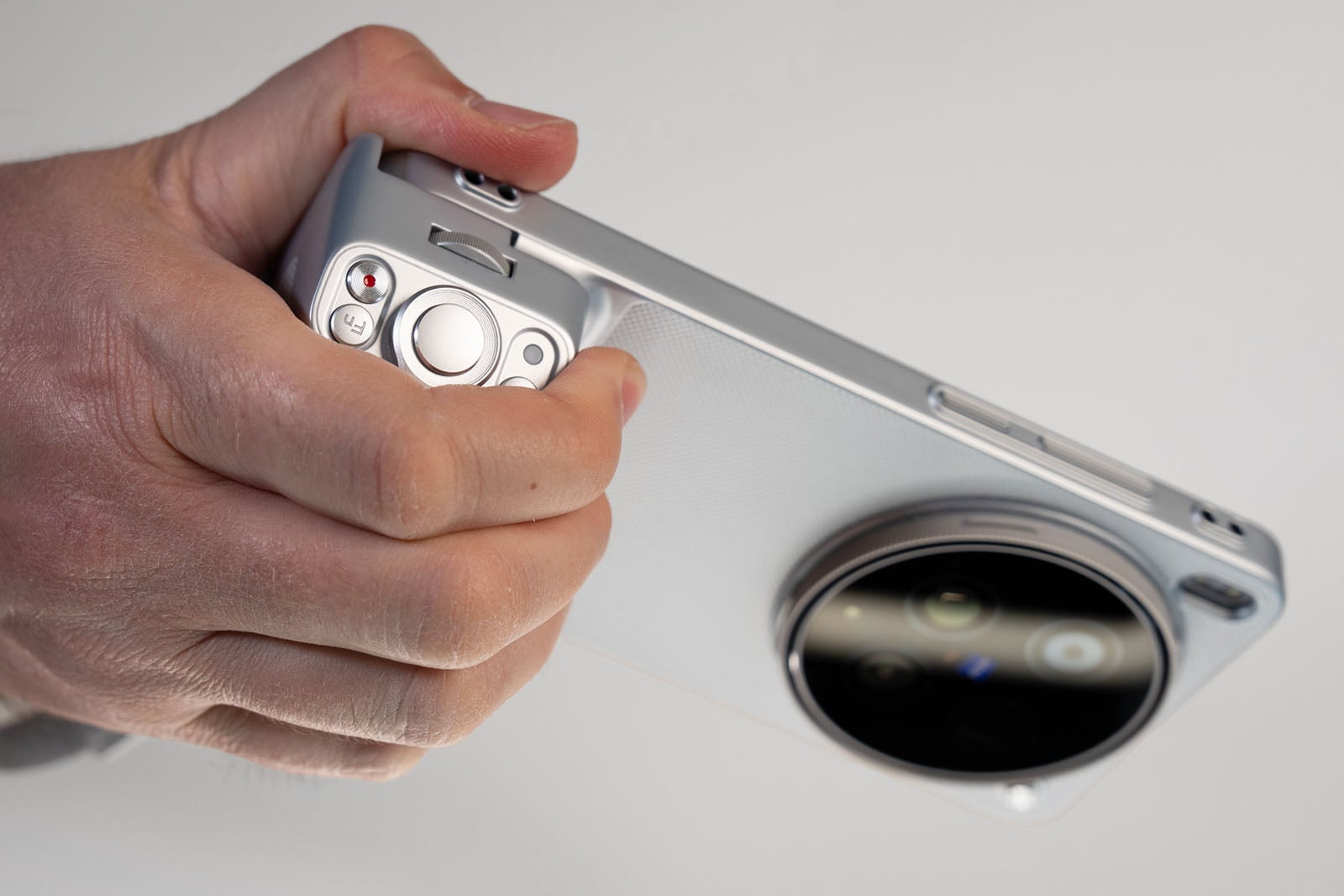
The kit also includes a case, grip, lens adapter ring, filter ring, tripod rings for both lenses, and wrist and shoulder straps. The grip is actually a little bigger this time, and includes a physical shutter, multifunction dial, zoom lever, video recording button, and standard tripod thread underneath. New to it is a function button that can control certain features or shortcuts to different settings, including the Album app, Street Photography mode, or toggle the teleconverter on/off. Its built-in 2300mAh battery can help top up the phone’s own battery in a pinch. Since the grip has its own settings, there’s a fair bit of customization available on top of that.
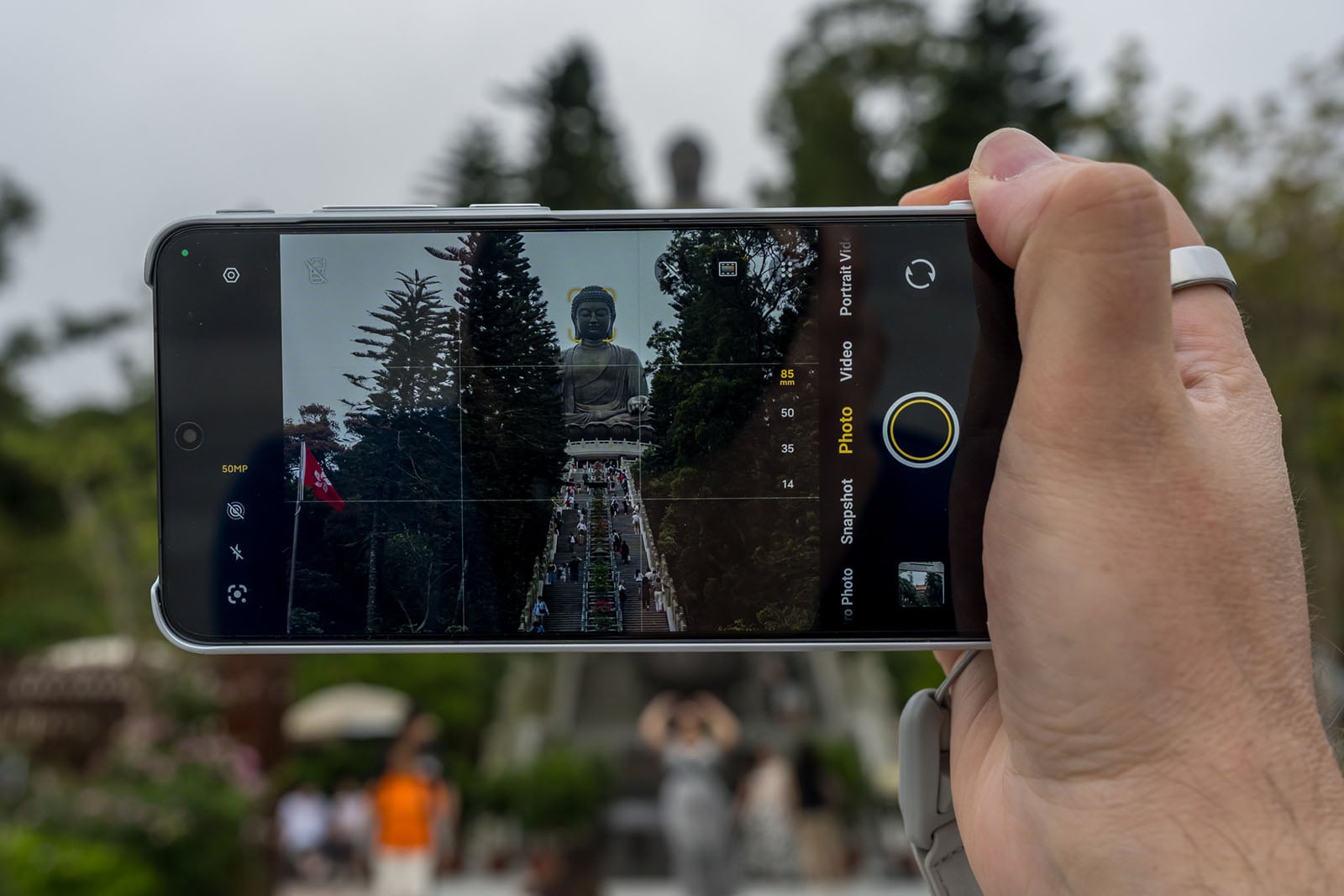
What makes this system especially effective is that you can shoot with just about anything the camera app offers while using the lenses. I can’t understate how creatively satisfying that is because it truly opens up a number of possibilities. It could be portraits, action shots with Snapshot mode, something interesting in Street Photography mode, or simply getting closer to a faraway subject using Pro Photo or at 50- or 200-megapixel resolution.


To be able to freeze a subject in Snapshot using a 400mm equivalent lens handheld — and panning to get the shot — feels simply incredible. I would draw some shocked expressions when showing friends and others the lenses and how they attach but seeing the results under varying scenarios is what truly blows them away. That also goes for capturing a landmark or sporting event from a distance.
While no self-respecting wildlife or sports photographer would ever trade in a camera with solid glass for something like this, there’s no question this kit is easier to carry and manage. Testing it out in various locales and circumstances proves to me that there’s a lot to like about it.
The only thing is that paying hundreds more would be more palatable to mobile photographers than those who want or own standard gear. Never mind the video rig that costs extra on top of that (I didn’t receive one to review).
Vivo X300 Ultra Review: Processing and Self-Made Styles
Vivo’s color science is fantastic and arguably the best in the industry, so it makes sense to empower users to take some of that into their own hands by creating their own color styles. Take an available one and adjust the various sliders to create your own look, which you can then adjust anytime afterward. It’s easy to do this repeatedly and save multiple presets, including sharing them with others. In fact, Vivo says some users in China are already selling theirs on social media there.
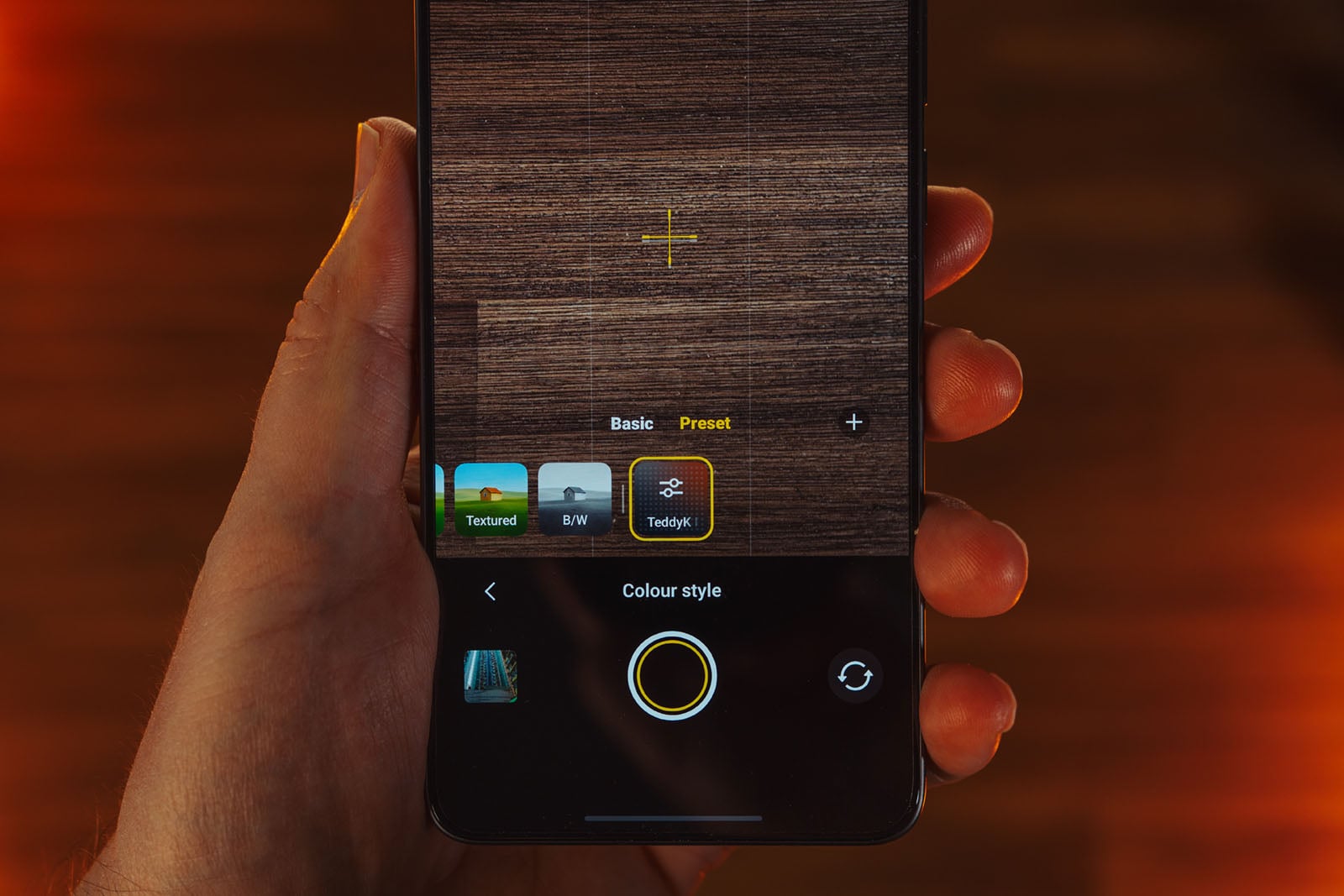
It’s a smart approach that can make a visible difference, like if you’re going after more of a film look or want a color pop effect, for instance. I wouldn’t put these on par with the granular detail you typically get in creating a Lightroom preset but it’s certainly not gimmicky, either.
My one problem with it is that it exposes a major flaw in Vivo’s approach to controlling exposure. Rather than have a universal slider applicable to all modes, it hides exposure compensation within each color style. Don’t get me wrong, you can still slide exposure up or down after applying focus but the compensation you want only kicks in when selecting a style and going into the adjustment settings. It needlessly adds additional steps on the fly when you want to make a quick adjustment in real time, something that, frankly, works wonderfully on the Oppo Find X9 Ultra. Plus, Vivo doesn’t have the excuse of a lack of onscreen real estate, especially when several adjustment settings already exist with one tap — plus the option to customize them on top of that.
I also feel like I’ve gone through something of a journey with Vivo’s processing. Initially, I came away stunned at the ineffective dynamic range that overexposed highlights and underexposed shadows. I would get very different results depending on whether the photo was 12, 25, or 50 megapixels. Granted, smaller pixels mean less light gathering, but the distinctions made no sense given what I could get with the X300 Pro.
Fortunately, Vivo’s software updates largely solve the problem, but there’s an important nuance that isn’t clear up front. Vivo confirmed to me that it tunes the Refined and Zeiss styles “to be more natural and closer to human perception of light and shadow rather than ‘see everything’ HDR”, whereas Vivid follows the previous HDR and color science.
Maybe not surprising given film stock’s influence on phone cameras these days but the image pipeline definitely processes images a little differently here because of Vivo’s VS1+ imaging chip. You could argue there’s a greater emphasis on controlling noise and sharpness over dynamic range, only the latter is starting to balance things better after those updates.
AI isn’t front and center here, considering Vivo tucks those features into a new Gen AI Creative mode, but the image pipeline makes it feel like it’s playing a role in certain situations, too. For example, go into the camera settings under Photo > Smart optimization > Super telephoto enhancement and “Extreme” is set as the default. This “significantly enhances telephoto clarity” in Photo, Landscape, and Night modes with the caveat: “some scenes may seem unnatural”. Pixel peep and there’s no question they seem unnatural, almost turning portions of photos into computerized paintings. Normal tones it down but I chose to leave this off after testing it out because it would mess with subject separation.
Pro Photo mode cuts away from a lot of this but isn’t entirely immune if you don’t know the details. SuperRAW is a full-resolution 50-megapixel image at 16-bit, but it is also doing that through bracketing three images together, as is typical of JPEGs on the device. You have to select just RAW to get a single capture without the extra processing.
Vivo X300 Ultra Review: Image Quality
So Much to Choose From
To put it bluntly, the X300 Ultra can take pretty spectacular photos. But I also expected that, which is why I couldn’t shake my initial bewilderment at the shaky start. Now, after a month of shooting with it, it’s hard to argue with the results, though I do have my nitpicking moments.
First, it’s the versatility that stands out. Various modes prove their worth in not only producing great shots but also doing so with some significant control in your hands. Vivo’s puzzling user interface choices notwithstanding, the color science rarely lets you down, and the speed of both the shutter and processing mid-press make it easier to trust that you will get interesting images.


A true mark of what I’m talking about here is that certain subjects don’t expose gaping flaws. This phone captures people, animals, landscapes, architecture, street scenes, interiors, food, and even the moon with exceptional balance. Moving subjects are a big one through Snapshot and Pro Sports modes, the latter of which is a toggle within Photo. While similar in purpose, they’re actually very different in that Snapshot is generalized for all movement, including sports, whereas Vivo says Pro Sports is mainly tuned for shooting in stadium lighting to remove flicker from floodlights, along with AI motion tracking autofocus.


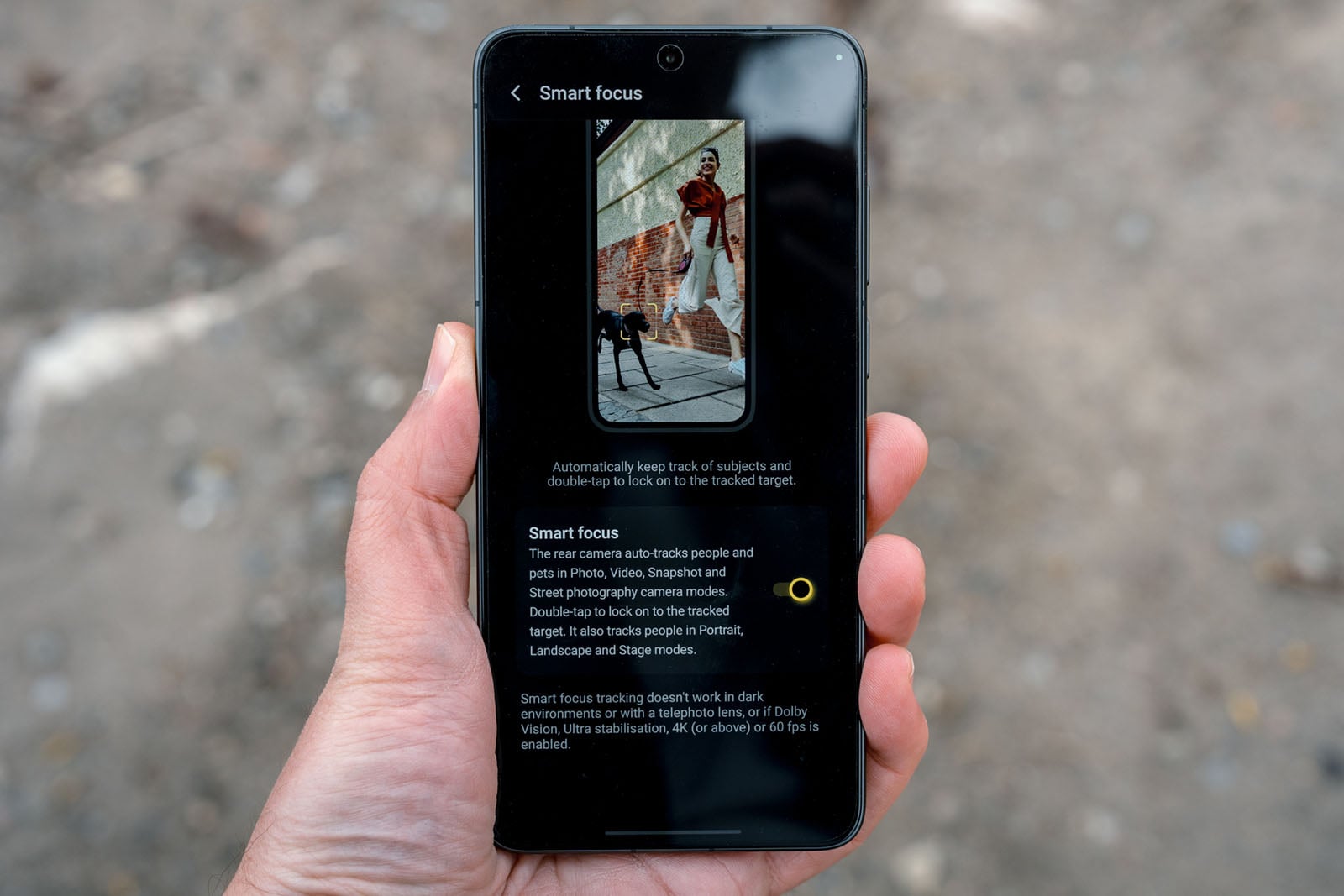
Mind you, toggle on Smart Focus in the settings and double tapping locks focus onto a subject in either mode. The only problem is that it won’t be as sticky if there are other players in the way, so it’s a bit hit or miss in sports scenarios.
Granted, dynamic range can also struggle with certain lighting scenarios, like clipping a flame or not going too bright on lighter skin tones hit with strong artificial light. Additionally, I’d like to see Vivo refine Long Exposure mode to include 0.5-second intervals because full-second shifts make too much of a difference. Yes, there is a manual shutter option for that but tapping the shutter a second time sometimes throws off focus, particularly in low-light conditions.


I’m coming with these gripes because of how high the bar is here. To me, the X300 Pro was the best camera phone of 2025, so with an Ultra, I expect phenomenal results. This phone delivers in spades once you dive into the settings and learn how to bend it more to your own creative will. I’m not just referring to creating custom color styles but also utilizing the endless settings and features to make the processing deliver. That I can do that no matter where I am or what I want to shoot is a testament to what’s possible.

These same principles apply when shooting with all three rear lenses, as well as with the APO teleconverters. Indeed, I could write a separate review just on what it’s like to use the photography kit but I’m pleased to see that using it feels like a natural extension. I’m not crazy about some of the bokeh processing when going beyond the optical range but to be able to shoot handheld at 1,600mm hybrid zoom is just crazy.
Pro Photo, RAW, and High Resolution
Shooting 50-megapixel RAWs is always fine with me, and while a Type 1 sensor would’ve been better, I can’t say the outcome is bad despite that. If anything, it’s usually excellent, with plenty of retained detail to make Lightroom edits feel expansive. I credit Vivo with its solid noise reduction in helping make that happen. The only way I could avoid clipping a flame from the glassblower was to shoot in RAW in Pro Photo.
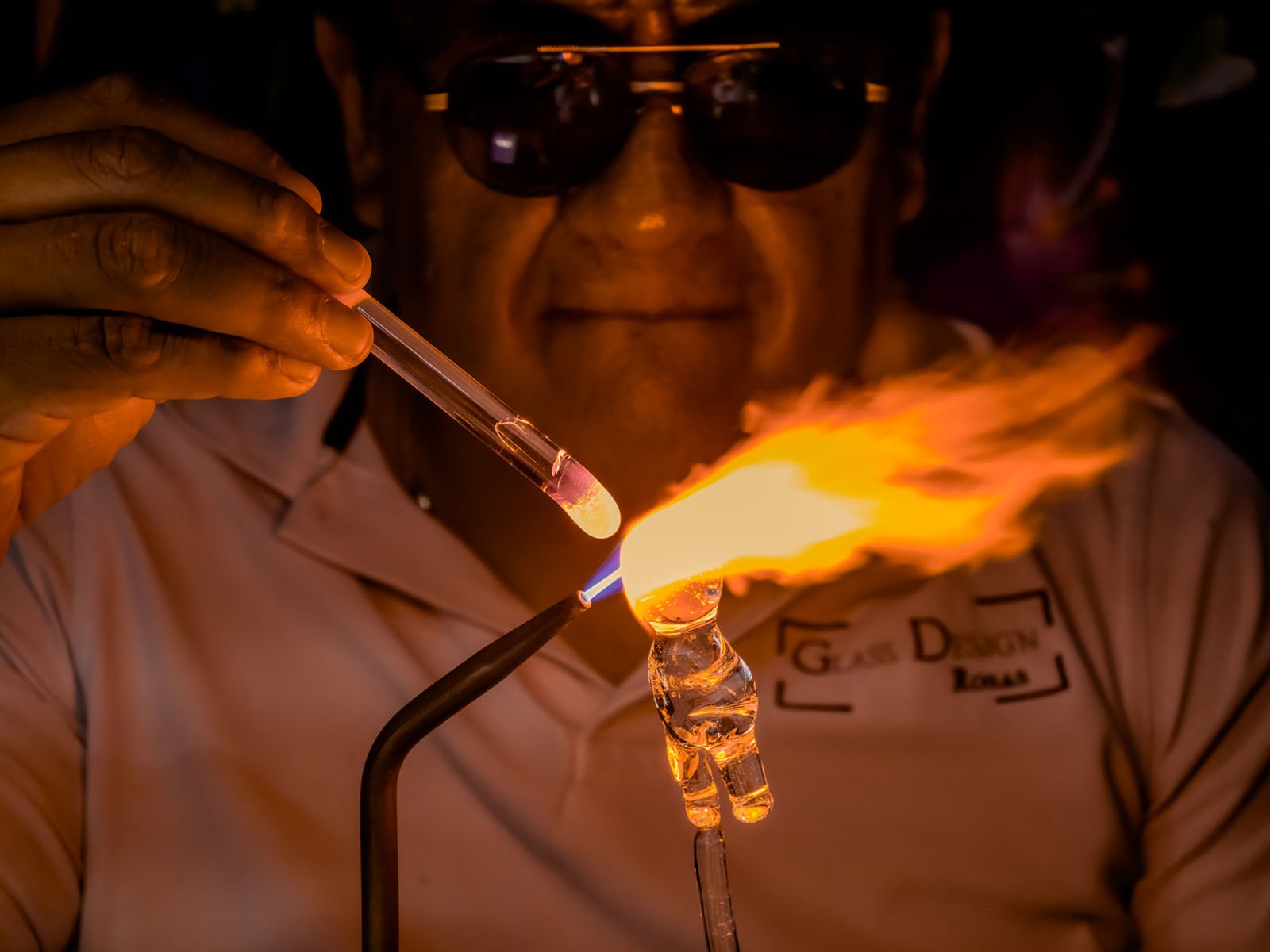

Vivo makes all three lenses available to capture RAW or JPEG images at that resolution, works with interval shooting, and all styles are readily available if you want RAW with a base look. It even integrates the Zeiss perspective correction that’s the hallmark of the Landscape and Night mode. Pro manual controls are also available in that mode with the same processing, only JPEGs are processed a little differently compared to Pro Photo.

Street Photography has its own RAW capture, though processing doesn’t radically change there. It really just comes down to how you choose to compose a shot. Focus peaking would be nice in Pro Photo, though at least there’s a histogram and metering options, plus the ability to set up bracketing at a few different EV intervals.

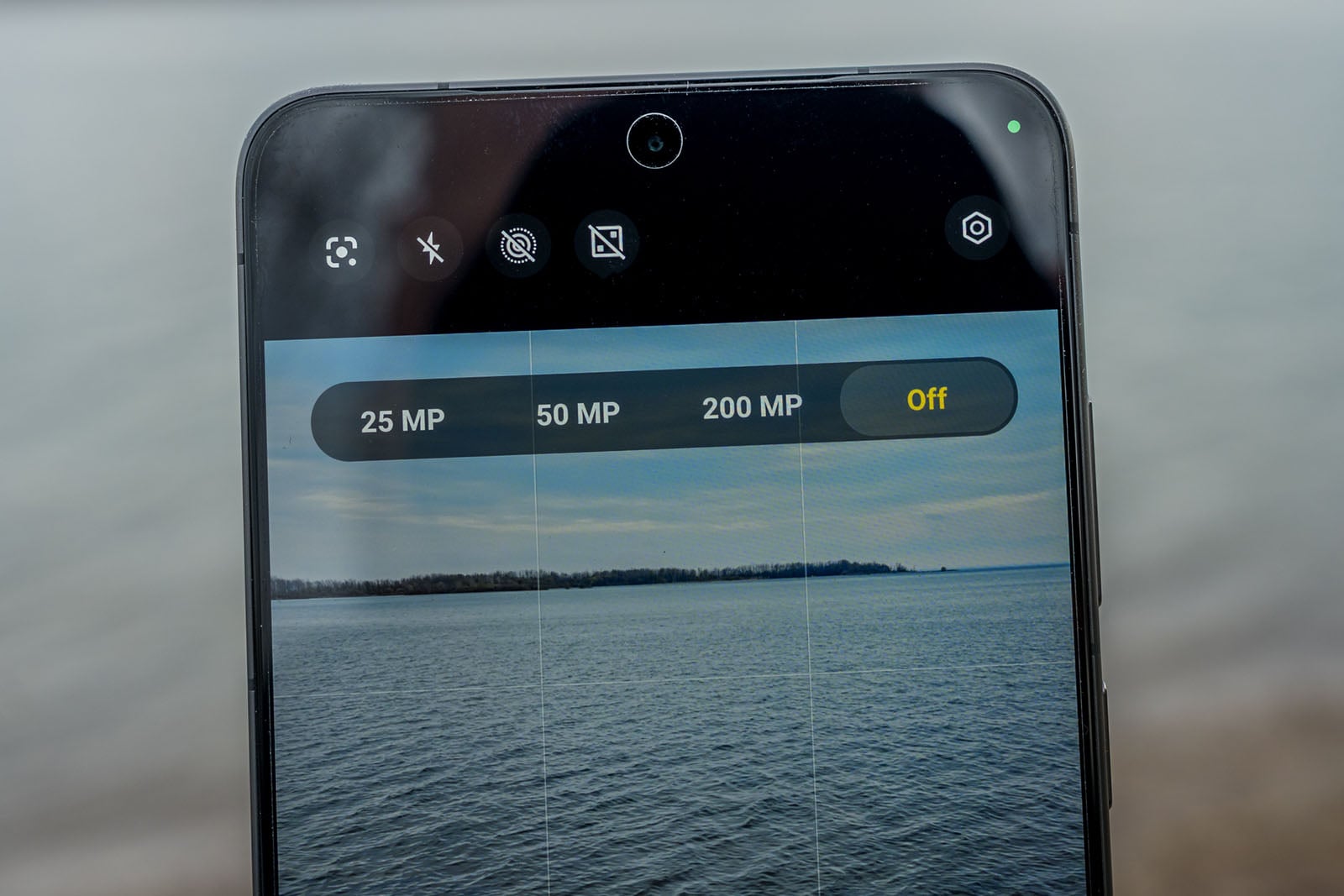
Vivo smartly integrates High Resolution into the Photo mode, where you just tap the icon at the top and pick the resolution you want. By default, you get pixel-binned 12.5-megapixel images, but you can change it at any time to 25, 50, or 200 megapixels. These always come out as JPEGs in Photo mode, and like any other shot, you can choose the color style you want, adjust any parameters, and take it from there.

It’s a recurring theme with the X300 Ultra but one of the best parts of all this is what I’m noting here applies to the APO telephoto lenses as well. The optical range makes a huge difference when capturing something at 200mm or 400mm at 50 or 200 megapixels. It almost feels surreal at times.
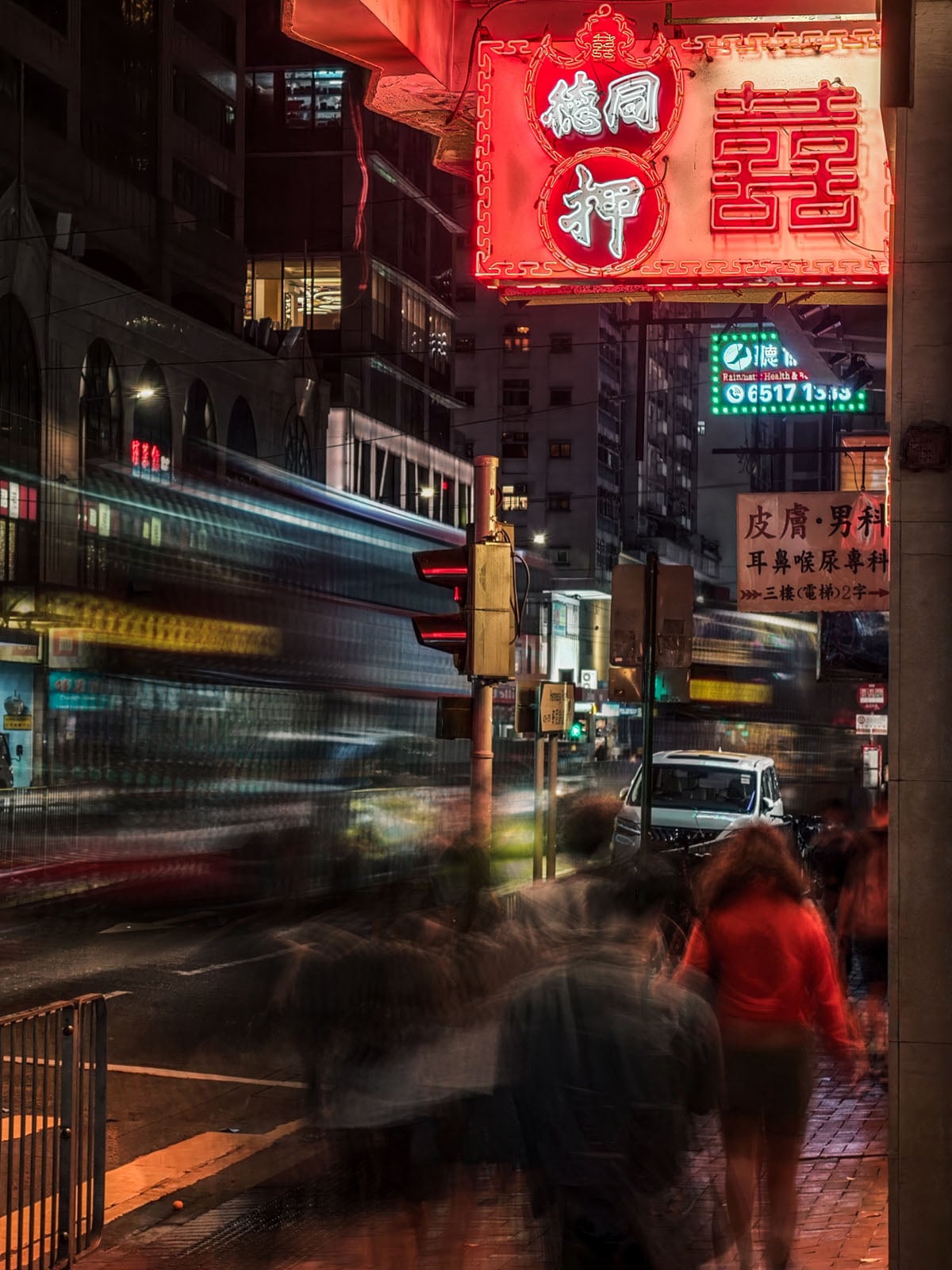
Street Photography
Speaking of surreal, Vivo likes street photography to the point it puts it in every one of its phones. This being a flagship, Street Photography mode crams in a load of features to make it a unique part of the whole experience. Interestingly, it’s the only one to have focus peaking for some reason, and offers three distinct “humanistic” color styles (lifestyle, portrait, street) designed to emulate film. Like the others, you can adjust these three in the same way only you can’t save your mix as a preset to access later. They solely live in this mode.
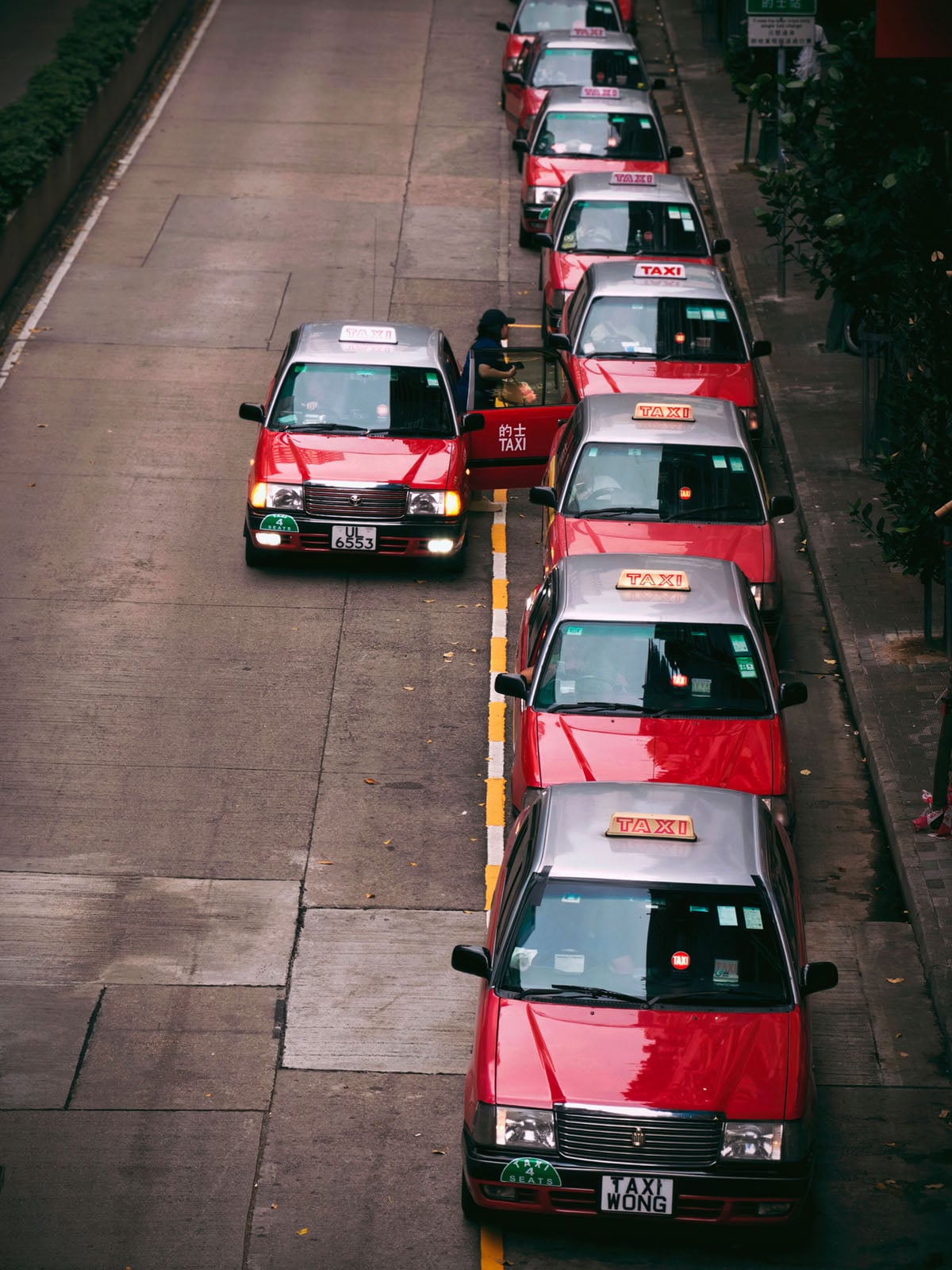
What’s nice, yet maddening all the same, is how this mode presents an exposure compensation slider that’s always there. With the same manual controls found in Pro Photo, there are serious creative possibilities wandering through a city or town with it on. Since the telephoto lenses also work with the mode, capturing slices of life from a distance is easy to do. I can see private investigators liking this setup because it’s less obvious than a full camera.
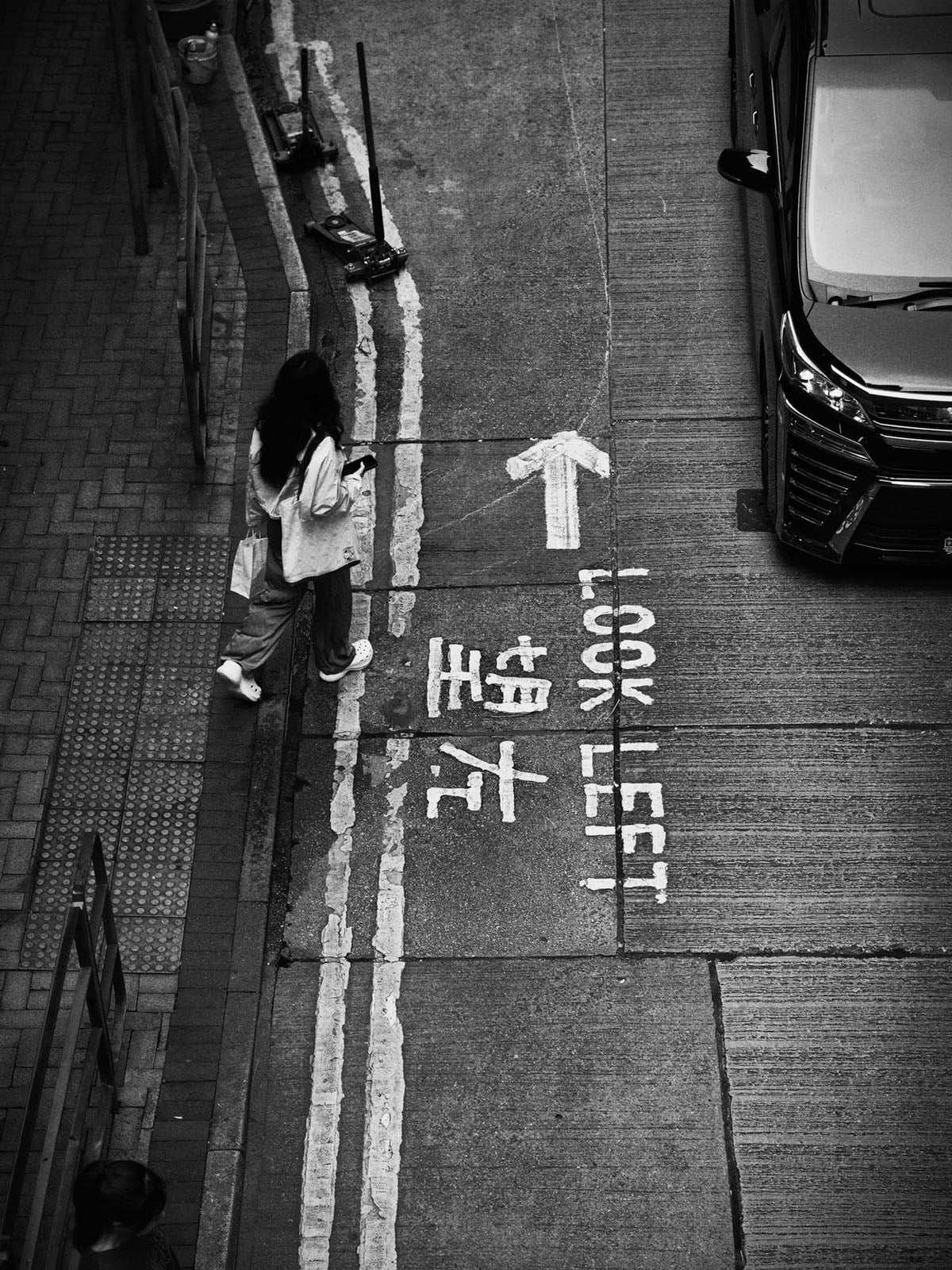
If not for the overall stability — lenses attached or not — the X300 Ultra might struggle in fast-moving scenes but it often holds up well. You do need a tripod if you plan on capturing a cityscape at night with long exposure kicking in, or to zoom way in on a building or structure. It’s also helpful at a concert or sporting event, though handheld shots are nowhere near as hard as they otherwise would be with big lenses attached to other phones, especially the iPhone.
Video Features
Given Vivo’s focus on video with this phone, I recorded tons of footage by playing around with the different features available. It’s so extensive that I could do a review entirely on the video capabilities alone. The regular Video mode gets two cinematic LUTs you can choose from: Film Look and Film Style, the latter of which defaults to 16:9 at 24fps. I fell for both as amazing ways to make otherwise mundane footage look interesting and artistic.
They’re my favorite parts of the wider video package, but I’m really just scratching the surface. There’s no way to adjust them as LUTs since they’re baked in unless you go into the Albums app’s editing stack and make granular adjustments there. Want a little more saturation or to tweak color temperature? Do it there, and you get a different look without affecting the cinematic aesthetic. It just feels brilliant and perfect for those less experienced with shooting in Log.
Pro Video mode takes things up several notches, not just with Log recording but with the sheer level of control and customization. Log and Dolby Vision work across all the rear cameras and resolutions except for 8K (which isn’t really great anyway). There is Rec.709 along with the option to import what (.cube file) LUTs you want to have a small library to work with. Samsung’s own APV codec is also in the mix here.
I think the footage generally looks great, though there’s room for improvement, particularly in sharpness. The cinematic LUTs somewhat obscure imperfections like that because 24fps naturally softens tonality that’s more evident when viewing clips on a TV or larger screen. I’m nitpicking to some extent but there’s no question it feels like a stride forward, to the point where Apple can no longer feel comfortable as a mobile video stalwart.
Vivo X300 Ultra Review: A Contender for Best in Class
The X300 Ultra doesn’t just feel like a phone camera, it feels like a whole system built on a sprawling foundation. This review, as detailed as I’ve done it, doesn’t cover every single aspect of what modes are available and the full gamut of possibilities. Simply put, it’s a beast, and the type of mobile photography that humiliates the best Apple, Samsung, and Google currently offer.

As I always say, it’s the difference between snapshots and photos. Vivo’s flagship clearly falls in the latter category by producing results that are so varied and extensive, you come away surprised at what it can do, even weeks after using it. It excels in conditions that others struggle in, and when you throw in the telephoto lenses and photography kit, it opens the gates even wider to produce truly impressive results.

I could pick 50-100 photos worthy of being included in this review. And probably dozens of video clips, too. I go over more of these examples in my video review, highlighting why and how this phone manages to do it. Vivo still has some work to do, and I encourage more streamlined UI decisions to make it easier to find things.
Are There Alternatives?
Much of what I feel about this device applies to the Oppo Find X9 Ultra, the most direct competitor to the X300 Ultra. They both came to market in a short window and use the exact same Sony LYT-901 sensor for their main cameras. Is Vivo better in that regard? Maybe to some degree because of the color science, but not by much. I think the telephoto cameras are the bigger battleground, while the ultra-wide is clearly better here.
I wouldn’t rule out the Xiaomi 17 Ultra given how much better the dynamic range is compared to previous models, while the Xiaomi Leitzphone co-engineered with Leica is unquestionably unique because of the exclusive Leica styles available in it. Film simulation is all the rage for Chinese brands these days and it remains one of the best there is right now.
Beyond that, the distance in output and performance grows. The Honor Magic 8 Pro is hardly a bad shooter, with an excellent Portrait mode and solid dynamic range, though processing lays a heavier hand on output. Meanwhile, the Samsung Galaxy S26 Ultra has a fairly deep camera UI that includes Expert RAW and better light gathering for the main and telephoto lenses. It’s just easy to feel dejected when the X300 Ultra is using an offshoot image sensor that Samsung won’t even put in its own devices.
Like the S26 Ultra, the Google Pixel 10 Pro takes more of an AI-driven approach in lieu of any real hardware upgrades. The Nothing Phone 3 is still a better phone than many realize, in part because of an effective camera system.
Then there’s the iPhone 17 Pro or Pro Max, neither of which has any chance of matching the depth or quality of Vivo’s entire array, especially on the telephoto and ultra-wide cameras.
Should You Buy It?
Yes. Even without the photography kit and telephoto lenses, this is an exceptional mobile photography tool. Add them in, and it feels like something altogether different. The €1,999 ($2,350 USD) price without the kit is tough to swallow, so you probably only take the full plunge if you really want to raise your mobile photography game.