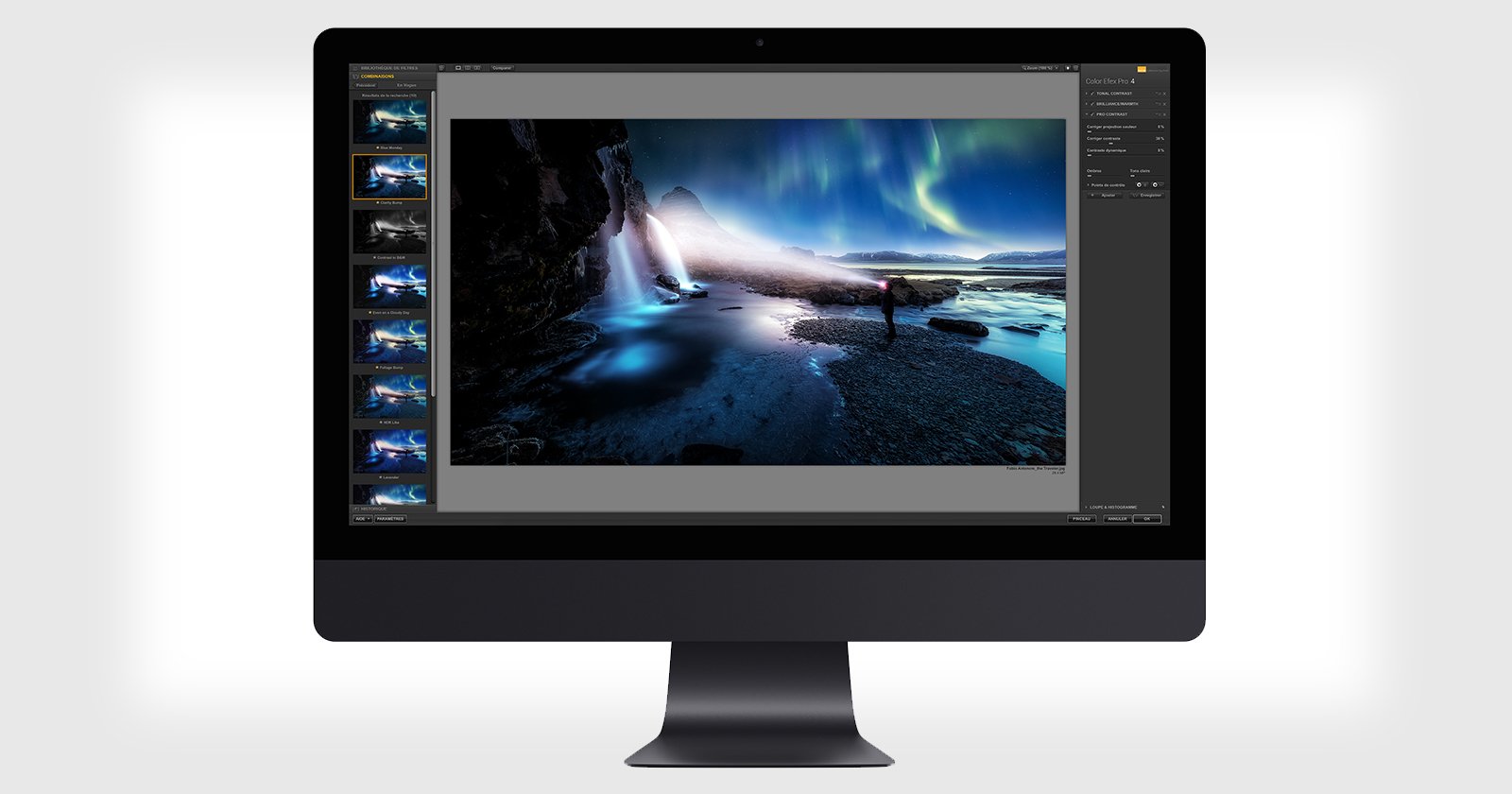
DxO Nik Collection 9 Has AI Masking, More Filters, and New Blending Modes
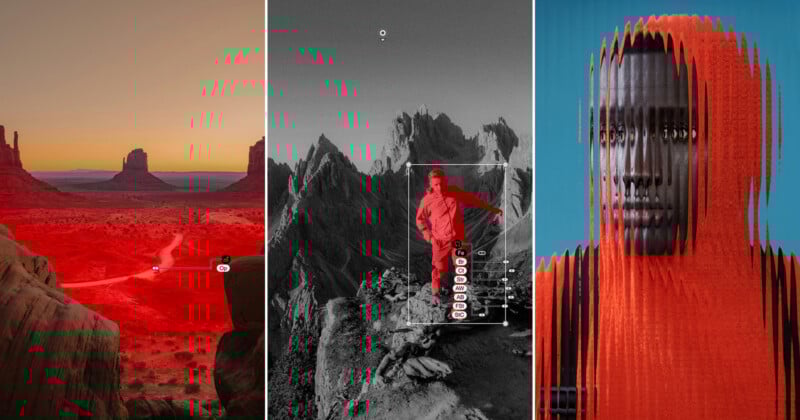
DxO is rolling out Nik Collection 9, the latest version of its suite of eight photo editing plugins, with the biggest changes coming in AI-driven selection tools. In addition, there are three new creative filters, a color grading tool, and blending mode support across its filter library.
The Nik Collection still functions as a standalone app for Windows and macOS, though it remains a set of plugins for others like Photoshop, Lightroom Classic, and Affinity. DxO sees it as a creative finishing tool that can be used at any stage of a photographer’s editing workflow, rather than something that only fits in at the beginning or end.

AI-Powered Selection Tools
The two AI-assisted masking features are probably the biggest shift. The first is an AI depth mask that uses on-device AI to analyze depth information in an image, letting users apply adjustments selectively based on distance from the camera — from foreground to background. The tool also applies diffusion along mask edges to produce a natural transition between affected and unaffected areas. Throughout this process, DxO emphasizes that all AI processing occurs locally, without sending any image data to external servers. Both Color Efex and Silver Efex offer this.
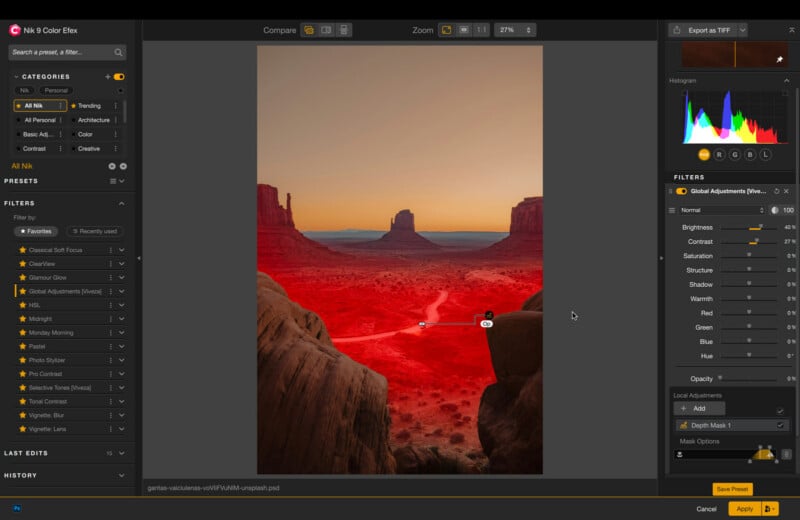
The second AI feature is an object selection mask where users can isolate specific subjects within a frame either by hovering over an object or by drawing a box around it. Like the depth mask, it includes feathering controls for edge refinement.
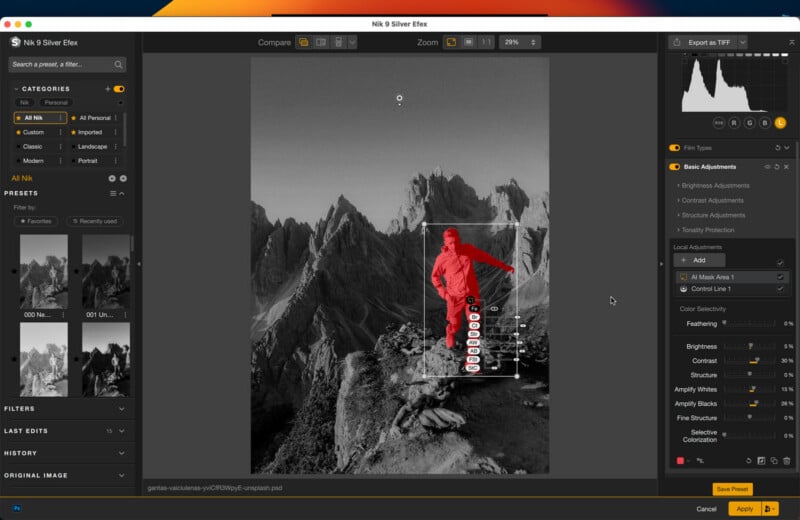
This also works with multiple masks simultaneously, selecting and adjusting luminance, chrominance, and diffusion together. The masks can also appear in black-and-white overlay mode for precision, and the overlay color can be changed from red to other colors for better visibility against similar-toned image areas.
Both tools complement the existing U Point control point technology that has long been central to the Nik Collection’s approach to local adjustments.
Three New Filters
Nik Collection 9 also introduces three new creative filters to the collection. Halation recreates the optical bloom effect associated with film photography, particularly visible around bright light sources. Users can control the effect’s intensity and add color tints. Chromatic Shift is inspired by misregistration errors from offset printing — the slight color channel displacement sometimes seen in older printed materials.
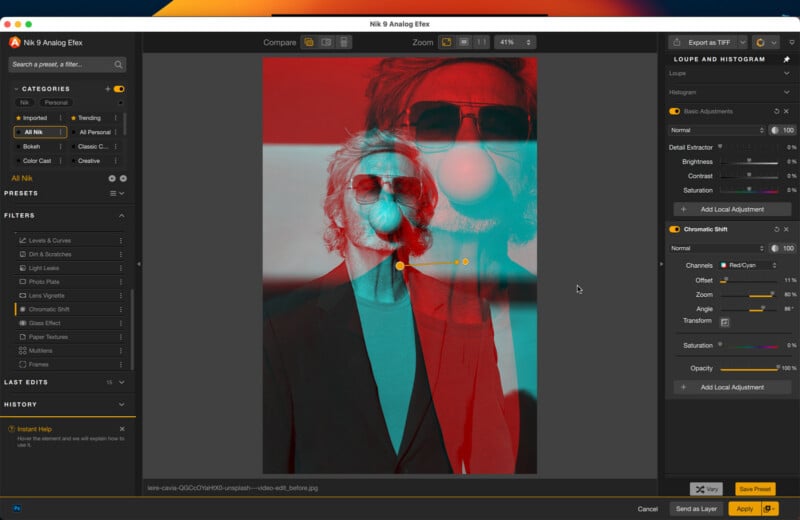
Nik Collection does this beyond simple emulation, allowing users to control the shift’s angle, color channel (red-cyan, green-magenta, or blue-yellow), and to combine it with local adjustment masks for targeted application.
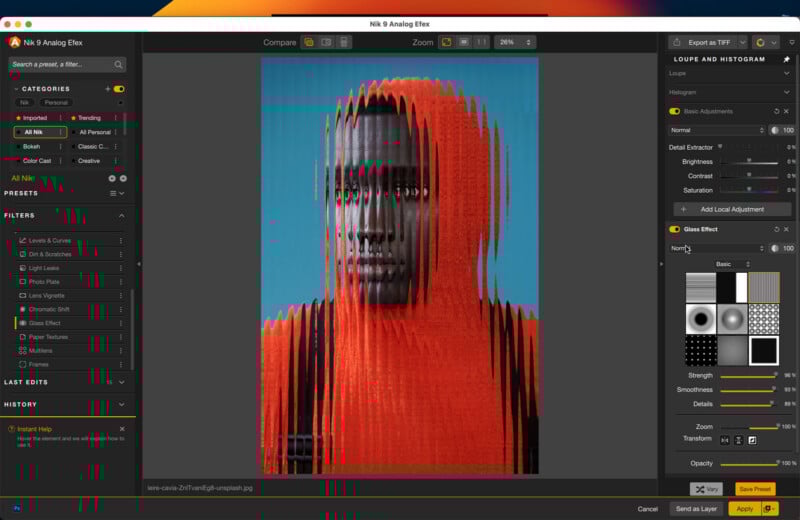
The Glass effect filter offers more than 50 glass texture overlays that simulate looking at a photo through various patterned or textured glass surfaces. Users can also combine the effect with local adjustments to selectively remove the glass texture from specific areas, like a subject’s face in a portrait.
Color Grading Tool
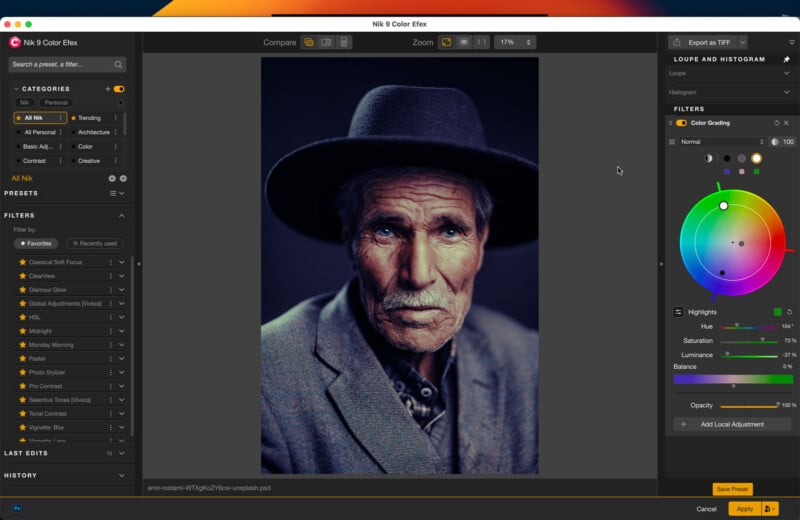
A new color grading tool provides independent color wheel controls for shadows, midtones, and highlights. DxO’s implementation adds two balance shortcuts that allow users to move all three points simultaneously while preserving the relative relationships between them, meaning adjusting hue independently from saturation, or saturation independently from hue, across all tonal zones at once. The company describes this as a differentiating factor from comparable tools available elsewhere.
Blending Modes and Presets
Blending modes, long familiar to Photoshop users, are now available across nearly all filters in the Nik Collection. There are 18 distinct blending modes that can apply per filter, allowing users to control how each filter interacts with the image beneath it and with other stacked filters. DxO believes combining the filter library with 18 blending modes results in a significant array of possible creative combinations.
Nik Collection 9 also introduces a new “Trending” preset category containing approximately 24 presets built using the new version’s features to help users explore the additions quickly.
Workflow Upgrades
DxO is also including some workflow changes to go with the new features. Hover over a thumbnail in the menu and it displays a preview without applying the preset or affecting the edit history. Mask overlays no longer have to be in red now that multiple colors are available, making masks easier to see against similarly colored image areas. It’s also possible to copy and paste masks, opening up the option to reuse a mask created for one filter on another without rebuilding it from scratch.
Availability and Pricing
As with any other DxO software, the collection is available under a lifetime license for $179.99. Existing owners of Nik Collection 7 and 8 can upgrade for $99.99. You can also opt for a free trial with no feature limitations nor setting up payment information when downloading it through DxO’s website.
Image creditsDxO