Adobe Premiere’s New Color Mode Is a ‘First-of-its-Kind’ Color Editing Experience
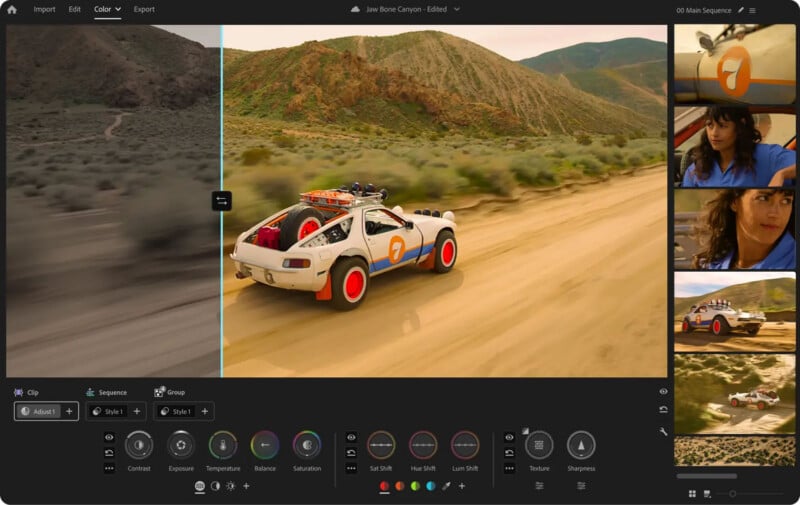
Adobe Premiere, which torpedoed the “Pro” in its name earlier this year, has a new “first-of-its-kind” color grading system, dubbed Color Mode.
Unveiled ahead of NAB 2026, the new Color Mode, which is launching first in Adobe Premiere (beta), has been designed from the ground up for video editors. Although Adobe doesn’t say as much, the new Color Mode seems like a direct response to DaVinci Resolve’s color editing solutions, which have rightly earned Resolve many supporters and converts over the years.
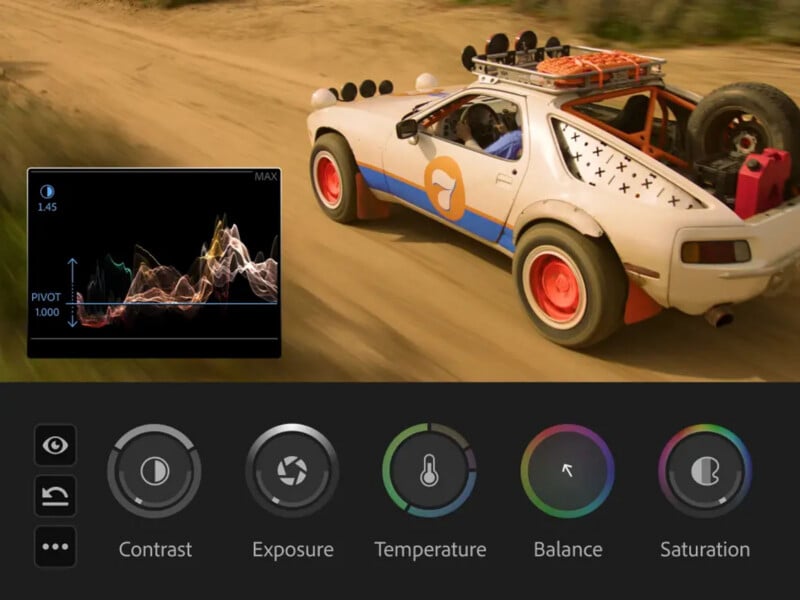
“With all-new tools that work the way you think, you can finally craft brilliant color with confidence and control — right next to your edit,” Adobe promises, noting that Color Mode exists right inside of Premiere, no more “app switch required.”
The company insists that each control, layout, and interaction inside Color Mode was built with video editors in mind and designed to address their primary concerns and desires surrounding color.
“It works the way you think,” Adobe says. “The gap between how you wish your video looked and your finished result just got a lot smaller.”
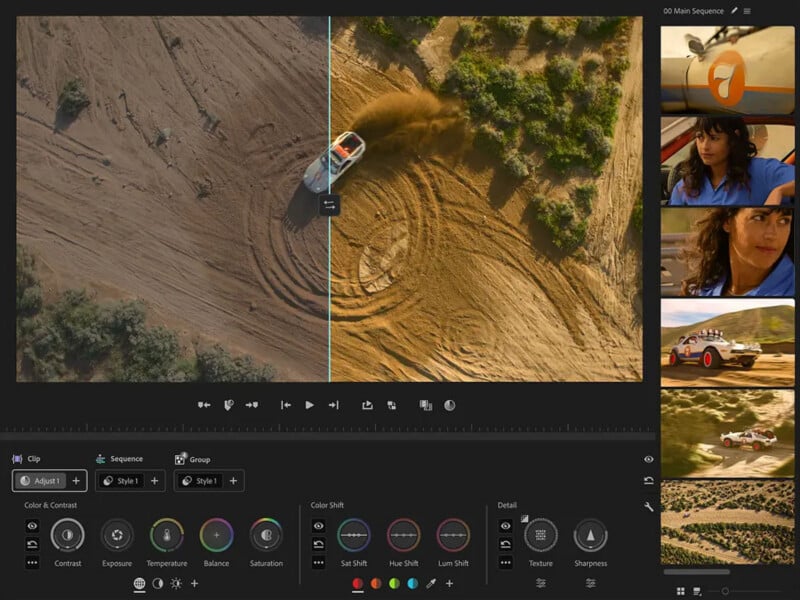
These are ambitious claims, and Adobe’s attempt to achieve them relies upon the new Color Mode tab inside Premiere. When using Color Mode, a new user interface with a big preview window appears. Inside this workspace are an array of new user-adjustable Style Presets. Editors can adjust saturation shift, hue shift, and luminance shift for all of these presets, essentially crafting their own color grades. It is designed to be very easy to use.
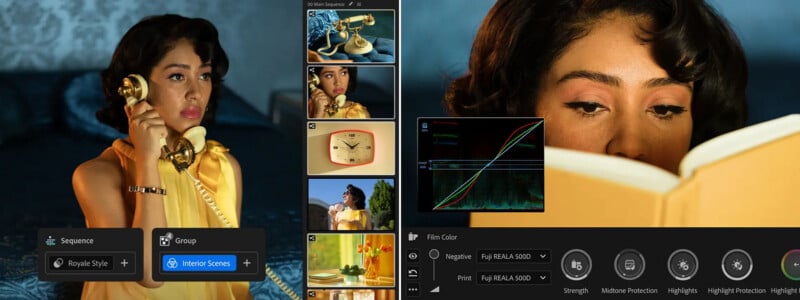
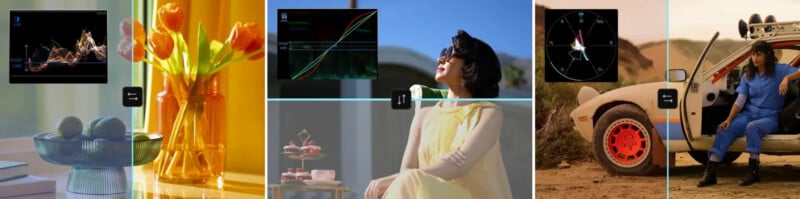
However, for those who want even more control, there are many options in Color Mode. Video editors can tweak basic things like exposure, contrast, temperature, balance, and saturation. But specific colors can be tuned across the exposure or color range, meaning it’s straightforward to make shadows bluer, highlights more orange, and independently fine-tune each color in a video, no matter how bright or dark it is.
Friend of PetaPixel and YouTube creator Matt Johnson test drove Color Mode ahead of today’s reveal, calling it “the largest update [Premiere] has ever received.”
“Color grading has only grown in importance over the years. Having an editor-first color grading system that reimagines how to easily achieve professional color is truly a game changer,” Johnson says.
Johnson is clearly a fan, and it will be interesting to see how other Premiere users respond to the new Color Mode. It is a significant response by Adobe to competing applications in the space, namely DaVinci Resolve. Whether it keeps people invested in the Premiere ecosystem or attracts new users under Adobe’s umbrella remains to be seen.
Adobe Premiere (beta) with Color Mode is available now to Premiere and Creative Cloud Pro subscribers.
Image creditsAdobe
Affiliate Disclosure PetaPixel articles may include affiliate links; we may earn a commission if you buy through one.