Give Old Videos New Life: How VideoProc Converter AI Enhances Your Footage to 4K Quality
Is your digital archive filled with vintage footage from early DSLRs, prosumer camcorders, or first-gen smartphones? Chances are, they are blurry, noisy, or even frozen in spots. Sub-par resolution, pronounced chroma and luma noise, IBIS wobble artifacts, and inter-frame jitter affect the legacy clips from older cameras and any footage captured under suboptimal conditions. While you’d love to archive these memories, revisit nostalgic moments, or share them, the poor quality can make them difficult to use.
Full disclosureThis story brought to you by Digiarty Software
While the gap in quality is real, the good news is that modern AI video enhancers like VideoProc Converter AI can easily help you solve these video troubles. Leveraging neural networks trained on real-world degradation, it can intelligently upscale 720p to crisp 1080p, suppress sensor-level low-light noise, and interpolate choppy 15–24fps clips for smoother playback. We’ll show you how to effortlessly improve your old videos and make them clear, stable, usable, and enjoyable again.
Meet VideoProc Converter AI: One Tool, Endless Possibilities
VideoProc Converter AI is an all-in-one multimedia software with a powerful AI video enhancer specially built to restore and enhance old video footage. Older videos often suffer from grainy noise, low resolution, or shaky footage. VideoProc Converter AI uses advanced AI tools such as Super Resolution, Frame Interpolation, and Stabilization to fix these common issues. Its latest V3 AI models provide outstanding quality and faster processing speeds.

Moreover, it’s an all-in-one media toolbox. It easily converts incompatible camera formats (XAVC, MXF, etc.) to ProRes (with Alpha channel), MP4, etc. If you have home DVDs, the software also helps digitize and preserve them conveniently. Plus, VideoProc Converter AI offers an AI Image Enhancer, helping you upscale low-resolution photos to 10K resolution, restore facial details in blurry portraits, and colorize black-and-white photos. You can also find tools for converting, recording, and downloading in a single interface – all AI-powered and hardware-accelerated.
Note: New AV1 and ProRes export options will be available soon in Super Resolution, other AI video modules, DVD, Video Converter, and Compressor features. AV1 offers smaller file sizes or higher video quality, while ProRes facilitates further editing workflows.
Get a Free Copy and Exclusive Deals
As a PetaPixel reader, you can experience the power of AI restoration firsthand with VideoProc Converter AI. For a limited time, you can get the giveaway version completely free, giving you access to essential video enhancement features at no cost.
If you want full access with no limitations, the Lifetime Full Version is now available at a special discounted price of only $29.95. That means unlimited restoration of your old videos, lifetime updates, and priority support – all for one affordable price.
Don’t miss out on this exclusive offer: Claim Your Giveaway or Lifetime License.
Three Powerful AI Tools for Old Video Enhancement
a) AI Super Resolution to Upscale Resolution and Elevate Quality
The Super Resolution feature uses advanced AI to dramatically upscale your videos by 2x, 3x, or even 4x the original video, transforming them up to stunning 4K. Older camcorders or cameras typically recorded videos at 1080p, 720p, or even lower resolutions. Traditional upscaling techniques rely on mathematical algorithms to enlarge images. VideoProc Converter AI’s Super Resolution leverages machine learning models, trained on large datasets of high-definition visuals, to intelligently predict and generate new pixels. It is not just increasing the resolution, but intelligently preserving details to create sharper and clearer shots without artifacts.

If your videos are captured by older digital devices, you can easily remove those flickering lines with the Deinterlace option. This tool effectively transforms them into high-definition content, perfect for viewing on modern screens or sharing online.
Ideal for:
- Family videos from early digital cameras with interlacing issue
- Old VHS tapes, Mini DV recordings, or 480p DVDs
- YouTube uploads from the early days
- Clips with heavy compression or cropped cell phone videos
b) AI Frame Interpolation to Boost Low Frame Rate for Fluidity
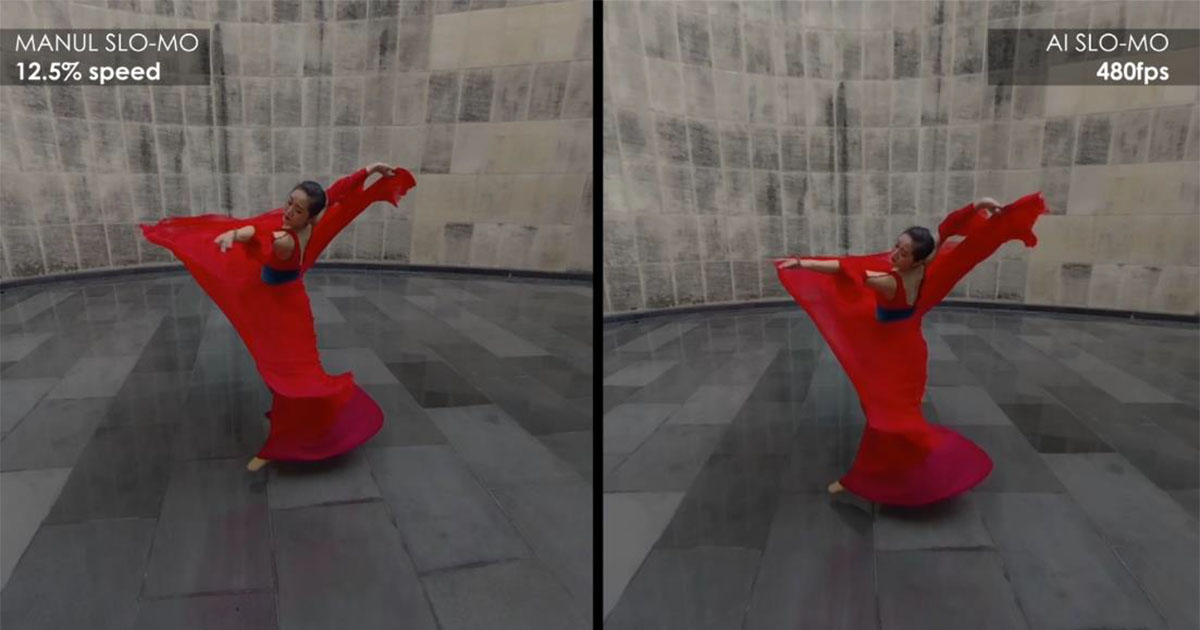
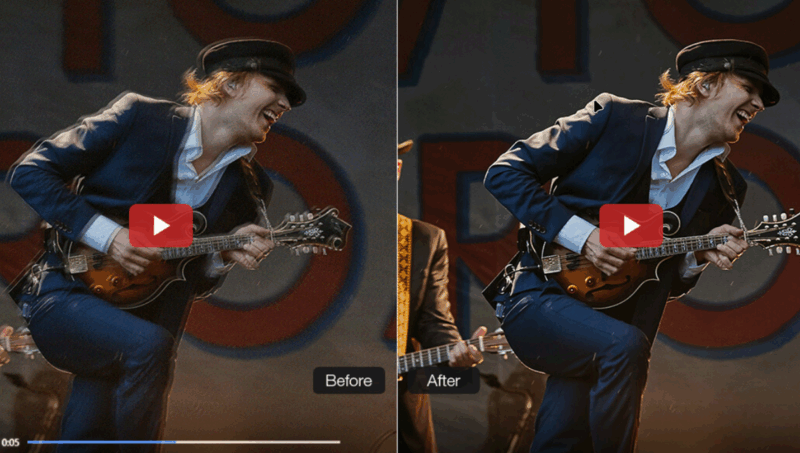
Older videos often run at a lower frame rate such as 16, 17 or 24 fps. The AI Frame Interpolation feature intelligently generates additional 5x frames of the source video to convert low-fps footage to smooth 60/120 fps or even higher. It’s ideal for footage from early digital cameras or camcorders, helping eliminate jerky or stuttering movements for a much smoother viewing experience.
Ideal for:
- Choppy footage from early digital cameras or mobile phones
- Travel videos from action cameras with low FPS
- Unify footage with various frame rates for editing
- Create 20x slow-motion clips with no glitches or artifacts
c) AI Stabilization to Reduce Rolling Shutter and Wobble
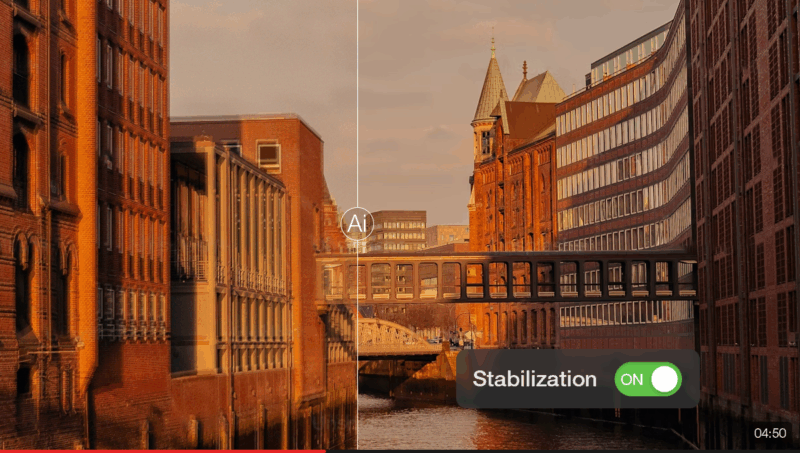
Nothing ruins an old video like shaky, unstable footage. The AI Video Stabilization of VideoProc Converter AI automatically detects and corrects shake from phones, camcorders, GoPro, and more, resulting in steady, professional-looking videos.
Ideal for:
- Old handheld footage, vlogs, or vacation videos
- Walk-and-talk videos or action cam recordings
- Videos recorded without proper stabilization tools
How to Restore Your Old Videos
Let’s see how easily you can restore your old videos using VideoProc Converter AI.
- Get a license code and install VideoProc Converter AI.
- Launch the app and go to the Super Resolution module from the main interface.
- Import one or more videos by dragging and dropping, and configure upscaling settings, including AI model, resolution, etc.
- Change output settings like codec, format, and quality level.
- Click the RUN button to start the video restoration and enhancement.
- After that, you can run Frame Interpolation for smoother playback, and AI Stabilization to reduce shakiness in videos from older devices without stabilization. See full instructions on these AI tools.
Bonus Tips for Choosing a Codec:
In AI Super Resolution, Frame Interpolation, and Stabilization, VideoProc Converter AI lets you choose different output codecs in the Export settings, so you can optimize your video for playback, editing, or sharing.
- AV1: Next-gen codec with top-tier compression — better quality at the same size or smaller files at the same quality. Perfect for 4K, 10/12-bit, HDR, and metadata retention.
- HEVC (H.265): Better compression than H.264 with similar quality. Ideal for 4K exports, home viewing, or sharing via USB/cloud.
- H.264: Highly compatible and reliable. Best for social media, email, or playback on older devices.
- ProRes: Designed for post-production workflows — minimal quality loss during color grading, VFX, or broadcast editing.
Here are some real examples showcasing what VideoProc Converter AI can achieve:
- Low-resolution videos become crisp and clear with better details.
- Noisy scenes are cleaned up, significantly reducing graininess and enhancing clarity.
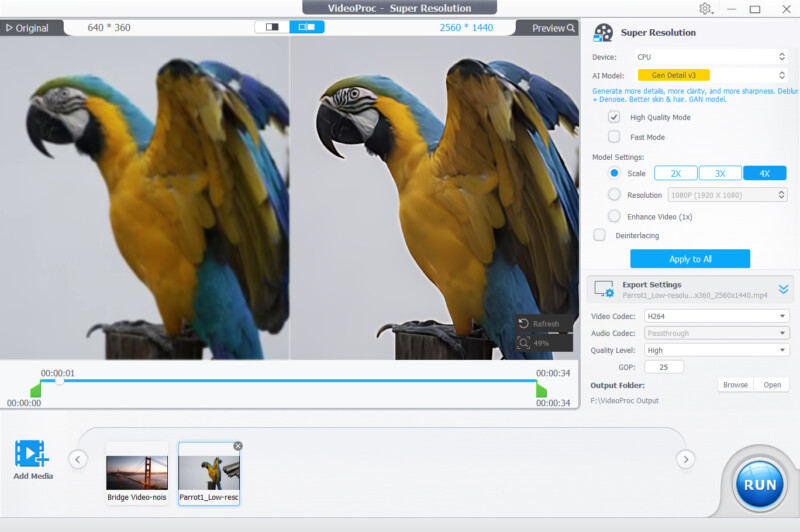

Image AI to Bring Your Old Photos Back to Life
VideoProc Converter AI also includes an Image AI module, offering powerful tools designed especially for photographers.
The Image Super Resolution uses AI to upscale low-quality images by 2 to 4 times, up to 10K resolution. Photo Colorization breathes vibrant life into black-and-white or faded photos, while Face Restoration sharpens facial details, making people look crisp and recognizable. These AI-powered features restore sharpness, clarity, and vivid colors with impressive accuracy.
Bring Your Memories Back and Save Big
Restoring your old videos and photos has never been easier, thanks to VideoProc Converter AI. With advanced AI tools like Super Resolution, Frame Interpolation, Stabilization, and dedicated photo restoration features, you can effortlessly recover precious memories and enjoy them like never before.For a limited time, you can claim a free giveaway version of VideoProc Converter AI or unlock the lifetime full version for just $29.95 (62% off), which includes unlimited access, free updates and four bonus tools in the complete package. Don’t miss this perfect opportunity to restore your videos and photos quickly and affordably.
Full disclosureThis story brought to you by Digiarty Software
Affiliate Disclosure PetaPixel articles may include affiliate links; we may earn a commission if you buy through one.