PetaPixel

GoPro Hero3 Frying Pricey 64GB microSD Cards, Some Users Report
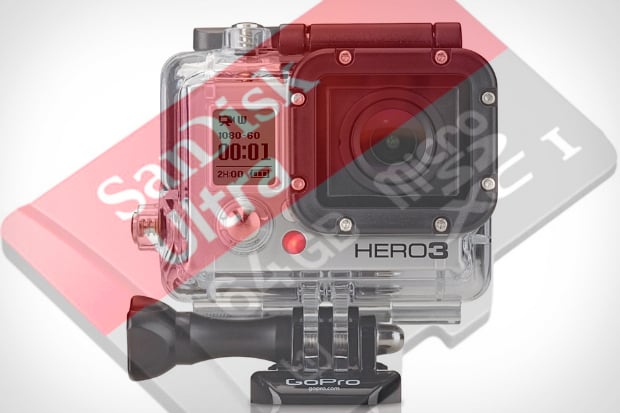
GoPro Hero3 Frying Pricey 64GB microSD Cards, Some Users Report hero3burnout

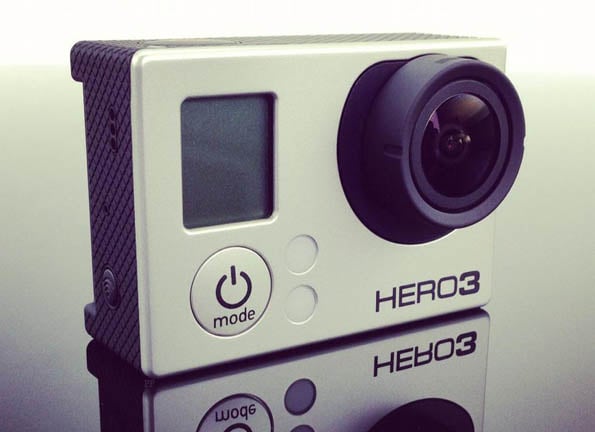
A number of users over in the GoPro forums and beyond are reporting a serious problem with the GoPro Hero3. Namely, those who have been putting up the money to buy 64GB microSD cards (the largest the Hero3 will take) are finding that the GoPro is actually frying the cards after only a few days of use.

After using their GoPro Hero3s for a couple of days (or in some cases only a couple of hours), some users report that their cards no longer show up on any of their card-readers. Once inserted back into the GoPro, the camera then gives “No SD Card” and “SD Err” messages.

The problem only seems to apply to the 64GB cards, so buying two 32GB cards is a sufficiently convenient workaround for most people; even those who have had their cards fried are finding SanDisk has been very gracious in granting free replacements. But a replacement card won’t recover the memories lost when a card burns out.

While there are data recovery services out there, you can expect to spend several hundred dollars to pull the footage off of one of these cards. So until a firmware update comes along to fix the problem, we suggest Hero3 users invest in a 32GB card and, if you want to be extra safe, switch the camera’s startup default mode to Picture Taking instead of Video, per one forum user’s suggestion.


Thanks for sending in the tip, Mario!


  • John R

    I am surprised the camera ran long enough without locking up to fill a 256k card let alone 64gb

  • http://www.facebook.com/dgbrownnt D.G. Brown

    I have a GoPro Hero3 Black (and have had a Hero and two Hero2′s) and I’ve been pretty annoyed with the decision to go to microsd (even though it’s obviously because of space restrictions between the decreased depth of the device and the new battery shape). I have two of the 64GB cards and neither has fried yet. However, they also don’t really work. The camera chokes on the 10MB/s write speed of the cards. And when I say chokes, it does more than just stop recording; it will freeze up to the point you have to pull the battery out. Fun.

    I went out and got two of the 90MB/s write cards (the biggest ones right now are 16GB) which have yet to freeze the camera (though the random stops still happen, but far less frequently), but at the cost of space.

    I also think a lot of it is just that the software still needs a few patches before it’s really “prime time”, which is pretty typical of GoPro.

  • John R

    Impressed that I am downvoted twice.

    My experience of the GoPro black with two SanDisk 16gb 90mb cards is that it usually locks up and the only way to get control back is to remove the battery. Also the HDMI video out is exceptionally variable in quality.

    So I am not surprised that it fries 64gb cards

  • Petr Mesi

    always formated 64g card in PC,never ever formated in gopro 3 and you are out of problem!!!never ever again problem with 64g card.Thats my experience.

  • http://twitter.com/kmstudios Kent Miller

    We have had it lock up with a sandisk 32gb card. Had to return the card. 2 new cards are working so far. The camera will lock up at any point and require the battery being removed to use the Hero3. Also when using the extra battery pack you have to remove it to charge the batteries after use. Either battery will not charge if the extra battery is connected to the Hero3.

  • lidocaineus

    The GoPros are alright but anyone annoyed by this might want to take a look at the Contour cameras, which I find produce a better image and don’t look so cheese-tastic.

  • Kalvin

    I had this issue about a month ago- got my new Hero3 Black edition along with a Sandisk 64gb card now that it was (reportedly) supported. Used it a handful of times and then the card mysteriously stopped working. Had to pay out of my own pocket to send the card back to Sandisk for an RMA. Spoke to GoPro and the only help they provided was “we apologize that you are experiencing issues, our development team is working on a fix for these cards”.

    Among many many other issues of the camera freezing or just flat out not working (having to pull the battery several times to seemingly trick it into booting up etc) I’ve been rather disappointed overall. Even now using a 32gb card it is far from perfect and still having many problems with it. With that being said I’ve got some beautiful footage when it does feel like working, but they definitely should not have released the camera with so many bugs and issues.

    Very glad to see this story picked up, because I haven’t had any luck getting my issues resolved and been considering returning the camera until they are more stable.

  • Mark Colan

    Your use of the word “fried” implies permanent damage, as in the hardware burned out. But if data can be recovered, that probably means that critical parts of the file system have been corrupted, i.e. a software error occurred which overwrote the file system tables, NOT hardware damage. If this is true, it should be possible to reformat the memory card to make it usable again.

    For data recovery, it is probably possible to do it on Windows using tools such as Active@ File Recovery (I am a happy user but have no other affiliation) or the equivalent on Mac, rather than resorting to an expensive data recovery service.

    I have a Kingston 64GB Class 10 micro SD which lost its formatting, I think after reformatting to FAT32 then copying files (using W7), during which the error occurred, and it was no longer recognized. I put it into my Nikon D90 (with an adapter), which said that it was not formatted and offered to reformat it for me. It has worked perfectly on all devices since I let the camera reformat it for me. (But note: I am not a Hero3 user, though a friend of mine is, and we have discussed issues in using it.)

    Micro SD cards are not to blame: they are the same electronics as conventional SD, but in a smaller form factor. The SD adapter is a passive device that makes it fit a different physical specification. More likely, a firmware upgrade is required in the Hero3 to fix this problem.

    For more info on the Kingston 64GB Class 10 card, check out my review on Amazon. As I collect info on using it, I have been making updates there, including adding a link to this article.

  • Mark Colan

    An essential difference between SDHC (such as 32GB cards) and SDXC (typical for 64GB and up) is the file system format: SDHC uses a variant of FAT32, and SDXC uses exFAT. The Kingston 64GB chips can be reformatted to FAT32, which causes them to work for most devices that support SDHC, while providing the same capacity as SDXC, and similar (Class 10+) performance. There could be a bug in the SDXC/exFAT driver for the Hero3, perhaps not discovered for 32GB SDHC cards, and less well tested.

    OTOH someone below comments that they had a problem with 32GB cards, too.

  • Mark Colan

    BTW I have heard, but not confirmed, that SanDisk 64GB cards can NOT be reformatted to FAT32. This suggests that they will not be as compatible as cards like Kingston which support either type of file system.

  • Pete

    I had endless problems with three GoPro Hero3 cameras in a row; they all failed. Thats a 100% failure rate. I have never experienced something like that in my live. First two cameras never charged, Im not sure if the last one had a similar charging problem, but I only managed a couple of 7-15 second videos before the Hero3 fried my brand new 64Gb Sandisk card.
    After one month of long emails with GoPro, they take no responsibility for the card and tells me to take the card to SanDisk instead.
    They claim 1% of cameras return with problems, (apparently they dont think these failing cameras are a problem). I think 1% is bull based on my own stellar sample and the volume of posts online from people with similar problems.
    STAY AWAY FROM GOPRO!!!

  • KD GoesPro

    I have had a Gopro Hero3 Black since the day it was released and have all the updates in place. I had been using SanDisk Ultra SDXC class 10 till now. Have not really have had any issues.. but it did choke a couple of time when there are a lot of videos in it. At times when it freezes (not very often really) , the only option is to take out the battery and put it back.. not a good option when you are under water. I have shot in 1080p 24fps, 30fps and 60fps. Most of them underwater. I have shot in 2K and 4K resolutions of city scapes and as a dashboard cam… not that i could play them on any screen, but have been quite successful without any hardware issues. Biggest problem is for me to transfer those heavy videos into a NAS (QNAP TS212) from the camera or a card reader. I had to leave the copy operation running for a couple of hours to dump the video. I could not get my hands on the new touch LCD back, but I managed to get a HERO 2 LCD back which works really fine with the HERO3. (thought that might be useful info). Owing to the lag on high capacity disks… i am planning to use smaller probably 16GB cards rather than a single 64GB card… better for security against lost videos as well… Also i got a separate battery pack (a cheap option) which I can plug into the GoPro USB to do shoots for long hours.. only issue is the cam gets quite hot.

  • techguy

    I have a sneaking suspicion that this is to do with pulling the
    camera from the USB slot without properly ejecting the device prior to
    pulling the cable!!!

  • Fathom

    yeah just lost two 64GB cards in my Gopro

  • http://www.facebook.com/khmerpryd Khmer Pryd Mike

    That’s what exactly happened to me. Tomorrow I’m gonna go to futureshop to ask for a replacement and I hope they will change it for me.

    #SanDisk micro sd 64gb > It shows 32mb :/ on the computer
    #On the screen of the gopro hero 3 it shows ”SD ERR” and ”NO SD”

  • Jon

    I had a 32g Sandisk fried by my gopro black. Went to bestbuy and got 2 sixteen gigs maybe that will help. Gopro needs to fix this prob ASAP.

  • JLN

    got my 64gb SANDISK fried also … after a few days of usage. Cannot reformat it on Windows 7 or on Mac, tried multiple solutions includind softs such as SDFormat from panasonic. Have contacted SANDISK for replacement, but wonder what to do with the replaced one … DO not want mu GoProH3 to fry it again …
    Now what card should I buy in the mean time ? 32gb and format in FAT32 ? Not sure as I can read here that some of you got 32bg fried also …
    What a mess …

  • Bill

    This is ridiculous! GoPro needs to respond to this and tell us what they are going to do! What are we suppose to do with these 64GB SD cards?

  • Chris

    i bought a go pro hero 3, spent $321 on camera, more on micro SD card. First time i used it, it kept freezing, would stop recording for no reason, and battery went dead in 30 mins. Next time I try to use it the screen gets so hot you can’t touch it and it turns black, and now it won’t charge or turn on. Bought it at Best Buy store, i dont have the receipt. i hope they’ll let me return or exchange it. if not go pro better do something about it. this was the biggest waste of money and disappointment ive ever seen. DO NOT BUY ANY GO PRO JUNK! Looks like they are a complete failure.

  • http://www.facebook.com/claus.thanner Claus Thanner

    ABSOLUTELY AGREE.. MY FIRST GOPRO CAMERA AND NOTHING BUT FREEZING UP = WHAT A BUNCH OF AMATEURS. THE HOLE GO PRO THING SEEMS TO BE FOR PPL HAPPY WITH LESS AND ITS A LOT OF – NOTHING BUT HOT AIR. CRAP. sorry to say!

  • zman7458

    the gopro takes a high in rush current. most computers usb power is to loaded down with other peripherals to overcome it.
    I only charge mine from the wall. it seems to work fine so far.

  • DISAPPOINTED

    MY LAST E-MAIL TO GOPRO CUSTOMER SERVICE
    Matteo C.,
    Now I tell you what I am going to do and why, since you feed me with simply ridiculous answers.
    There is no such think as procedure preventing you from helping customer in fixing your faulty product, no health and safety issue, no risk I could cause any harm to your business.
    I got faulty product out of warranty which I can simply fix since I’m design engineer if you only sent me part I need, I cover part and shipping cost.
    Since you’re not keen to help, I am going to send copy of these e-mails to every Electronic and Tech magazine, post them on facebook pages and will keep sending e-mails to your executive team, I might be ignored (or not) as nobody is keen to admit they got lazy employees in their company but I am quite sure it will not help you either but may help to improve your company image and improve quality of customer service.
    You do not need to respond to this email if you do not wish.

  • http://www.facebook.com/profile.php?id=1296447134 Paul McInerny

    Same problem. I have to remove the battery to get the camera to reset. I had a 16GB Sandisk and used it 4x’s – the last was on a ride to Laughlin. Now the disk appears to be bad. Looking for a good 32GB disk.

  • bogsurfer

    I have 2 32gb cards by PNY. never a problem… downloaded update when I bought the black edition and always worked great. Battery and 32 gigs last me about an hour and a half shooting 1080 60fps. I have two batteries and two 32gb cards that I switch out. When shooting continuously, it does split up the recording into multiple files for some reason. This past weekend I went rafting so I picked up an external battery pack and a 64gb SANDISK card to “film” the trip straight through. The battery pack works well and charges correctly on and off the camera ( I did charge it off the camera the first time). However, The card is junk, If you read all the comments here or most anywhere on the net… … there is one common denominator… …the SANDISK cards are not compatible with gopro hero 3, 64GB SANDISK CARDS DO NOT WORK WITH GOPRO BLACK. I read it but didn’t listen… The best buy salesman talked me into trying it (with 7 day money back warranty). Sure I get my money back but failed to capture a fantastic rafting trip. I love the camera… do some research on different brand cards and you will be happier!!!

  • bogsurfer

    The hour and a half shoot at 1080fps was 1 32gb card and 2 batteries. i believe 1 battery will go about an hour at this rate.

  • Trazor

    just had my 32GB scandisk get ‘SD ERR’ and now my mac or wifes windows based pc will not read the SD card… great, after an entire Day competing and none of the footage is downloadable. SO dissappointed in my Go Pro Hero 3 black. Was so excited, but with all this BS and the freezing which requires the battery to be removed to reset. What a POS this has turned out to be.