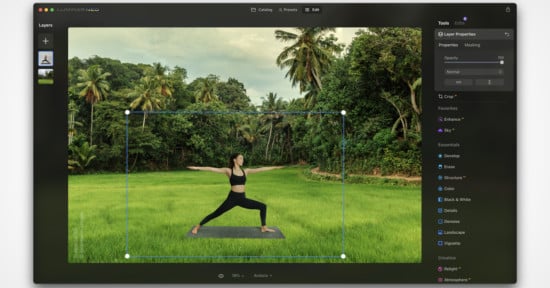
Skylum’s Fall Update Supercharges Luminar Neo With Even More AI
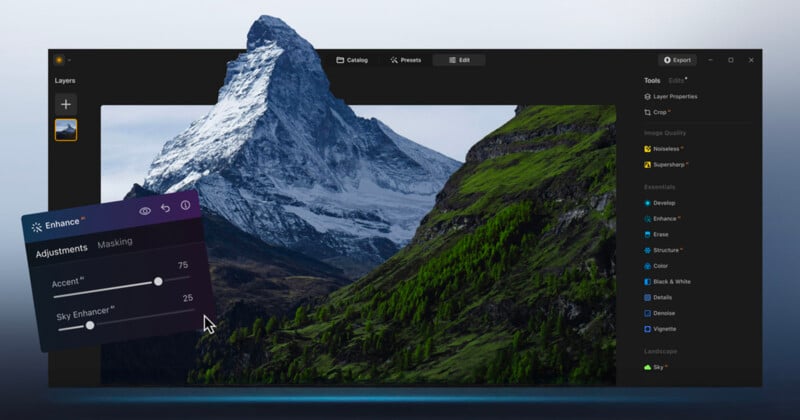
Skylum has announced the Fall 2025 update to its award-winning Luminar Neo software, promising enhancements to existing tools and all-new features for photographers of all skill levels.
Luminar Neo Ecosystem Connects Devices and Creatives
The newly introduced Luminar Neo Ecosystem allows photographers and creatives to seamlessly connect multiple devices into a unified editing workflow. Users can start a project on a smartphone while on location, capturing inspiration as it happens, and then continue refining the images on a desktop or laptop without losing any adjustments or metadata. This ensures consistency and eliminates the need to manually transfer files, which is especially useful for professionals working on time-sensitive projects or managing multiple client assignments simultaneously.
Complementing this cross-device workflow, Spaces, a new feature available to Ecosystem Pass holders with Cross-Perpetual and Max-Perpetual licenses, enables photographers to share curated web galleries that can showcase personal projects, client work, or collaborative portfolios.
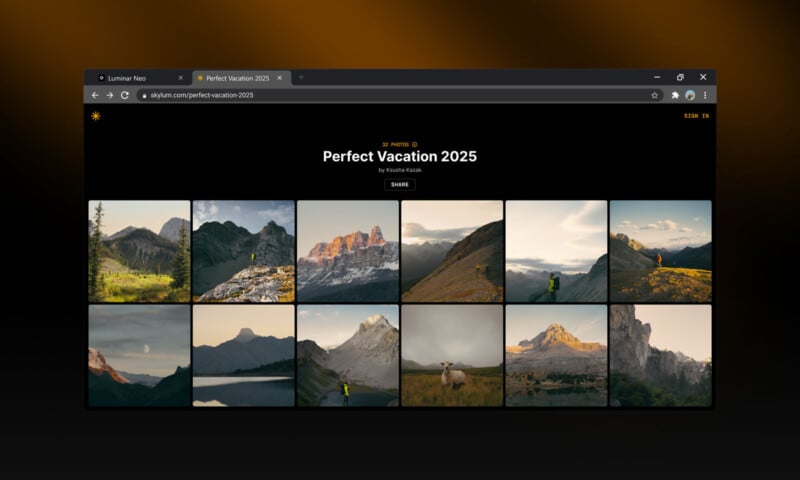
“With Spaces, hobbyists and professional photographers can share personalized, curated web galleries that inspire, connect, and bring their work to life with their community, customers, and other creatives—without needing their own website,” Skylum says.
Unlike traditional websites or cloud-based platforms, Spaces allows immediate sharing of high-quality, customized galleries, helping photographers reach audiences quickly, gather feedback, and maintain creative control over their work. For educators or creative teams, this can streamline collaborative projects, portfolio reviews, or client presentations, all without requiring complex website setups.
AI Photo Restoration
A major addition in this update is the Restoration feature, designed to breathe new life into old, damaged, or faded photographs. This tool is particularly valuable for photographers and archivists who work with historical imagery, family albums, or legacy collections. Restoration intelligently corrects cracks, stains, discoloration, and fading while preserving original textures and details. Monochrome photos can regain depth, color casts can be neutralized, and overall tonal balance can be restored, resulting in a natural, realistic appearance.


For professional photographers, this feature opens up possibilities for offering archival restoration services or creating new commercial opportunities with vintage photography. Hobbyists can also preserve family memories or enhance old prints for personal use, making Restoration both practical and creatively inspiring. The feature is included with the Ecosystem Pass, the 2025/2026 Upgrade Pass, and Cross-Perpetual and Max-Perpetual licenses.
AI Assistant Enhances Workflow
Luminar Neo now includes an integrated AI Assistant, a smart companion that analyzes each photo in real time and provides targeted guidance. This assistant can suggest creative edits, optimize exposure, recommend adjustments to color balance, or even inspire new directions for an image that feels stuck in development. For photographers, the AI Assistant serves as a teaching tool and workflow accelerator, reducing the trial-and-error that can often slow down post-processing.
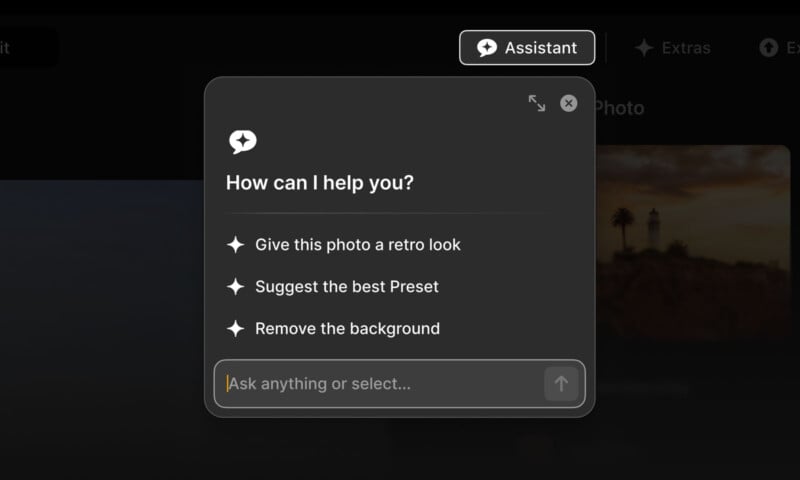
The AI Assistant is particularly useful for users working on large batches of images or complex compositions, such as event photography, wedding sessions, or studio shoots. It allows photographers to maintain consistency across multiple images while still experimenting with creative adjustments. Available with the Ecosystem Pass, the 2025/2026 Upgrade Pass, and all perpetual licenses, this feature integrates seamlessly into the editing process, providing support without imposing rigid templates or limiting artistic control.
Light Depth: Smarter Lighting Adjustments
Another highlight of the Fall Update is the Light Depth feature, which replaces the previous Relight AI tool. This upgrade allows photographers to manipulate light in three-dimensional space, adjusting both the direction and intensity of virtual light sources within an image. Photographers can enhance or soften shadows, illuminate faces or subjects, or create dramatic effects that mimic studio lighting—all with precise control.
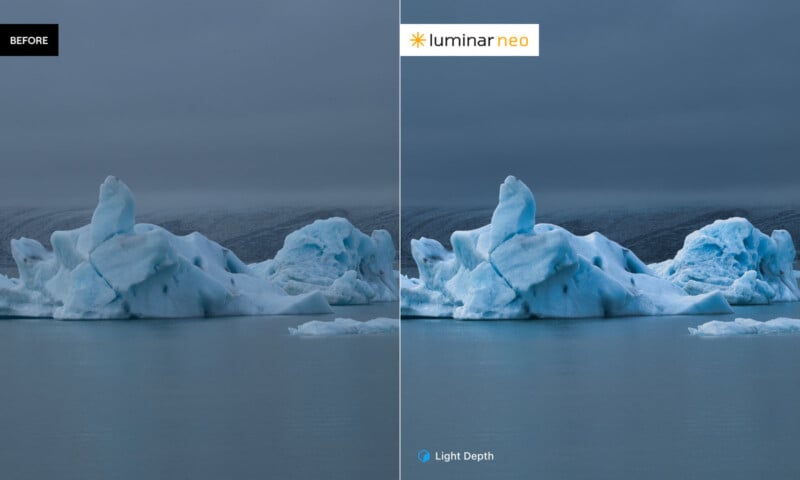
Light Depth is ideal for photographers who shoot in challenging lighting conditions, including interiors with mixed light, low-light environments, or outdoor scenarios where natural light is unpredictable. By moving light sources within the image, photographers can achieve balanced exposure, emphasize key subjects, and produce images that feel both professional and cinematic. The feature is available to all users upon release and integrates seamlessly with existing tools, empowering creatives to experiment and refine lighting without leaving the software.
Pricing and Availability
The Luminar Neo fall update and new Ecosystem features will be available in early November for the next product update, with special Black Friday pricing starting now for a limited time. Existing customers can access the Ecosystem Pass and the 2025/2026 Upgrade Pass at a 50 percent discount. New customers can purchase one-time Perpetual licenses at up to 77 percent off, including the Perpetual Desktop License for $99 USD (€92), down from $417 USD (€387). The Cross-device Perpetual License is on sale for $139 USD (€129), down from $477 USD (€443), and the Perpetual Max License is offered at $159 USD (€147), down from $546 USD (€507) regularly.
Image credits: Skylum