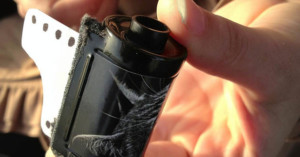
For Valentine’s Day today (you didn’t forget, did you?), San Francisco-based self-proclaimed super nerd Doctor Popular decided to give his significant other a card packaged inside a 35mm film canister. Read more…
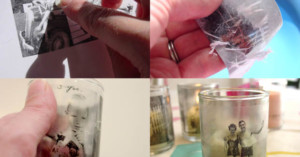
Sticking the contact paper to your print will transfer the toner from your ordinary paper to the sticky transparent film. The next step is to soak the two connected sheets in water, which softens up the white paper and allows it to be rubbed off. What you’re left with is a piece of wet transparent contact paper that features your photo. Let it dry to restore its stickiness, and then attach the resulting “sticker” to whatever you’d like to show off your photo on (e.g. glass jars, candle holders, windows etc.)
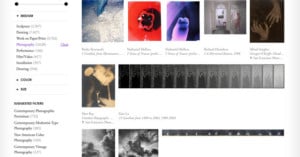
If you’re a photo enthusiast who uses Pandora for personalized music listening, you’ll feel right at home using Art.sy. Just as Pandora uses the Music Genome Project to offer automated music recommendations, Art.sy has an Art Genome Project through which 20,000 images of art from 275 galleries and 50 museums have already been digitized, analyzed, and stored. Read more…
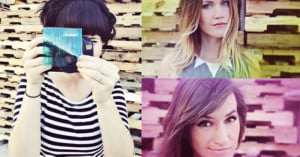
If you’re a fan of Instagram, then you’ll probably appreciate this neat DIY project by Elsie and Emma of A Beautiful Mess. Their Homemade Photo Filter DIY involves drawing colorful patterns on squares cut from transparency sheets:
To use your filter, simply hold it over your lens when shooting. (with auto focus enabled) Move the filter around over your lens as you frame your shot. You’ll be able to choose which part of your photo is in focus and which part is blurry and colorful!
You can achieve different looks based on things like color, pattern, and how you hold the sheet. The resulting effect makes it look like you spent some time tweaking the toning and contrast sliders in post. Head on over to their blog for the full lowdown and more sample photos.
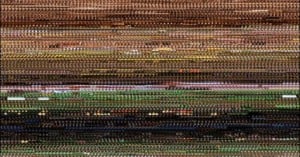
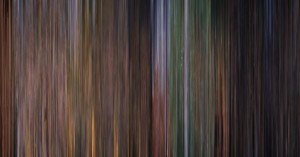
The video installation “The Wizard of Oz Experiment” shows the movie “The Wizard of Oz“ 5829 times side by side. The movies are arranged in rows from left to right and time shifted by exactly one second each. The video starts at the top left with the first second of the film and finishes bottom right with the last second of the film. The projection is in a continuous loop that repeats every 98 minutes.
A computer voice speaks the whole subtitles of the film “The Wizard of Oz” in a 68-minute loop.
The 2-minute video above gives an idea of what the installation is like. It’s interesting seeing how the colors change throughout the film.
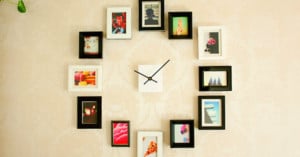
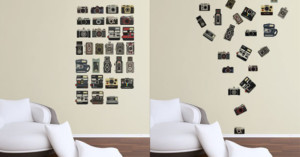
Want to enjoy a glimpse of photographic awesomeness every time you glimpse at the time at home? Create a giant wall clock with picture frames to mark each hour! You’ll need a clock kit (or a disassembled clock) and 12 picture frames. You can be more serious by shooting photos of the numbers 1 through 12 for the frames, or go creative by putting in all kinds of random images.
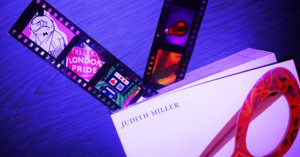
If you have some unwanted 35mm negatives lying around and need a simple gift idea, you can try your hand at turning them into one-of-a-kind bookmarks. Simply cut out the actual frames from the film strip and replace them with actual photographs to create film strips that you don’t need to hold up to the light to enjoy.
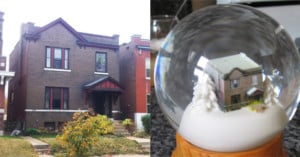
Here’s a fantastic project/gift idea for those of you who are both tech-savvy and artsy: make a custom snow globe of your house. The process involves capturing photographs of the house from all sides, turning the images into a 3D model of the home using a 3D modeling program (e.g. Google Sketchup), turning the 3D model into a physical object using a 3D printing service (e.g. Shapeways), and then sticking the object into a custom snow globe kit. Qarl has published a step-by-step tutorial on the process.
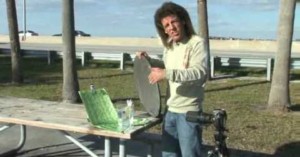
Here’s a short video in which photo instructor Bryan Peterson shows how you can use sunlight and a simple reflector for creative macro shots — perfect for people who have a macro lens but lack lighting equipment.
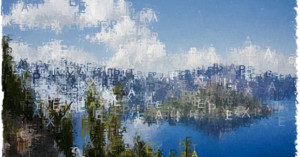
Textify.it is a neat little web and iPhone app that recreates photographs using colored text. Simply drag and drop a photograph from your computer onto the page to get started. The image above is a photograph of Crater Lake that we turned into text using the letters from “PetaPixel”.