Primer: How to Get a ‘Film Look’ with DSLR Footage
Want to give your DSLR footage a cinematic look? DSLR filmmaking enthusiast Jake Coppinger made this 11-minute video tutorial to teach you how you can do so.
Frame Rate
Using a frame rate of 24fps or 25fps, since that’s what’s traditionally used in theaters.
Shutter Speed
Set your shutter speed at double the frame rate (the “180-degree shutter rule”).
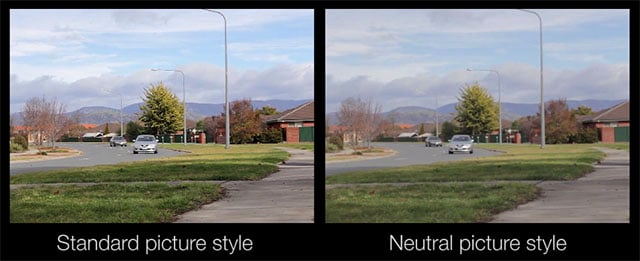
Picture Style
Use a neutral picture style to have more flexibility in post-production.
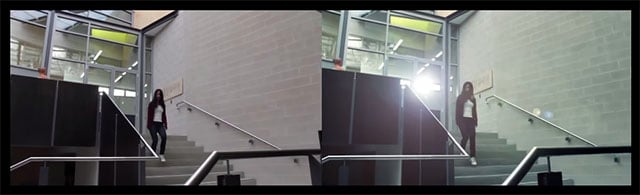
Color Grading
Use color grading to convey the mood of your footage visually.
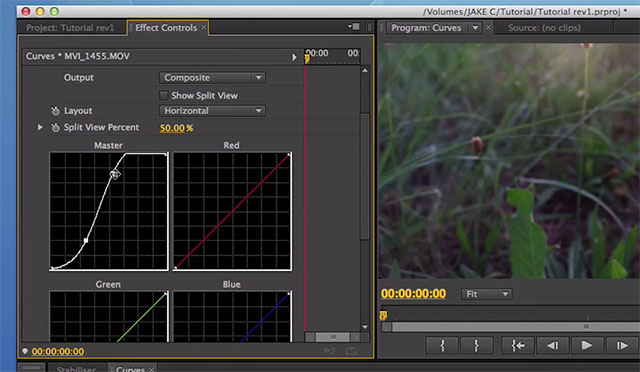
RGB Curves
A popular cinematic look is to have darker darks and brighter highlights.
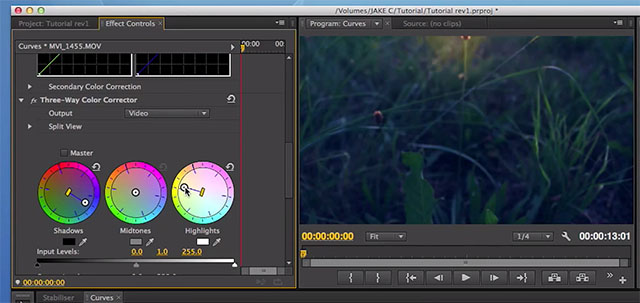
Three Way Color Corrector
One trick is to make your shadows bluer and to warm up your shadows.
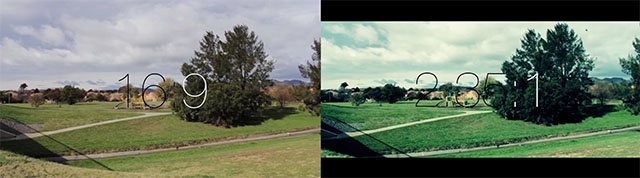
Aspect Ratio
Use the 2.35:1 ultra widescreen aspect ratio that movies use.
You can find some of Coppinger’s films over on his website. You can also view more of his videos by visiting and subscribing to his YouTube channel.
Image credits: Video and still frames by Jake Coppinger