Posts Tagged ‘windows’

Windows 8 to Offer Improvements in Photo and File Management

Windows 8 to Offer Improvements in Photo and File Management screen1 mini

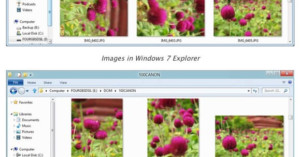
The Microsoft team tasked with building Windows 8 has published a blog post with various user suggestions they’ve decided to implement in the OS. A big thing they’re focusing on is file management — something that isn’t usually touted as a “feature” but is important in day-to-day computer usage. One useful improvement is having the OS read the EXIF data in JPEG photos to automatically present the correct orientation.
Read more…

Lightscapes: Nighttime Cityscapes With the Cities Stripped Away

Lightscapes: Nighttime Cityscapes With the Cities Stripped Away lightscapes1 mini

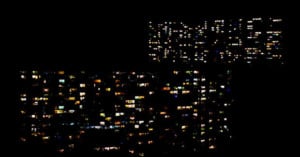
For his project Lightscapes by photographer James Reeve photographed cities at night, and then stripped away everything but the lights and windows. The technique turns both buildings and cityscapes into “anonymous patterns of light”.
Read more…

Living Pictures: Photo Collages of Windows Spotted Around the World

Living Pictures: Photo Collages of Windows Spotted Around the World windows1 mini

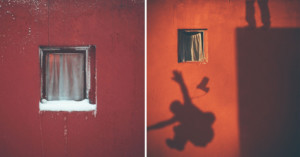
Photographer Anne-Laure House photographs illuminated windows at night in cities around the world, and arranges them into beautiful collages. She writes,

At nightfall, the windows of the flats that are lit up attract more attention than the façade of the buildings that frame them. Lit interiors become real tableaux vivants. The interior takes precedence over the exterior, and we can glimpse moments of people’s intimate lives. I am not actually interested in their intimacy as such, but rather by the space itself – the warmth of a particular light, the twinkling of a Christmas garland or the shimmering glow of a television, the corner of a painting. All these details stir my imagination and inspire my work. When I gaze at these windows, I like to tell myself a story. I capture these intimate moments and build my own structures.”

The collage above shows windows seen in New York City.
Read more…

Microsoft Finally Adds RAW Support to Windows Explorer

Great news for PC users: Microsoft has finally released a free codec pack for Windows Vista and Windows 7 that allows you to view and work with the RAW files of more than 120 different cameras directly in Windows Explorer. Simply download and install the codec pack to get started.

Microsoft Camera Codec Pack (via 1001 Noisy Cameras)

Shooting Instant Photos as Windows into the Real World

Shooting Instant Photos as Windows into the Real World instant1

If you have an instant camera, have you ever tried taking digital photos of the prints right after you made them? For his series titled “Instax Windows“, Shawn McClung carries around a digital camera and snaps a digital photo of his Fuji Instax prints right after they’re taken, with the scene in the print lined up with the real world.
Read more…

Easy HDR Editing with Oloneo PhotoEngine

Easy HDR Editing with Oloneo PhotoEngine logo headerFrench company Oloneo has just released a free beta for their product, PhotoEngine. The software is a straightforward HDR creator and non-destructive editor that allows you to quickly merge HDR photos. Additionally, it has features that can adjust specific light sources in the photo, to change the white balance or the exposure. This could come in handy when shooting HDR frames that have a variety of different light sources with different temperatures.

Read more…

Sneak Peek at Microsoft’s Mind-Boggling New Photo Fuse Feature

Sneak Peek at Microsofts Mind Boggling New Photo Fuse Feature photofuse

Microsoft is adding a boatload of new features to its Windows Live Essentials suite of free applications (for Windows users), and one of the features to appear in Windows Live Photo Gallery caught our eye. It’s called Photo Fuse, and what it does is take a number of similar photographs and allow you to choose the best parts of each one to include in the final photo.

For example, if you take a number of group shots, you can combine only the faces that are smiling and not blinking. What’s more, the resulting photograph is quite seamless, and reminds us of the Content Aware Fill feature of Photoshop CS5.

TechCrunch editor Michael Arrington had a chance to sit down with Brian Hall (GM at Microsoft), and recorded the following demonstration of the technology:

Keep your eyes peeled — the new features won’t be appearing in the suite for another few weeks. Now if only Microsoft would include a Content Aware Fill-type feature as well…

Stay Organized with Adebis Photo Sorter

Stay Organized with Adebis Photo Sorter adebisphoto

If you’re not naturally an organized person, then figuring out where certain photos are on your computer or external hard drive might be a pain. Adebis Photo Sorter [now defunct] is a free Windows program that uses the EXIF data in image files to automatically rename and/or organize your image files in a new directory, leaving the originals untouched. It supports pretty much all the popular image formats, from JPEG to Raw image formats, and can even help you include EXIF data in the new filenames.

(via Lifehacker)

Mac Dominates in the Photography Ring

Mac Dominates in the Photography Ring 4222393808 6a6397383c

This past week we ran a poll asking our readers what operating system they mainly use. Here are the results:

[poll id="37"]

481 votes were for a Windows OS compared to 606 for a Mac OS. This means roughly 49% of our readers who decided to vote use Macs, while 39% use some form of Windows.

Assuming that most people who took the time to vote in our poll are fairly serious about photography (we’re a photography blog, after all), we can say this poll is a glimpse at operating system choices among photographers.

Now lets take a look at what Google Analytics tell us about the OS breakdown of our visitors:

Mac Dominates in the Photography Ring googanalyticsos

This takes into account all of our visitors, regardless of whether or not they vote. Since this includes loyal readers as well as people who simply pass by, the average interest in photography is probably much less than those who chose to vote. Windows leads 66% to Mac’s 29%.

However, this still shows that our readers are, on average, quite different from the general population. Here’s the breakdown of OS use among the general Internet population:

Mac Dominates in the Photography Ring wikiosbreakdown

Thus, Mac jumps from having a 5.9% market share in the general population to 49% among photographers. If we were a blog read only by professional photographers, I’d expect the percentage to be even higher.

Any thoughts on these statistics?


Image credit: Kick Boxing… by claudiogennari

Batch Conversion with Photo Magician

Batch Conversion with Photo Magician photomagician

Photo Magician is a free and lightweight (less than 1MB) program for Windows that allows you to batch convert a directory of photographs. It’s similar in functionality to Photoshop’s “Image Processor” feature, with one difference being you can’t select the output quality like you can using Photoshop.

The program also features a “Quick Convert Mode”, which minimizes the program to a little box onto which you can drag and drop folders of images. If you’ve been looking for a quick way to resize images in Vista (like the Image Resize PowerToy allowed you to do in XP), then you might want to check out this program.

Download Photo Magician 1.0.0.3 (via Lifehacker)


P.S. For a more powerful free program that’s even more similar to Photoshop’s Image Processor, you can check out BIMP Lite.