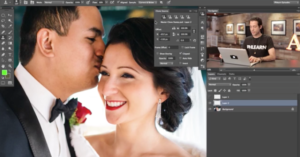
Nik Software announced today that it has been acquired by Google. The company is the maker of Snapseed, one of the most popular photo editing apps in the iTunes App Store and a competitor to Instagram.
Read more…

Idan Shechter, the guy behind Camera Size, has launched a new website for photographers who understand sizes better through visual comparisons than through specs and figures. Sensor Size is a website that offers quick visual comparisons of sensors found in popular digital cameras. Select the cameras you want to check out from a couple of drop-down menus, and the sensors are displayed in relative sizes next to each other. You can also stack the images or display them in a 3D overlay for a better view.
Read more…

Using keyboard shortcuts while editing your photos can save you loads of time, and cheat sheets are a good way of learning them. If you’re too lazy to print one out or save one as an image on your computer, there’s an app called CheatSheet that’s designed just for you. It’s a free Mac App that runs silently in the background. Whenever you hold down the Command (⌘) key for ~3 seconds, it brings up a complete list of command shortcuts offered by whatever app you’re currently using. We’ve tested it and it works fine for Photoshop, though we wished that it also included non-Command key shortcuts as well.
CheatSheet (via OS X Daily via Lifehacker)

Virtual Lighting Studio is an awesome new free studio lighting simulator that doesn’t require any installation — you use it directly in your browser. It offers a large number of options for customizing your setup (e.g. number of lights, light type, gel, positioning) and the result is updated in real-time on the virtual model’s head.
Virtual Lighting Studio (via Strobist)

The New York Public Library has a massive collection of over 40,000 vintage stereographs (two photos taken from slightly different points of view). To properly share them with the world in 3D, the library has launched a new tool called the Stereogranimator. It lets you convert an old stereograph into either an animated 3D GIF (which uses “wiggle stereoscopy“) or an anaglyph (the kind that requires special glasses).
Read more…

Just launched this week, Lighting Diagram is another simple web-based tool that lets photographers create and share lighting diagrams and the photos created with the setups.
Lighting Diagram (via PhotographyBLOG)

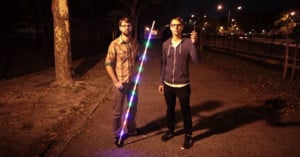
Glow Graffiti is an aerosol can-style light painting tool similar to the one by artist Aïssa Logerot that we featured back in September. It’s powered by a UV light rather than the interchangeable LED lights used by Logerot, but the Glow Graffiti comes with a special UV-sensitive backdrop on which paintings are visible for around 30 seconds (the kit contains letter stencils too). You can pick up a set for $39 from Photojojo or Amazon (it’s prime eligible).
Glow Graffiti Toolset (via PhotoWeeklyOnline)

Mirrorless cameras are designed to be compact, but how big are they compared to DSLRs? How big are popular DSLRs compared to one another? Camera Size is a website that helps answer these types of questions. It’s a simple web app that shows you exactly how big digital cameras are compared to one another and compared to reference objects (e.g. a battery).
Read more…

Focus stacking is a technique for creating photos with a large depth of field by combining multiple photos with shallow depth of fields. One of the applications is in macro photography, where the technique is often used to make sharp images of tiny insects. Oleg over at Circuits@Home wanted an easier way to focus stack while shooting in the field, so he build a focus stacking assistant using Arduino. Given two focal points, the tool automatically takes a sequence of photographs, moving the focus slowly from one point to the other.
Oleg shares some details on how he created his EOS camera version, and says he’s also working on a Nikon version.
Focus stacking assistant for EOS cameras (via Hack a Day)
Image credits: Photographs of flies by Muhammad Mahdi Karim

JPEGmini is a new image compression service that can magically reduce the file size of your JPEG photos by up to 5 times without any visible loss in quality. ICVT, the Israeli company behind the service, explains how the technology works in an interview with Megapixel:
Our technology analyzes each specific photo, and determines the maximum amount of compression that can be applied to the photo without creating any visual artifacts. In this way, the system compresses each photo to the maximum extent possible without hurting the perceived quality of the photo.
You can test out the technology on your own photos through the service’s website.
Read more…