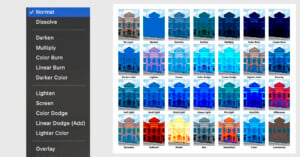
Blending Modes in Photoshop: A Comprehensive Guide
Photoshop can feel infinite. It’s a lot like a high-tech espresso machine or a sports car: you don’t have to use all of its features for it to be functional, but when you can, it’s a powerful tool.
Photoshop can feel infinite. It’s a lot like a high-tech espresso machine or a sports car: you don’t have to use all of its features for it to be functional, but when you can, it’s a powerful tool.
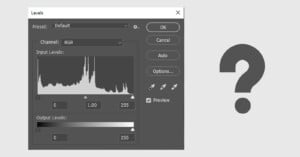
Levels often seems like a boring old tool in photo-editing programs. Maybe you’d use it to quickly fine-tune contrast by dragging the left and right sliders inwards. But it’s good for much more than that.
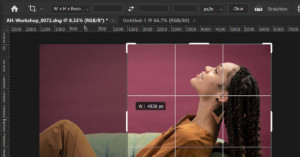
One of the most (seemingly) basic tools in Photoshop is the venerable Crop Tool. Used to cut way portions of an image to only leave the desired area, the Crop Tool might appear to be simply a one-trick pony. However, there is a lot more to here than you might think. In this guide, I’m going to break down the various options for making the best use of the Crop Tool.
It will come as shock to no one that digital cameras are as complex as the manufacturing processes that make them. Thanks to the wizardry of Steven Sasson, our photographic pursuits are inextricably linked to the cold mass of integrated circuits, photovoltaic diodes, and the other discrete components that make up our modern tools.

Landscape photographers often come against the frustration of needing to change the angle of their camera when it is mounted on a tripod. Silence Corner believes it has created quick and easy solution to this problem with the ATOLL.

Even though the Brush tool is not a new tool in Adobe Lightroom, you may be surprised by all the ways it can be used and all the advantages you can gain by using a brush. This is part of my daily workflow and I hope it will become part of yours!

Deep Nostalgia is a new AI that can breathe new life into historical photos by animating people who have long passed. The results are both creepy and fascinating at the same time.
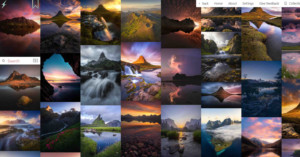
Same Energy is a new Web tool that's perfect for photographers looking for visual inspiration. It's an AI-powered visual search engine that provides a fast and simple experience for exploring visually similar photos.

When I first saw an ad about the TourBox, two thoughts came to mind. “Look, another console promising to change the way you edit” and “this looks weird”.
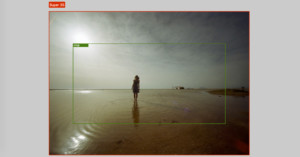
Filmmaker Daniel Scott Murphy has created an incredibly useful new crop factor calculator that goes beyond anything we've seen online thus far. Not only does it tell you the crop, it actually simulates the results, and can even handle setups that include speed boosters.
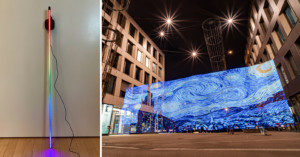
You might have heard of the Pixelstick. “Nothing compares” is one of their tag lines. And this is true... at least price-wise. I have always wanted one to at least try out some light painting with it, but the Pixelstick retails for €400 here in Germany and $349 in the United States.

Want to learn photography from some good ol' physical books? Before clicking the Checkout button on Amazon or other online bookstores, you might want to check out the handy browser extension called Library Extension. It adds a box to Amazon book listings to show you if that book is available for free at your local library.
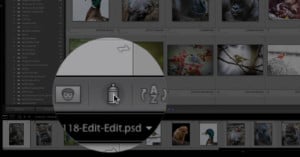
If you've ever noticed a little spray can icon while using Lightroom but have no idea what it's for, this 8.5-minute video by photographer Anthony Morganti was made for you.

Pixelmator Pro just released a new tool called "ML Super Resolution": a machine-learning-powered feature that "makes it possible to increase the resolution of images while keeping them stunningly sharp and detailed." In other words, the real-world equivalent of all those movies where someone yells "Enhance!" at their computer screen.

Facebook has released a new tool that'll allows you to bulk-export all of your photos and videos to another service or social network in just a couple of clicks, starting with Google Photos.

Wikimedia Commons has millions of public domain and freely-licensed photos available to the world, and now there's a powerful new tool that helps you dive into the ocean of imagery for exploring or locating exactly what you're looking for. It's called wikiview, and it's a graph-based visual image navigator.
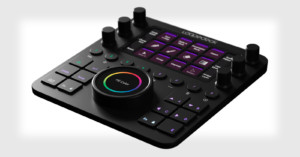
After finding success with its original Loupedeck and Loupedeck+ photo editing consoles, Loupedeck today unveiled the Loupedeck Creative Tool (AKA the Loupedeck CT). It's a small and sleek console that's streamlined, customizable, and still very powerful.
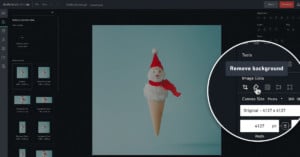
Shutterstock has rolled out a new background removal tool to its Shutterstock Editor online image editor, allowing users to quickly and easily extract subjects from their backgrounds in any photo.
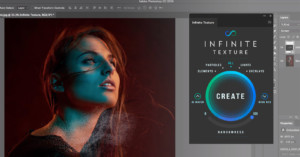
Last year, retoucher Pratik Naik released the Infinite Color Panel for Photoshop, a smart and powerful color grading tool. Now he's back again with the Infinite Texture Panel, a powerful AI-powered tool that helps you quickly work with nearly $10,000 in high-quality textures.
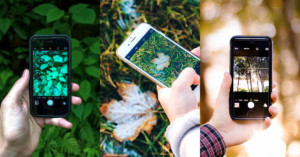
Love photographing plants and animals in the great outdoors? Seek is a new app you may want to download if you use an iPhone. It's like a Shazam for nature: the app can help identify the things you photograph using the power of image recognition.
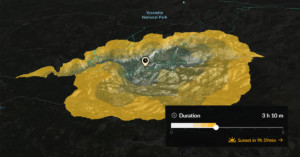
If you're a photographer who often hikes in the great outdoors, the mapping service FATMAP has added a new feature that you may find useful. It's called the Travel Distance layer, and it shows on a 3D map exactly where you'll be able to hike to in any given amount of time.
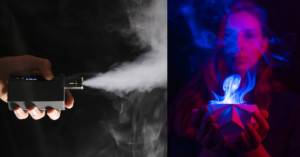
The MicroFogger is a tiny handheld fog machine that lets you create fog on a small scale when your space and/or budget are limited.
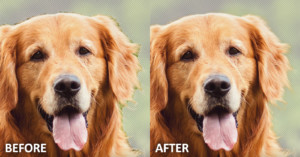
If you need to make a complex selection in Photoshop that involves hair or fur on a background, the powerful Refine Edge Brush is ready to help. Here's a 1-minute Photoshop Magic Minute video by Adobe that will show you how to get started with the tool.
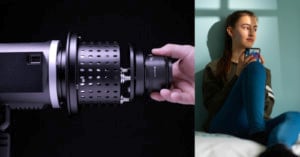
I am always looking for new and easy ways to light part of an object or create interesting light in an image, and I think I have found the perfect tool for just that and so much more! Pixapro's Optical Snoot has opened up a more efficient way to be able to do this.

One of Photoshop's most impressive features was just added to After Effects. Content-Aware Fill is now available for automatically removing unwanted elements from video.
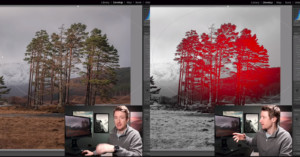
Lightroom has a powerful tool called Range Mask that can transform the way you post-process your photos, but photographers are often unaware that the tool even exists. Landscape photographer Thomas Heaton decided to make this 12-minute video to show how the tool can be invaluable for improving your photos.

Here's an unusual way to obtain the simple stock photo you need: Photo Creator is a web app that lets you build your own realistic stock photos. The site features thousands of models, objects, and backgrounds that you can combine into your own creations.
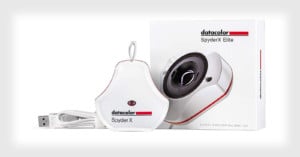
Datacolor today launched its latest color calibration tool for monitors. Called the SpyderX, it's Datacolor's "fastest, most accurate, and easiest to use color calibration tool" -- "the best Spyder ever."
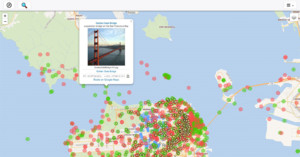
Interested in contributing your photographic talents toward the collective knowledge base of humankind? Check out WikiShootMe. It's a tool that can show you locations near you where Wikipedia is lacking photos in.
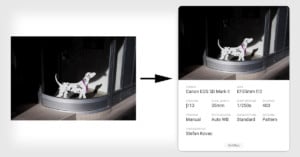
If you'd ever like a quick way to share a particular photo along with the Exif metadata showing the equipment and camera settings it was shot with, ExifShot is a new desktop web app for you.
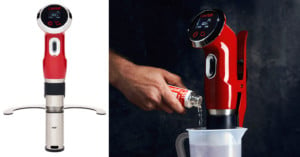
CineStill has just unveiled the °Cs "Temperature Control System" TCS-1000, an immersion circulator thermostat designed to simply and improve at-home film processing. It's essentially a sous vide stick that has been specifically designed for film photographers.
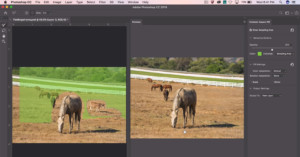
Adobe Photoshop's Content-Aware Fill is a powerful way to remove portions of photos, but its results can fall short and it doesn't have tools for customizing the results. But that's about to change: it will soon receive a huge upgrade with its own workspace and tools, and the 2-minute video above is a Sneak Peek at what's coming soon.

While some tinkers are building automated at-home solutions for film processing such as the Developist and Filmomat, Mexican photographer Pablo Zárate has created a much simpler processing aid: the Develophead. It's a film development tank cap that does agitation for you.
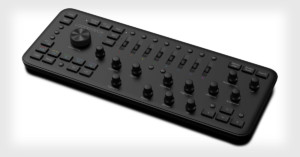
Loupedeck made a splash when the custom photo editing console for Lightroom was announced back in 2016. Today, the company just announced the original console's successor: the Loupedeck+.
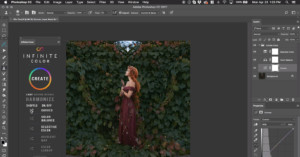
Working as a retoucher, one of the hardest parts of my job wasn’t even the cleanup work that an image typically requires, it was the color grading. Applying a specific look to an image to really enhance or create a mood that meets the client’s vision was either doable or really hard. There was never a time when it was completely easy, even for me.
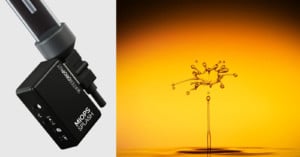
Camera trigger manufacturer MIOPS has announced the new MIOPS Splash, a water drop kit that helps photographers consistently capture picture-perfect splash photos.

Instagram has been accused of "shadowbanning" users and posts starting about a year ago, preventing tagged content from properly appearing in searches for those tags. After photographers and others complained last year, someone made a tool for checking to see if you've been shadowbanned. Now there's a new and improved one: Triberr's Instagram Shadowban Test.
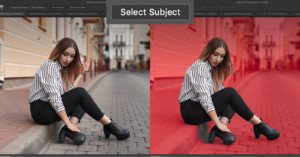
Adobe just revealed a powerful new tool that's coming soon to Photoshop CC. Called "Select Subject," it uses machine learning to detect subjects in your photos to help you isolate them from the backgrounds.
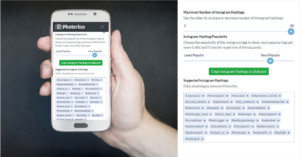
Want a faster way to add relevant hashtags to your Instagram photos? Photerloo wants to help. The photo management service has launched a new free web tool that uses machine learning to automatically keywords for any photo.

Windowed is a simple new app that finally lets you upload to Instagram directly from your Mac or PC desktop.