Posts Tagged ‘research’

Xerox Working on Algorithm That Can Judge the Aesthetics of Photos

Xerox Working on Algorithm That Can Judge the Aesthetics of Photos aesthetic mini

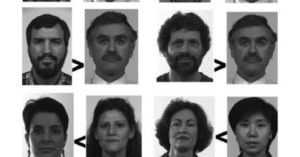
Xerox is showing off a new tool called Aesthetic Image Search over on Open Xerox (the Xerox equivalent of Google Labs). It’s an algorithm being developed at one of the company’s labs that aims to make judging a photograph’s aesthetics something a computer can do.

Many methods for image classification are based on recognition of parts — if you find some wheels and a road, then the picture is more likely to contain a car than a giraffe. But what about quality? What is it about a picture of a building or a flower or a person that makes the image stand out from the hundreds which are taken with a digital camera every day? Here we tackle the difficult task of trying to learn automatically what makes an image special, and makes photo enthusiasts mark it as high quality.

You can play around with a simple demo of the technology here. Don’t tell the Long Beach Police Department about it though — they might use it against photographers.
Aesthetic Image Search (via Quesabesde)

You Can Increase Sharpness a Lot by Stopping Down Just a Little

You Can Increase Sharpness a Lot by Stopping Down Just a Little sharp mini

You probably know that stopping down (i.e. increasing your f-stop number) can increase the sharpness of your subject, but how much should you stop down to boost resolution without losing that nice, creamy bokeh? Roger Cicala did some research on this question and writes:

For those lenses that do benefit, stopping down just to f/2.0 provides the majority of resolution improvement. The difference between wide open and f/2.0 is generally much greater than the difference between f/2.0 and the maximum resolution.

Getting the edges and corners sharp requires stopping down to at least f/4 for most wide-aperture primes, and some really need f/5.6. Stopping down to f/2.8 may maximize center sharpness but often makes only a slight difference in the corners, at least on a full-frame camera.

None of the lenses performed any better after f/5.6 (for the center) or f/8 for the corners. Most were clearly getting softer at f/11.

If you’re using a wide-aperture lens, stopping down to just f/2.0 will reap big gains in sharpness while still keeping the depth-of-field narrow. Furthermore, for some lenses you don’t really even need to worry about stopping down for sharpness, since it hasn’t a relatively negligible effect on the outcome.

Stop It Down. Just A Bit. [LensRentals]


Image credit: Margaritas a la bokeh by ganso.org

NeverWet Spray-On Coating: A Godsend for Outdoorsy Photographers

Ross Technology Corp. has developed an amazing silicon-based spray-on coating called NeverWet that can make almost anything completely waterproof. An iPhone sprayed with NeverWet still functions perfectly after being submerged underwater for half an hour. Spraying the coating on clothes causes liquids (e.g. water, oil, chocolate syrup) to slide right off.
Read more…

Coming to a Camera Near You: Autofocus As Fast as the Human Eye

Coming to a Camera Near You: Autofocus As Fast as the Human Eye autofocus mini 1

Contrast detection is one of the two main techniques used in camera autofocus systems. Although focusing speeds continue to improve, the method uses an inefficient “guess and check” method of figuring out a subject’s distance — it doesn’t initially know whether to move focus backward or forward. UT Austin vision researcher Johannes Burge wondered why the human eye is able to instantly focus without the tedious “focus hunting” done by AF systems. He and his advisor then developed a computer algorithm that’s able determine the exact amount of focus error by simply examining features in a scene.

His research paper, published earlier this month, offers proof that there is enough information in a static image to calculate whether the focus is too far or too close. Burge has already patented the technology, which he says could allow for cameras to focus in as little as 10 milliseconds.

(via ScienceNOW via Fast Company)


Image credit: 2011 12×12 Vancouver Photo Marathon by 12×12 Vancouver Photo Marathon

Focus Stacking for Speed: Researcher Invents Light-Efficient Photography

Focus Stacking for Speed: Researcher Invents Light Efficient Photography lightefficient mini

Google scientist Sam Hasinoff has come up with a technique called “light-efficient photography” that uses focus-stacking to reduce the amount of time exposures require. In traditional photography, increasing the depth of field in a scene requires reducing the size of the aperture, which reduces the amount of light hitting the sensor and increases the amount of time required to properly expose the photo. This can cause a problem in some situations, such as when a longer exposure would lead to motion blur in the scene.

Hasinoff’s technique allows a camera to capture a photo of equal exposure and equivalent depth of field in a much shorter amount of time. He proposes using a wide aperture to capture as much light as possible, and using software to compensate for the shallow depth of field by stacking multiple exposures. In the example shown above, the camera captures an identical photograph twice as fast by simply stacking two photos taken with larger apertures.

Light-Efficient Photography (via Amateur Photographer)

Japanese Flying Ball Could Be the Future of Aerial Camera Systems

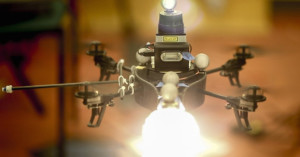
Japan’s Ministry of Defense has unveiled an amazing “Spherical Flying Machine”: a 42-inch remote controlled ball that can zip around in any direction at ~37mph. Built using off-the-shelf parts for about $1,400, in Internet is abuzz over the potential applications, which include military reconnaissance and search-and-rescue operations. What we’re most interested in, however, is the device’s potential as an aerial camera for things like sports photography and combat photojournalism.
Read more…

Computer Trained to Select the Best Candid Portrait Photos from Videos

Here’s the current state of imagery: still cameras can shoot HD video, video cameras can capture high quality stills, and data storage costs continue to fall. In the future, it might become commonplace for people to make photos by shooting uber-high quality video and then selecting the best still. However, as any photographer knows, selecting the best photograph from a series of photos captured in burst mode is already a challenge, so selecting a still from 30fps footage would be quite a daunting challenge.

To make the future easier for us humans, researchers at Adobe and the University of Washington are working on training computers to do the grunt work for us. One research project currently being done involves training a computer to automatically select candid portraits when given video of a person. The video above is a demo of the artificial intelligence in action.

Candid Portrait Selection From Video (via John Nack)

Adobe Pixel Nuggets: Search Your Photo Library for Similar Features

Adobe Pixel Nuggets: Search Your Photo Library for Similar Features pixelnuggets mini

Adobe’s amazing Image Deblurring demo was the star of the Sneak Peeks event at Adobe MAX 2011, but it was just one of the many demos shown that night. Another interesting photography-related demo was for “Pixel Nuggets”: a feature that lets you search a large library of photos for features (e.g. people, landmarks, patterns, logos).
Read more…

The State of Adobe’s Image Deblurring Technology

The State of Adobes Image Deblurring Technology deblur mini

Yesterday we shared some clearer comparison images from Adobe’s jaw-dropping Image Deblurring demo. Cari Gushiken over on the Photoshop.com blog has written up a post that sheds a little more light on how the idea came about, the current challenges they face, and where they see it headed.
Read more…

Before and After Comparisons of Adobe’s Amazing Image Deblurring Feature

Before and After Comparisons of Adobes Amazing Image Deblurring Feature deblur1 mini

Last week we shared a sneak peek at some jaw-dropping image deblurring technology currently in development at Adobe. The video wasn’t the best quality and was captured from the audience, so we didn’t get to see the example images very clearly. Adobe has now released an official video of the demo, giving us a better glimpse at what the feature can do.
Read more…