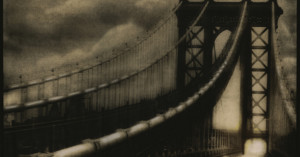
Photographer Anne-Laure House photographs illuminated windows at night in cities around the world, and arranges them into beautiful collages. She writes,
At nightfall, the windows of the flats that are lit up attract more attention than the façade of the buildings that frame them. Lit interiors become real tableaux vivants. The interior takes precedence over the exterior, and we can glimpse moments of people’s intimate lives. I am not actually interested in their intimacy as such, but rather by the space itself – the warmth of a particular light, the twinkling of a Christmas garland or the shimmering glow of a television, the corner of a painting. All these details stir my imagination and inspire my work. When I gaze at these windows, I like to tell myself a story. I capture these intimate moments and build my own structures.”
The collage above shows windows seen in New York City. Read more…
Freelance videographer Dave Wallace made this creative stop-motion video for ClickPixx using 2335 printed photos. By patiently swapping the photos in and out of 10 picture frames arranged on a wall, Wallace managed to create a stop-motion video within a stop-motion video. You can also find a behind-the-scenes video here to see how it was made.
Last week we published a post asking whether anyone had made a “print” on their skin by placing a negative on their skin under the sun. After seeing the post, videographer Jeremiah Warren decided to conduct the experiment for the benefit of all mankind. Taping four slides onto his forearm (he didn’t have any suitable negative film), Warren exposed his skin for four hours in 100-degree heat (consuming a gallon of water in the process).
Check out the video above for his results — the “prints” didn’t turn out as awesome as he had hoped. Using negative film might produce better results since slide film prints a negative image onto skin, but it doesn’t seem like sunlight is focused enough to print a sharp image onto skin.
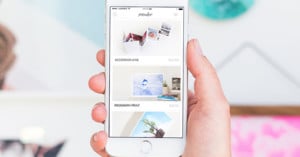
As Instagram continues its meteoric rise, an ecosystem of third-party services is developing around it. Postagram is one such service by Xobni co-founder Matt Brezina and his new company Sincerely. It lets you easy send physical prints of your Instagram photos as postcards with personalized messages. The photo itself pops out of the postcard as a glossy 300-dpi print. Postagram is available as a free download in the App Store, while each postcard costs $1 and arrives in 2-5 days.
Update: This giveaway is now over. The winner was randomly selected and can be found below.
If you’ve always wanted to make a large print of one of your photographs but never took the leap, here’s your chance: we’re giving away a $100 gift certificate to CanvasPop, a company that makes large canvas prints.
To enter this giveaway, all you need to do is:
Link to a photograph of yours that you would want printed
There are two ways to enter, and doing both methods will give you 2 entries in the contest, and thus double the chance the win!
Leave your response as a comment on this post
Tweet your response, and include the following link to this post anywhere in the tweet: http://j.mp/ppcanvas
As long as the link appears in the tweet, you’ll be automatically entered in the contest.
This contest will end Monday, February 7, 2011. We’ll randomly pick a winner using random.org and update this post. Good luck!
Update: This giveaway is now over. We received 155 comment entries and 94 Tweet entries or 249 entries total. The randomly selected winner is…
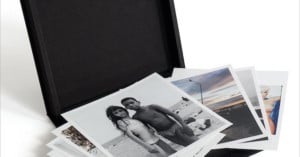
Polaroid instant photographs are fun to make and look at, but displaying them (or selling them) in a nice and formal way can be difficult. Grant Hamilton came up with a fantastic way of selling his Polaroid prints — he makes high resolution scans of the photographs, prints them on Fuji Crystal Archive Polyester, and then encapsulates the print in Plexiglas. The resulting 1:1 scale shiny photo-clones are thick enough to stand on their own, and are a great way to show off your best Polaroid photos. Read more…
If you think making prints at home with your photo printer saves you money over having the prints made through a service, you might be wrong. How-To Geek has a neat tutorial and XLS spreadsheet you can use to calculate the cheapest method depending on your printer expenses. Simply download the file, fill out the boxes according to the instructions, and you’ll learn how much you’re actually paying per-print with your home printer.
Zebra Imaging is a company that creates amazing 3D holographic prints called ZScapes, allowing viewers to view a scene in 3D without any special eyewear. The above shows a print made of downtown Seattle, with the building in the print appearing to be about 10 inches high. Over 8,000 of these futuristic prints have already been created for the US military, but what excites us more is the possibility of this being a glimpse into the future of photography. Perhaps later generations of photographers will be capturing 3D photographs and displaying their work through 3D holographic prints. We’ll be telling our grandchildren, “when I was your age, prints were in 2D!”
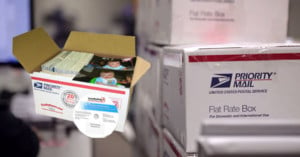
If you’ve got boxes of old prints and family photos you’d like to salvage from those awful sticky photo album pages, SnapHaven will scan them for free. For a limited time, the photo storage and backup service is offering free unlimited scans for customers with an active membership — though you’ll have to pay to ship your own prints.
SnapHaven is still the only dedicated photo backup and storage site. They also offer services for making prints, photo books, and other photo gift accessories.
SnapHaven originally launched last December, but has just re-launched with new membership options. Previously, the company had plans based on upload limits, but membership is now available at a yearly flat rate, starting at $49.99. Now, rather than paying more for more space, annual memberships are straightforward and include unlimited photo backup, protected by the company’s 99 year lifetime guarantee. SnapHaven also assures that even if the yearly membership is not renewed, customers can still have full access to the photos for viewing, printing, sharing, and downloading.