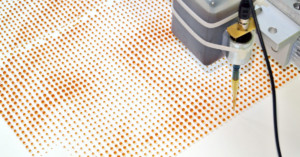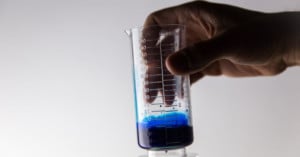
A bit of clever thinking from San Francisco Instructables member Amanda Ghassei has produced some really creative 3D-printed images from nothing but old photographs.
Printed using an Objet Connex 500, Ghassei’s creations are still meant to be viewed in 2D, but are textured to create an interesting silhouette effect.
In order to properly view them, they must be backlit with a diffuse light. Images used for printing were first converted to black and white, and according to Ghassei, “each individual greyscale pixel value of an image to thickness,” which effectively allows for the printing of any greyscale image. Read more…
When it comes to capturing photos of your unborn child, you’re pretty much stuck to the ultrasound pics/tape that the hospital lets you take home. But what if there was a service that could take that ultrasound, and turn it into a one-of-a-kind 3D hologram? Well, that’s what Pioneer is working on with its new printing service. Read more…
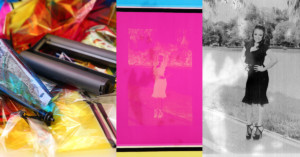
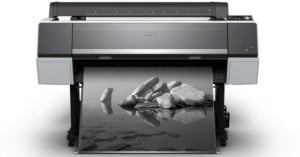
Have you heard of Sid Kaplan? If you’ve studied the works of great American photographers, you’ve likely at least seen some of Kaplan’s handiwork. Although he’s a master photographer in his own right, Kaplan had made a name for himself as one of the industry’s finest photo printers. Over the past four or five decades, Kaplan has made prints for some of the biggest names in photography. Read more…
Here’s an interesting idea/experiment put together by Adrià Navarro and DI Shin that takes photographing your daily life to a whole new level. Fair warning, if you think that taking pictures of your breakfast or your night out bowling is overkill, you should probably stop reading now…
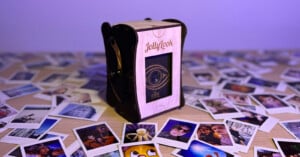
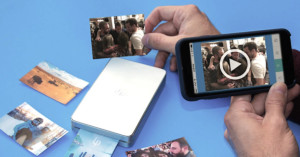
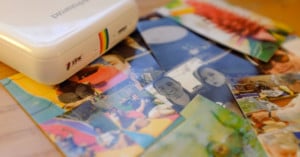
The Polaroid Cacher is a wireless printer housed inside a Polaroid Land Camera case, and its sole purpose is to take pictures of your daily online adventures. Read more…
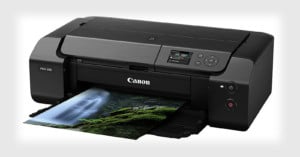
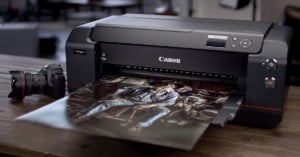
With the release of the Canon 6D, the company’s first Wi-Fi enabled DSLR, it was only a matter of time before the camera manufacturer began announcing products that took advantage of that wireless capability. Case in point: Canon has just announced a couple of new PIXMA printers that can communicate directly with your 6D, allowing those of you who ponied up the cash for the new full-frame shooter to print your photos over the air. Read more…
Here’s a clever trick for if you ever need to print out a photo but find your inkjet cartridges low (or dried out): bust out your hair dryer. Paul Boutin of The New York Times writes,
If your printer’s ink cartridge runs dry near the end of an important print job, remove the cartridge and run a hair dryer on it for two to three minutes. Then place the cartridge back into the printer and try again while it is still warm.
“The heat from the hair dryer heats the thick ink, and helps it to flow through the tiny nozzles in the cartridge,” says Alex Cox, a software engineer in Seattle. “When the cartridge is almost dead, those nozzles are often nearly clogged with dried ink, so helping the ink to flow will let more ink out of the nozzles.” The hair dryer trick can squeeze a few more pages out of a cartridge after the printer declares it is empty.
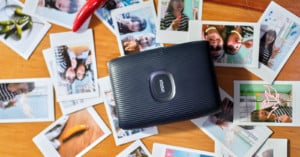
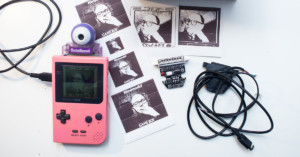
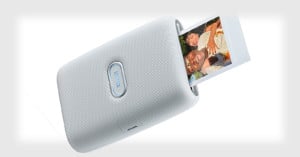
Remember the remote Instagram printer called Instaprint? Although the Kickstarter fundraising campaign for the product raised nearly a quarter of a million bucks from 800+ backers, it failed to reach its goal of $500K, and we haven’t heard much about the device since then. If you can’t wait to print Instagram photos remotely using a simple hashtag, James Croft over at MacTalk has a tutorial on how you can build your own:
Using a Mac, with a combination of web services & apps, we can breathe life back into [a cheap Bluetooth] printer, and turn it into a hashtag-based Instagram printer! In other words, any time there’s a new photo with a certain hashtag in Instagram, this will find it, download it, crop & resize it, then print it out. All completely automagically.
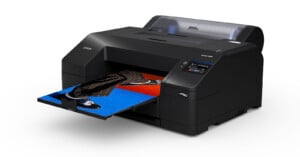
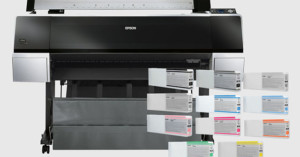
In the market for a new photo printer and not sure what to buy? Here’s a tip: shelling out a little more dough on the printer itself could potentially lead to massive savings over time.
The reason is ink, sometimes called “black gold” (or… “colored gold”?). The general rule of thumb in the printer industry is: the cheaper the printer, the more expensive it is to keep it filled with ink. Read more…
If you need to print some photos taken by someone else using print services at places like Walmart, be careful: if the photographs look “too professional” some places will require a written copyright release before allowing you to pick up the prints — even after you’ve paid for them. The Consumerist has a story of a woman named Jessica who ran into problems at Walmart after collecting photos from a couple pro photographer friends for a friend’s funeral:
See, Jessica’s friend was a professional photographer, as is her friend’s husband, who had e-mailed Jessica the photos to have printed. “So even their candid pictures appear professional,” she explains to Consumerist.
[...] In addition to those photos, Jessica says that Walmart wanted copyright info on a couple of shots that had been taken at a pro studio like Olan Mills back in the ’70s.
“There was no mark on them to indicate where they were taken, and my friend’s mom had sent me those,” writes Jessica. “She paid for them back in the day when they were taken, and she scanned them for me last week. How am I supposed to get written copyrights for every single picture?
Jessica had also checked a box affirming that she had permission to print the images while on Walmart’s website. Protecting copyright is a good thing, but having employees make decisions on whether photos are “too professional” after they’ve already been printed and paid for doesn’t seem like a very good system.
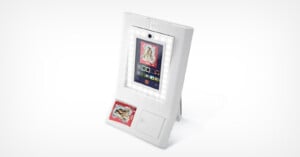
If Apple ever got into the photo printer business, this SWYP (“See What You Print”) printer might be similar to what they’d come up with. It’s a brilliant concept photo printer design by Artefact, the same design group that dreamed up the WVIL concept camera. Instead of having to send photos to the printer from a computer, users use a giant touchscreen interface that shows you exactly what’s going to pop out of the bottom. Come on SWYP, hurry up and exist!