Posts Tagged ‘photoshoot’
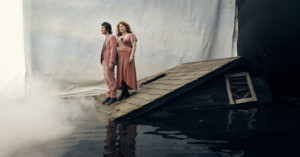
Photo Shoot Walkthrough: Erik Almas
Update: Looks like the video was removed
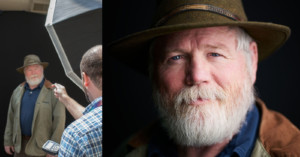
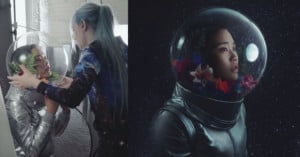
Here’s an interesting behind-the-scenes look at a photo shoot with San Francisco-based photographer Erik Almas, who walks us through his process starting from the idea stage up to the shoot.
(via ISO 1200)
Shooting From the Pinnacle of the Empire State Building
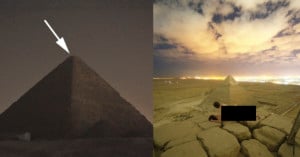
Being a photographer for the National Geographic opens the door to all kinds of photo opportunities that other photographers would die for. For a Nat Geo story on “The Power of Light”, photographer (and now blogger) Joe McNally climbed to the very tip of the Empire State Building to capture a stunning wide angle photograph of the antenna light bulb being changed. Luckily for the rest of us, they also created an awesome behind-the-scenes video giving us a glimpse into how the photo was made.
(via f stoppers)
Portrait Lighting Using Only iPads
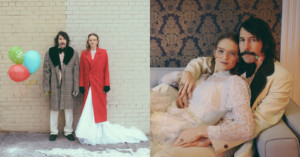
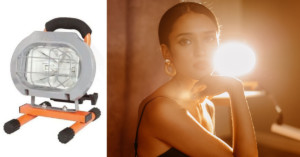
You’ve probably seen weird DIY light experiments before, but what about using only iPads as your main light sources? Photographer Jesse Rosten did just that, using 9 iPads (worth a cool $4,500) on maximum brightness on a recent photoshoot. On his blog, he writes,
Now before the haters start commenting let me first agree with you, yes, this is totally impractical (sidenote: most of my best ideas are often also my worst ideas). Nine iPads will set you back around $4,500. That amount of money can buy you a LOT of lumens in the form of a generic monobloc. This is not intended to be an exercise in excess, but rather a self-imposed limitation to help flex the creative muscles, and to make a point.
Think about it. One 60 watt bulb can put out more light that a truckload of iPads. And you don’t have to spend truckloads of cash to find a 60 watt. This whole making art thing is all about what you do with what you have. We just happened to have a bunch of iPads laying around so we went with that. Today’s dSLR sensors are sensitive enough that you could easily do this with some flashlights, headlights, headlamps, real lamps, or even – heaven forbid – real strobes! Now go forth and do!
Now we just sit back and wait for some copycat to try this idea with 81 iPod touches.
(via Videomaker)
Behind the Speedo Ad Campaign
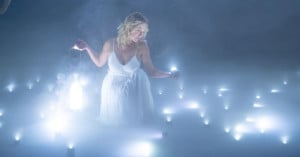
Here’s a really neat video about the making of a Speedo ad campaign that is running all across Europe right now. The video traces the production from its conceptualization to its final post-processing and illustration. The actual shoot and filming took place at the Pinewood Studios Underwater Stage in the UK, where several major films were also shot, including many 007 and Harry Potter movies. It’s pretty remarkable to see so much equipment underwater.
(via f stoppers)
Mystery of Lindsay Lohan’s Disappearing GQ-Cover Bellybutton Solved
For a cover shoot of a men’s magazine, it’s no surprise if liberties are taken in post-production. Generous Photoshopping is pretty much a given in any fashion or modeling photo. But here’s a bit of a surprise: it may not be the culprit for Lindsay Lohan’s disappearing belly button!
Boing Boing reader Nicole noticed in the latest issue of GQ Germany, LiLo’s belly button seemed to migrate in different photos, and it was nowhere to be seen on the cover.
However, as it turns out, Lohan was actually just outfitted with a high-waist. Alongside the article, GQ Germany includes a short behind-the-scenes film by Ellen von Unwerth, showing Lohan doing various poses. While on the sand, she’s wearing a high-waist swimsuit that covered her bellybutton altogether. Towards the end, you see Lohan posing for the final cover photo, and the photographer is shooting downward at her.
Still, this isn’t to say that the photo isn’t Photoshopped. It’s likely that Lohan’s belly button looks like it should be somewhere it isn’t because of the camera angle, or perhaps she had a digital tummy trim that threw off the “normal” proportions of her body.![]()
However, in another image, things start to get a little strange: Lohan’s belly button is oddly high, especially in comparison with the cover shoot. This could also be attributed to foreshortening or distortion from the camera angle and the fact that she’s now wearing a low-rise bottom.
Photoshop blunder or not, low-rise or high-waisted (no pun intended), at the end of it all, we have to ask — did we really just stare at LiLo’s belly button for the better part of a half-hour? Yes, yes we (okay, I) did.
(via Boing Boing)
Leaf Capture Remote iPad App Allows You to View Photos Wirelessly As You Shoot
![]()
Photographers can now use their iPad or iPhone to view images remotely during a photo shoot — if they’ve got a Leaf or a Mamiya digital back. Today, Mamiya and Leaf announced the release of a new App compatible with Leaf backs, as well as Mamiya’s DM-series and RZ33 digital cameras and backs. When tethered shooting on a Mac, the Leaf Capture Remote v 2.0 App allows one or more iPad or iPhone to function as a remote image viewer over Wi-Fi.
There is no live view mode, but images are available to view as they are taken. There are obvious benefits to workflow with this sort of program, since the photographer can move around while reviewing the results from shots. Also, several people can view and flip through the images on different devices, which could come in handy in large photo shoots.
The App is free from the Apple store, and works in tandem with Leaf’s Capture server, which must be installed on your computer.