Posts Tagged ‘liveview’

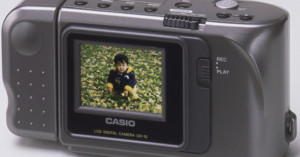
Casio QV-10: The First Digital Camera that Offered an LCD Screen and Live View

Casio QV 10: The First Digital Camera that Offered an LCD Screen and Live View casiolcd mini

Did you know that LCD screens and live view didn’t arrive until a number of years after digital cameras hit the market? The first consumer digital camera that featured those technologies was the Casio QV-10 (seen above), which hit store shelves in 1995. However, the screen was purely for framing shots, not for eyeballing exposure, and it took roughly 10 years for live view as we know it to become ubiquitous.

The first prosumer camera to use live view for both exposure control and preview framing was the fixed-lens Canon PowerShot G1 from 2000, although this was still in the line of compact cameras.

The first DSLR to use live view for framing preview only was the fixed-lens Olympus E-10 from 2000. The first interchangeable-lens DSLR to use a live preview was the Fujifilm FinePix S3 Pro, which was launched in October 2004. Its “Live Image” mode could display a live, black-and-white preview of the subject that could be magnified for manual focusing purposes, although the preview was limited to a duration of thirty seconds. [...] The first general-use interchangeable-lens DSLR with live view for framing preview only was the Olympus E-330 of 2006. The first general-use interchangeable-lens DSLRs with live view for both exposure simulated preview and framing preview were the Canon EOS 1Ds Mark III and Canon EOS 40D of 2007.

Just in case you were wondering, the terms “live view” and “live preview” are interchangeable.

Live Preview on Wikipedia (via Casio via NPhoto)

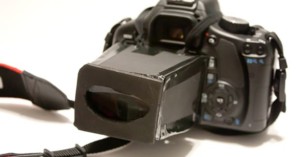
How to Make a DIY DSLR Viewfinder

How to Make a DIY DSLR Viewfinder diyviewfinder mini

Want a DSLR viewfinder but don’t want to pay big bucks for a professional one? Photojojo has a tutorial on how you can build your own DIY version using a lens from a pair of magnifying reading glasses and some plastic/foam board. It’ll definitely draw some weird looks but hey, it works!

How to Make Your Own DSLR Viewfinder [Photojojo]

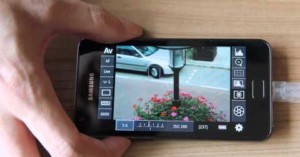
Control Your Canon DSLR with Your Android Phone Using DSLR Controller

If you’ve been dying to turn your Android phone into a remote for your Canon DSLR, today’s your lucky day. A developer who goes by “chainfire” has released a new app called “DSLR Controller“. It gives you live view and access to a whole host of camera functions through your phone, which connects to the camera through a USB host cable. Check out the demo above to see it in action. The beta version currently costs $8.56 over in the Android Market.

DSLR Controller (via Reddit)

Shoot HD Video with Any LiveView Canon EOS Camera

Shoot HD Video with Any LiveView Canon EOS Camera dbimage

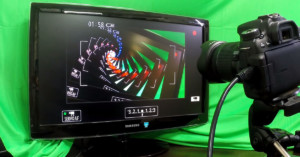
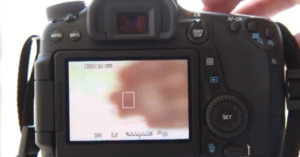
It’s almost a given for new Canon DSLRs to have an HD video recording mode, but older Canons can also capture HD video with the open source software EOS Camera Movie Record. The program allows you to shoot HD 720p video with any Canon EOS camera that has LiveView capabilities. The software runs off of your computer and captures HD video from the LiveView of a tethered camera.

Photographer Peter Arboine has an article up at DIY Photography about how he uses the software to shoot video with a Canon 40D.

Obviously, the fact that your camera has to remain tethered limits use of this video feature largely to studio use, but it’s a neat workaround for Canon owners. Unfortunately, despite the fact that the Canon program has been in the works for over a year, there’s still no Nikon equivalent.