Posts Tagged ‘jpeg’

Going From Exclusively Shooting RAW to Adding JPEGs to the Mix

Going From Exclusively Shooting RAW to Adding JPEGs to the Mix rawjpeg

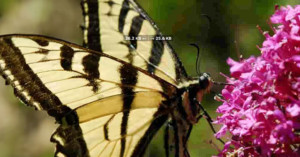
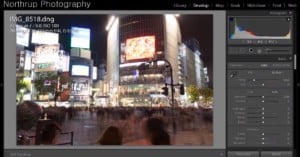
I have been shooting photographs regularly for over 7 years now. I spent the first year shooting with a 2-megapixel phone camera. Since then, however, I’ve almost always had RAW capable cameras and shot RAW compulsively. And why not? I get 16x or 64x more colour depth than JPEGs. I don’t have to bother about setting the right white balance, contrast or sharpness. I don’t have to choose between monochrome and colour at the time of shooting. I can figure all of that out on the computer during RAW conversion and even try out different settings for the same picture at my leisure. Why would I give up all this and shoot JPEG?
Read more…

Facebook Tries Out Google’s WebP Image Format, Upsets Users in the Process

Facebook Tries Out Googles WebP Image Format, Upsets Users in the Process Facebookwebp1

In an attempt to speed up its sizable network and lower costs, Facebook recently decided to begin using Google’s WebP image format. The format was designed by Google as a space-saving alternative for PNGs and JPEGs. WebP provides lossless and lossy compression, support for an alpha channel, support for animation and more — all at much smaller sizes and almost identical image quality.

But all of these advantages come at a price, support for the WebP image format outside of your browser is far from universal. Google set it up as a Web format that, for now, is not supported by any of the major operating systems natively. And so, after the switch, when Facebook users tried to download a funny photo or the vacation pics their friends decided to share through Facebook, they wound up with un-viewable WebP files. Read more…

Why You Should Always Rotate Original JPEG Photos Losslessly

Why You Should Always Rotate Original JPEG Photos Losslessly rotatewarning mini

Recognize the warning message above? It’s what Windows XP would show whenever you tried to rotate a JPEG image 90° using the Windows Picture and Fax Viewer. If you’re like me, you probably didn’t think twice about it (and checked the checkbox), since you had done it many times already and hadn’t noticed any difference in quality. After all, how hard can it be to turn a digital photo sideways? You just move the pixels around right?

Well, not really. The fact of the matter is, JPEG is a “lossy” compression algorithm that’s geared towards storing and sharing photos without taking up too much disk space. Rotating these compressed images is usually done by decompressing, rotating, and then re-compressing. Since the re-compression is lossy (i.e. data is thrown away), this process results in slightly degraded photos (hence that warning).
Read more…

‘______.jpg’: Ceramic Sculptures of the Apple JPG Preview Icon

      .jpg: Ceramic Sculptures of the Apple JPG Preview Icon jpg mini

Artist Alan Belcher is known for pioneering a genre of art known as “photo-object” in which the disciplines of photography and sculpture are fused and explored in different ways. His latest piece is titled “_____.jpg”, and consists of 125 ceramic sculptures of the ubiquitous Apple JPG icon. Each one was manufactured in China and then signed, numbered, and dated. They’re currently on display at the Marianne Boesky Gallery in Manhattan. You can see a close-up view of the tile here.

(via Doobybrain and jockohomo)

JPEGmini Now Available for Mac: Put Your iPhoto Library on a Diet

JPEGmini Now Available for Mac: Put Your iPhoto Library on a Diet jpegmini 1 mini

Back in August we featured a service called JPEGmini, which gives anybody the ability to shrink their photos up to 5-times in size without any visible quality difference — a substantial claim, but one that the service seemed to live up to quite well (we use it regularly). Read more…

A Higher Quality Setting in Photoshop Sometimes Reduces JPEG Quality

A Higher Quality Setting in Photoshop Sometimes Reduces JPEG Quality photoshopsave mini

While looking into the new compression service JPEGmini yesterday, the following statement caught my eye in an interview they did with Megapixel:

[...] sometimes you increase the quality setting in Photoshop and the actual quality of the image is reduced…

I had never heard of that before, so I decided to dig a little deeper.
Read more…

JPEGmini Magically Makes Your JPEGs Up to 5x Smaller

JPEGmini Magically Makes Your JPEGs Up to 5x Smaller jpgmini

JPEGmini is a new image compression service that can magically reduce the file size of your JPEG photos by up to 5 times without any visible loss in quality. ICVT, the Israeli company behind the service, explains how the technology works in an interview with Megapixel:

Our technology analyzes each specific photo, and determines the maximum amount of compression that can be applied to the photo without creating any visual artifacts. In this way, the system compresses each photo to the maximum extent possible without hurting the perceived quality of the photo.

You can test out the technology on your own photos through the service’s website.
Read more…

Example Showing the Benefit of RAW’s Higher Dynamic Range

Example Showing the Benefit of RAWs Higher Dynamic Range rawfixed

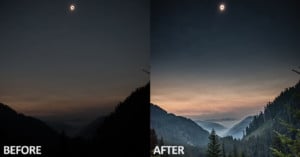
One of huge benefits of shooting in RAW is that RAW files usually have considerably more dynamic range than a JPG. This means that details in the shadows and highlights of an image that would otherwise be lost if shooting JPG are stored in the RAW file, and able to be recovered if needed during post-processing. Reddit user Jake Kelly shot the photo on the left of his friends in a dark movie theater, severely underexposing the image but avoiding hand-shake with a shutter speed of 1/60. A quick adjustment in Lightroom helped him recover a ton of detail that definitely wouldn’t be possible had he been shooting in JPG (try taking the JPG on the left and getting the result on the right).

For a more in-depth look at this topic, you should read the “Dynamic Range & Exposure Compensation” section of the RAW tutorial over on Cambridge in Colour.

(via Reddit)


Image credits: Photographs by Jake Kelly and used with permission

Google Wants to Speed Up the Web by Killing the JPEG

Google Wants to Speed Up the Web by Killing the JPEG webp

Google unveiled a new image format today called WebP that it hopes will make the web faster by cutting files sizes of images without affecting quality. According to a blog post they published earlier today, photos and images account for 65% of the bytes transmitted by websites. In their tests done using 1 million randomly selected images from the web, re-encoding images as WebP resulted in an average file size reduction of 39%. Here’s a gallery with image and file size comparisons.
Read more…

Saving JPEG Photos Hundreds of Times

Most of you probably know that JPEG is lossy compression method, meaning compression permanently throws out data and detail. Luckily, a typical compression can save 10 times the space of an uncompressed image without sacrificing much noticeable quality. However, if the image is repeatedly compressed and saved, artifacts introduced during compression become more and more obvious.

Reddit member Grundle decided to see what repeated compression looks like by saving the same image over itself 500 times at high quality (10/12 in Photoshop). He then combined the images into the following video:

10 months ago another Reddit member elezeta did the same experiment, compressing a JPEG 600 times:

I think it’s pretty clear why you should always work with RAW files if you care about the quality and longevity of your work. Every time you save those JPEG photographs, you lose a little piece of awesomeness.