Posts Tagged ‘ipad’

Automatically Sync Photos Over Wi-Fi from PC to iPhone

Automatically Sync Photos Over Wi Fi from PC to iPhone sync4lazy

PhotoSync for Lazy is an app for iOS devices that automatically syncs photographs with a PC folder over wi-fi. Once the program is installed on the a Windows PC, a special folder is monitored, and when the app is opened on the iPhone (or other iOS device) it will automatically update to reflect the contents of that folder. This can be a good way to keep your phone for sharing photos on the go, or for having your latest portfolio pictures with you at all times. It’s not currently available for the iPad, but will be soon. You can have 50 photographs synced with the free version of the app, or buy the paid version for $3 for unlimited photos.

An alternative way you can sync photos is with Dropbox. It works over the Internet rather than wi-fi, but the good news is that it’s completely free (up to 2GB) and works on Macs and iPads. It also works in both directions — you can have your iPhone photos synced to your computer.

PhotoSync for Lazy (via Lifehacker)

Amazingly Creative 3D Light Painting Technique Using an iPad

This video will blow your mind. We’ve all seen light-painting photos and stop-motion animations created with those photos, but marketing agency Dentsu London figured out how to take light painting a step further using an iPad.

By using all sorts of crazy computer modeling and animation techniques, they figured out how to create 3D light-paintings by playing a “CAT-scan” style animation on the iPad while sweeping the iPad through the air. By repeatedly doing this kind of sweeping with various 3D models, they were able to create 3D light painting stop-motion animations. Here’s how they explain it:

We use photographic and animation techniques that were developed to draw moving 3-dimensional typography and objects with an iPad. In dark environments, we play movies on the surface of the iPad that extrude 3-d light forms as they move through the exposure. Multiple exposures with slightly different movies make up the stop-frame animation.

Prepare to be amazed.


A big thanks to Jim Goldstein for the tip!

Wedding Photographers Get Grooms Excited by Bundling iPad with Albums

Wedding Photographers Get Grooms Excited by Bundling iPad with Albums ipadwedding

Some wedding photographers offer a package that includes an iPad pre-loaded with images from that special day.

It’s a simple, yet brilliant way to get both bride and (especially) groom more excited about the album — while assuring their photos won’t lie forgotten in a dusty album years later.

The digital trend is catching on, said Pennsylvania-based photographer Daniel Lanton, who bundles the iPad with engagement photos. Lanton said in an interview with Tampa Bay Online that the iPad it adds a bit more immediacy to the images, as well as a sort of permanence in a new digital age:

“I just foresee a time when the wedding album becomes non-existent or continues falling away … Now I’m selling more iPads with bound albums. I sold six in the first week.”

Read more…

New Canon Printers to Print HD Movie Stills

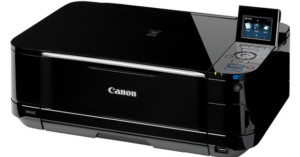
New Canon Printers to Print HD Movie Stills canonpixmaCanon announced today that five upcoming models of the Canon PIXMA printers will feature a “full HD movie print” feature that allows users to print individual frames from their HD movies. The big catch is that the HD movie files have to be .MOV file format created by certain Canon cameras only. The company has yet to release sample prints using the feature.

Other notable features on some of these models include their Wi-Fi capabilities, allowing the printers to access both the Internet and local networks. Also with the Wi-Fi models, Android OS, iPhone, iPad and iPod users can usethe Canon Easy-PhotoPrint app to print camera photos directly from their phones. The wireless models start at $80.

Most of the new printers will also include access to exclusive content on Canon’s CREATIVE PARK, which is a nifty creative site with project ideas, templates, and cards, as well as cool 3D paper craft projects.

Leaf Capture Remote iPad App Allows You to View Photos Wirelessly As You Shoot

Leaf Capture Remote iPad App Allows You to View Photos Wirelessly As You Shoot ipadipod LCR

Photographers can now use their iPad or iPhone to view images remotely during a photo shoot — if they’ve got a Leaf or a Mamiya digital back. Today, Mamiya and Leaf announced the release of a new App compatible with Leaf backs, as well as Mamiya’s DM-series and RZ33 digital cameras and backs. When tethered shooting on a Mac, the Leaf Capture Remote v 2.0 App allows one or more iPad or iPhone to function as a remote image viewer over Wi-Fi.

There is no live view mode, but images are available to view as they are taken. There are obvious benefits to workflow with this sort of program, since the photographer can move around while reviewing the results from shots. Also, several people can view and flip through the images on different devices, which could come in handy in large photo shoots.

The App is free from the Apple store, and works in tandem with Leaf’s Capture server, which must be installed on your computer.

Using the iPad as a Portable Light Table

Using the iPad as a Portable Light Table ipadlighttable

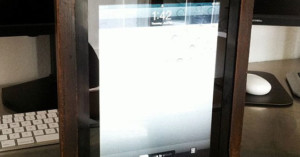
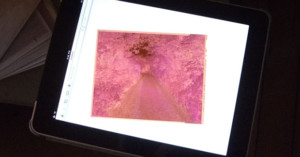
Here’s a “duh” idea that might not have crossed your mind: you can use your iPad as a portable light table by displaying a blank page on the browser. Might be useful for those of you who are thinking of doing some printing in your bathroom or something.

Of course, you can use a cellphone too for things like 35mm negatives, but an iPad is much more similar to a portable light table. This idea is courtesy of photographer Dalton Rooney, whose free WordPress theme for photogs we featured a while back.


Image credit: Photograph by Dalton Rooney and used with permission

iPad Camera Connection Kits Selling for $100+ on eBay

iPad Camera Connection Kits Selling for $100+ on eBay ipadconnection

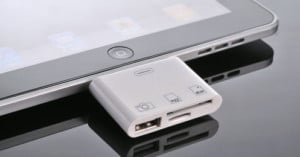
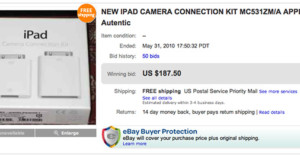
Apple recently announced that they’ve passed the 2 million mark for iPads sold, and it looks like a large number of the owners would like to import photographs onto the device from their cameras. The already overpriced Camera Connection Kit, which ordinarily sells for $29 on Apple’s website, is now selling for over $100 on eBay. The reason is that the item is backordered on Apple’s website, and iPad owners seem to prefer paying an extra $70+ dollars instead of waiting 3-4 weeks.

The prices should plummet once Apple catches up and when 3rd-party kits start showing up on eBay from Asia.

(via Engadget)

Sports Illustrated as an HTML5 Magazine

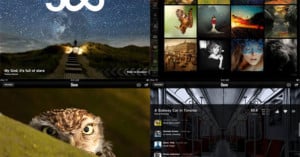
Today at Google I/O, Sports Illustrated editor Terry McDonell showcased this demo of the HTML5 version of the magazine. Last December, SI released a mockup video of how their online version would look as an app, but this version is based on the web and can be viewed with laptop and tablet browsers. It looks like a print magazine layout, with fantastic spreads, photos, and fonts, but it also has a lot of unique multimedia features that are incorporated into the design.

In the presentation, McDonell said:

“The idea is really very simple: combine the best of the web with the best of the magazine, like the sports photography, which is deep, deep in Sports Illustrated’s DNA.”

SI’s really giving photography a great plug: the demo issue also has a behind-the-scenes portrait shoot with Shaq, and there’s an expanded photo gallery option for readers to see more shoots than the ones included in the main design. Even the interactive demo ad is photo-related, showing a faux camera brand with interchangeable lenses.

This web design really opens up the doors for visual and multimedia storytelling, and is an exciting way to make an interactive publication accessible (not to mention SEO-friendly) to the entire World Wide Web.

Let us know what you think about SI’s new magazine format in the comments.

Adobe Launches “Freedom of Choice” Campaign in Response to Apple

Adobe Launches Freedom of Choice Campaign in Response to Apple weheartapple1

The tech war is on between Apple and Adobe, and it’s starting to sound political. What’s fairly interesting is how Adobe’s been running “We [heart] Apple” as well as “We [heart] Choice” ads, suggesting that this tech war is all about word choice — or perhaps the word, “choice.”

Adobe Launches Freedom of Choice Campaign in Response to Apple adobechoic

The lack of Flash on Apple mobile devices has been a growing issue, especially since the release of the iPad. Apple’s omission left a lot of creatives, including photographers, scrambling to find a substitute for Flash-based sites.

A few weeks ago, Steve Jobs published his thoughts behind Apple’s movement away from Flash capabilities in mobile products.

Today, Adobe’s co-founders Chuck Geschke and John Warnock  responded in an open letter that was published in newspaper ads and on its website, titling it “Our Thoughts on Open Markets.” The letter launched alongside a new section on Adobe’s site called “Freedom of Choice.”Adobe also published a page titled “The truth about Flash,” which responds point-by-point to most of Jobs’ arguments.

Jobs had ended his letter with a stab at Adobe, saying:

New open standards created in the mobile era, such as HTML5, will win on mobile devices (and PCs too). Perhaps Adobe should focus more on creating great HTML5 tools for the future, and less on criticizing Apple for leaving the past behind.

Adobe responded:

We believe that Apple, by taking the opposite approach, has taken a step that could undermine this next chapter of the web — the chapter in which mobile devices outnumber computers, any individual can be a publisher, and content is accessed anywhere and at any time.

In the end, we believe the question is really this: Who controls the World Wide Web? And we believe the answer is: nobody — and everybody, but certainly not a single company.

So far this seems to be a war of words; Apple and Adobe are fighting over ownership of what “open,” really means and what the future of the Internet (and your portfolio) will look like.

Let us know where you stand on the issue in the comments.

How to Use an iPhone as an iPad Camera

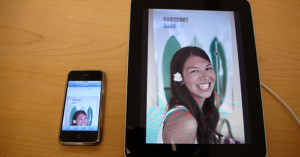
How to Use an iPhone as an iPad Camera ipadiphonecameraA common gripe about the iPad is that it doesn’t contain a built-in camera. Developer Yusuke Sekikawa saw this need, and wrote two applications that allow an iPhone 3GS to be used as an iPad camera.

Here’s what you need to do: download the CAMERA-A app ($0.99) onto your iPad, the CAMERA-B app (free) onto your iPhone 3Gs, connect the devices via Bluetooth or WiFi, open the apps, and voila! The iPhone should be function as an external camera for your iPad, allowing you to take photos using your iPad.

If you have trouble with the link, try disabling Wifi.

Camera for iPad is another app set that uses an iPhone as an iPad camera. While the $0.99 app will allow you to use a non-3Gs iPhone, it doesn’t capture images on the iPad directly, but transfers them to the iPad when taken.

Future apps might use this same iPhone/iPad setup for video chatting — something that wasn’t possible with a non-forward facing built-in camera.

(via Gizmodo)


Image credit: Shoot iPad Photos Using iPhone by Photo Giddy