Posts Tagged ‘howto’

Use a Shoe to Remove Stuck Lens Filters

Use a Shoe to Remove Stuck Lens Filters shoe mini

Here’s a quick tip for if you ever have a hard time removing a lens filter from a lens (e.g. when it’s damaged): use a shoe. Simply take any shoe with a grippy flat bottom, press it firmly against the filter, and then turn it. It’s a super simple technique that should work every time unless the threads on the lens itself are badly damaged.


Thanks for the tip, Luke!

How to Make Your Gloves Compatible with Touchscreen Cameras

How to Make Your Gloves Compatible with Touchscreen Cameras touch mini

We’ve featured special gloves and mittens designed for photographers before, but what if your camera uses a touchscreen instead of physical controls? Here’s a video by Make’s Becky Stern showing how you can sew some conductive thread into your glove to make it compatible with capacitive touchscreens.
Video after the jump

Build a DIY Photo Booth Shaped Like a Giant Lomo Camera

Build a DIY Photo Booth Shaped Like a Giant Lomo Camera lom mini

For his wedding, designer Matt Frank built this photo booth that looks like a giant Lomo camera. It comprises a Mac running Photo Booth, a monitor for reviewing photos, halogen lighting, and a hacked Easy Button that acts as a shutter release. Frank writes,

I decided to build my own photo booth after trying to rent one from local photography studios. The going rate for a rented photo booth is around $600 in addition to the hourly rate of the attendent to watch over the equipment. As this was not in my wedding budget, and I did not want to deal with an additional vendor, I decided to build my own for under $200. [#]

The total cost for the DIY photobooth came out to about $150. Frank has also written up a step-by-step tutorial on how it was built.

A Makers Wedding – Photo booth (via Make)

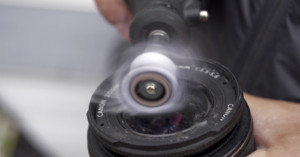
How to Remove a Smashed Filter That’s Stuck on a Lens

Using a filter is a great way to protect your lens from damage, but if you accidentally drop your camera and smash the filter, there’s a good chance you won’t be able to remove the filter from your lens’ threads. Here’s a quick video that shows how you can remove a stuck filter — all you need is a strong pair of pliers.

(via ISO 1200)

Five Basic Lighting Techniques for Studio Portraiture

If you’ve never done studio portraits before, check out this uber-helpful video that quickly runs through five basic lighting techniques commonly used by photographers everywhere.

Make Circular Picture Frames Using Embroidery Hoops

Make Circular Picture Frames Using Embroidery Hoops hoop mini

If you’re looking for a creative way to display your photos (and decorate your home), papernstitch has a tutorial on how you can make circular picture frames using embroidery hoops. The photographs are printed onto PhotoFabric and then held taut between the hoop rings.

DIY Embroidery Hoop Picture Frames (via Craftzine)

How to Light, Shoot, and Stitch a Photo of a Home Interior

Here’s a video in which interior photographer Roger Brooks walks through how he goes about lighting, photographing, and stitching residential interior photographs.

Lens Twist Trick: How to Lock a Lens at a Certain Aperture

Modern DSLR lenses don’t usually have aperture rings, and opening and closing the aperture is the camera’s responsibility. If for some reason you need to keep the aperture blades locked in a certain position, the “lens twist trick” can help you do so. Simply untwist the lens from the camera while holding the depth of field preview button.

One practical use for this trick is time-lapse photography. Cameras don’t always close the aperture to exactly the same size every shot, and the slight variation can cause a flicker in the resulting time-lapse video (a problem called “aperture flicker“).

(via planet5d)

How to Unlock the Hidden Panorama Mode in iOS 5 Without Jailbreaking

How to Unlock the Hidden Panorama Mode in iOS 5 Without Jailbreaking panoramic1 mini

A couple days ago it was discovered that iPhones, iPods, and iPads running iOS 5 have a secret panorama mode that’s hidden in the operating system. The feature can be enabled, but featured either a jailbroken device or knowledge in how to edit a particular iOS 5 preference file. Luckily for non-hackers, Redmond Pie has discovered an easy way to do this by taking advantage of iTune’s backup feature. This tutorial will teach you how to get the panorama feature unlocked in 5-10 minutes.
Read more…

How to Avoid Flash Reflections in Glasses

Here’s a helpful tutorial on how to adjust the angle of your light sources to avoid the nasty reflections that show up in eyeglasses. It has to do with understanding and harnessing the “angle of incidence” and “angle of reflection” of your light.

(via ISO 1200)