
Google Image Search Results are ‘Amplifying Gender Stereotypes’
A new research study has found that online images diplayed on search engines and social media may be reinforcing gender stereotypes.
A new research study has found that online images diplayed on search engines and social media may be reinforcing gender stereotypes.
Those signed up to Labs and its Search Generative Experience (SGE) can now prompt Google's ubiquitous Search bar to create AI-generated images.
Google announced Thursday upcoming changes for explicit image search results. These updates affect both how users search and what information can be found on a person.

At its I/O developer event yesterday, Google announced two new features that will better help users understand the origins of an image -- including if it is AI-generated.
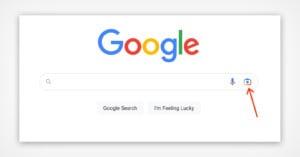
Google has added its Lens image search directly onto its homepage, allowing users to access the company's advanced image recognition tool directly from the search box.
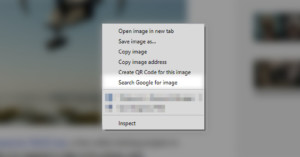
Google recently added Google Lens to its Chrome desktop Web browser. While it is a great tool, it replaced the "Search Google for image" option when right-clicking a photo. Here's a guide on how to continue doing reverse image searches with a right-click if you have lost it.

Google today launched new features in Google Images "to help people use images on the web responsibly." The features should benefit photographers, as they help people both identify photos that can be licensed as well as find out how to properly license them.
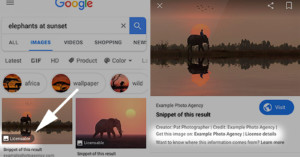
Google Images is continuing to make changes that benefit photographers. The image search engine is testing a new "Licensable" badge that aims to help photographers sell their photos through search results.
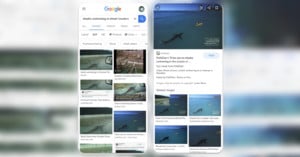
In big tech's continuing battle against the scourge of so-called "fake news" and manipulated imagery used to trick people online, Google has just added a major update to Google Image search: fact checking.

Google is taking another big step in protecting photographers' copyright through the Google Images image search engine: it just added image rights metadata to the photo search results on Google Images.
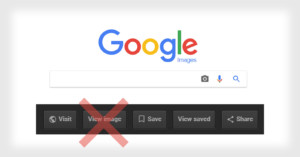
Google has removed the "View Image" button from its Image Search results that had allowed anyone to quickly download the original image file while bypassing the host webpage. This is a step Google is taking to help protect photographers' copyrights.
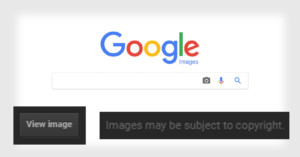
Google Images is an epicenter of copyright infringements across the Web, as people, either knowingly or unwittingly, search for, download, and misuse copyrighted photos without permission. But for photographers, there's some good news: Google is going to roll out changes to the image search engine that are designed to help protect your copyright.
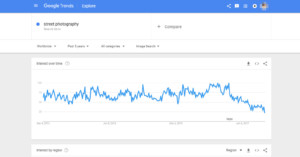
You can now research the popularity of what photographers are searching for through the Google Images search engine. Google Trends has expanded to include more "lenses", and one of those is Images.
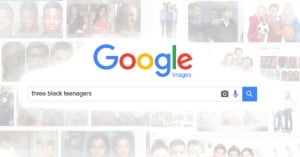
Can an algorithm-based service such as Google Images be racist? That's what people are suggesting this week after one man's video went viral.

Being a photographer in the digital age presents a number of excellent advantages along with a collection of new concerns. Sharing your images with the world and gaining exposure has never been easier, but the risk that someone may decide to steal your work is also increasing. Protecting your images on the web should be at the forefront of your thought process when uploading a new potential masterpiece. To help you out, we have established a list of ten sites that can assist you in your creative endeavor.
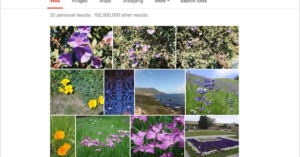
Google I/O brought with it a lot of exciting updates for Google+, not the least of which were a slew of automatic improvements to Google+ Photos including Auto Highlight, Auto Enhance and Auto Awesome. But the updates didn't stop when I/O ended last Friday.
Today, Google's Search blog announced that the company has started implementing some impressive technology that will allow you to search for your photos based on what they contain visually, even if there's not a tag in sight.
Back in early December, Google announced that the company would be adding 5,000 new stock images of "nature, weather, animals, sports, food, education, technology, music and 8 other categories" for free use in Docs, Sheets and Slides.
At the time nobody knew how Google got these images, who took them, or what kind of license they came with. The mystery continued on unsolved until a week ago when an iStocker discovered one of his own images in the search results. As it turns out, the use of these photos is the result of a little known licensing deal between Google and Getty Images.

ABC Denver is very apologetic today after learning a hard (and embarrassing) lesson on why you need to be extra careful when sourcing photos from the web. On Monday, the 7NEWS station aired a segment on ex-CIA director David Petraeus and his affair with his biographer Paula Broadwell. When mentioning Bradwells new book, titled "All In," the station put up a book cover with a lewd title that read, "All Up In My S**tch."
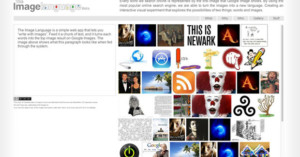
The Image Language is a simple web app that lets you “write with images”. Feed it a chunk of …
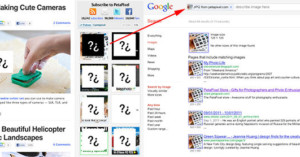
Src Img is an uber-simple bookmarklet created by …
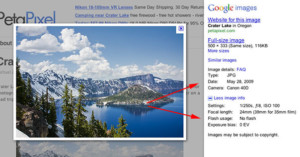
Google has added EXIF data to …
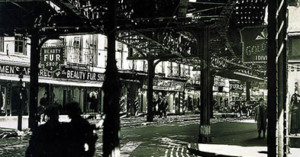
I came across an interesting post over at The Guardian a while back that discussed whether Google's ranking algorithms are good at gauging art, and whether the top result for an artist accurately reflects the artist's "best work".
I decided to do the same experiment with famous historical photographers. The following images are the top results when typing the photographers' names into Google's image search:
Berenice Abbott