
Joel Meyerowitz’s Street Photography
Here’s an hour-long program from 1981 that featured Joel Meyerowitz and his street …
Here’s an hour-long program from 1981 that featured Joel Meyerowitz and his street …

Developer Conrad Kramer was poking around in iOS 5 when he stumbled upon …
Yesterday we shared some clearer comparison images from Adobe's jaw-dropping Image Deblurring demo. Cari Gushiken over on the Photoshop.com blog has written up a post that sheds a little more light on how the idea came about, the current challenges they face, and where they see it headed.

Last week we shared a sneak peek at some jaw-dropping image deblurring technology currently in development at Adobe. The video wasn't the best quality and was captured from the audience, so we didn't get to see the example images very clearly. Adobe has now released an official video of the demo, giving us a better glimpse at what the feature can do.
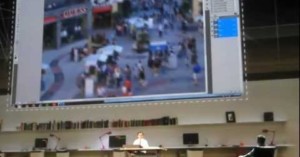
At the Adobe MAX 2011 event in LA last week, the company gave …
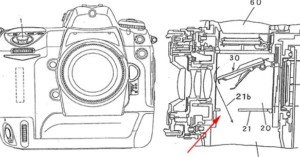
A Nikon patent published today details a new dust reduction feature that might …
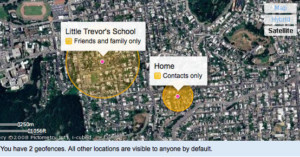
Flickr introduced an innovative location-based privacy feature today called “ …

Photo sharing is proving to be one of the main battlegrounds in the social networking war between Facebook, Twitter, and Google+. Facebook launched another counterattack today by increasing the resolution of displayed photos yet again from 720px to 960px, a 33% increase (last year they increased by 20% from 604px to 720px). Furthermore, the company claims that photos now load twice as fast as before.

Photo filters that turn ordinary pictures into vintage ones are becoming mainstream. How mainstream, you ask? Well, Facebook is …

Twitter, Google+, and Facebook are one step closer to becoming clones of each other (at least when it comes to photo sharing) -- Twitter has rolled out photo galleries that display the 100 most recent images Tweeted by users in chronological order.

Update on 12/18/21: This video has been removed by its creator.
CNN made this creative video highlighting the fact that there's still a remnant vibrant community of film shooters in New York City. It's seen from the perspective of someone typing in "analog photography" into a futuristic Qwiki-esque search engine.

Here’s a nifty visual guide to all the keyboard shortcuts you have access to when viewing a photograph on …

The photo sharing feature on Twitter that we first reported on a couple months ago is now …
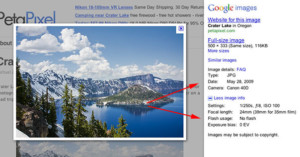
Google has added EXIF data to …

PBS is starting a new web-only video series called “Off Book“, and the …

For photo enthusiasts, Google’s new Google+ social network is something like Flickr mixed with Facebook. It has the social …

We shared a video of Canon’s Image Stabilization technology in action in the beginning of the year, …

What if you could take perfect group photographs by first shooting multiple frames and then selecting the best portions …

Twitter has just announced that they will be launching their own photo-sharing service that will let you attach photographs directly to Tweets, competing with services like TwitPic. Rather than host the images themselves using their own servers or Amazon's S3 storage, they've decided to partner with photo-sharing giant Photobucket. It'll be interesting to see whether photographers feel more comfortable sharing their images on Twitter now that the functionality will be baked into the service itself, especially after recent brouhahas involving third party services.

The superheroes that line Hollywood Boulevard for tourist pictures may have a tiny taste of stardom while on the job, but what are their lives like when they put down their masks and capes? For his project "Super Heroes", photographer Gregg Segal followed a number of superheroes home to document their not-so-super lives when not on the job.

“Alphabet Truck” is a project that took photographer …

Here’s a glimpse at how selecting an autofocus point works on the upcoming Fujifilm Finepix X100. The …

Panasonic wants to move portrait retouching off of computers and directly into cameras. Their Lumix FX77 compact camera released last week has a "Beauty Retouch Mode" that allows users to make all kinds of edits to faces immediately after capturing the photo:
The Beauty Retouch Mode makes it possible to virtually makeup the faces. In Esthetic Mode, various effects can be applied to the face including clearing the skin texture, whitening of teeth and so on. In the Make-up Mode, you can choose the color of foundation, lips, cheeks or eye-shadow. [#]
The photoshopping capabilities aren't limited to what can be done naturally -- users can also do chin lifts and eye enlargements!

A new German company called X-Pire wants to give you a little more …

PBS NewsHour recently aired this interesting and inspiring video profiling photographer …

After Kodak announced the end of Kodachrome’s production in June of 2009, the number of photo labs that developed …
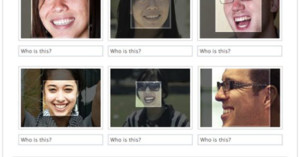
Tagging friends in massive group photographs is about to get a whole lot easier. Facebook has just announced “tag …

Canonites in Japan who often find their mode dial inadvertently changed can now choose to have their camera upgraded …
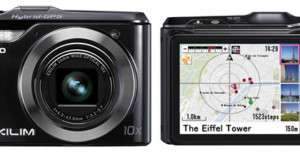
Just unveiled at Photokina, Casio’s new EXILIM EX-H20G point-and-shoot is a pretty ordinary 14.1 megapixel HD video-capable camera with …

Apple had a special event this morning where they announced a few new products. In addition to the introduction …

Google added a neat feature called "Face Movies" to its Picasa photo software last week. This feature uses facial recognition technology to help you create a movie slideshow where a person's face is aligned in each photograph. An example of something you can do with this feature is to create a slideshow of your child growing up (like in the example Face Movie above).
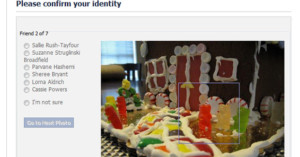
Here’s a funny example of a photo-based security feature gone wrong: starting in May, Facebook started doing user verification …

The Flip Video camcorder has had a convenient built-in USB connector for quite …

Many of Sony’s new digicams have a nifty “Sweep Panorama” feature that allows …

Looks like Facebook’s recent acquisition of Divvyshot was not for naught. In a …

Flickr has just announced a new feature that allows you to connect your …

Google has a new feature that photographers may enjoy: you can now customize …

Filmmaker Kevin Shahinian of Pacific Pictures has a knack for unconventional wedding videos. In the past, he's turned one wedding flick into a thriller, starring the newlyweds.

Google recently added high-quality street level photographs to …

NachoFoto is a new image search engine that …