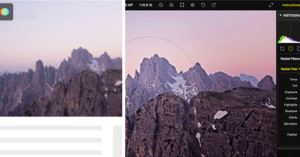
When it comes to viewing and editing RAW photos, many photographers turn to editing software such as Adobe Lightroom or Apple’s Aperture. But one developer hopes to harness the power behind web browsers to view — and potentially edit — RAW image files. Read more…
Adobe has announced Photoshop Elements 11, the latest refresh to the company’s more-affordable and easier-to-use counterpart to Photoshop, which it claims is the #1 selling consumer photo editing program.
New features in this version include a complete overhaul of the user interface to make it more straightforward, better organization of photos by people/places/events, new guided edits for semi-automatic image adjustments, new filters for giving your pictures funky looks (e.g. comic, graphic novel, pen & ink), new intelligent extraction tools for selecting specific portions of photos, and built in sharing to popular social networks such as Facebook. Read more…
PIX magazine is a newly launched digital magazine that has women photographers in mind.
But the writers at Jezebel — and at least one female photojournalist who wrote in with a tip about the magazine — are a bit miffed over the content, which they say is “full of lady stereotypes”. Read more…
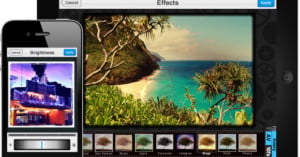
Aviary — the online photo editor that replaced Picnik as the official editor for Flickr — is expanding their scope by releasing an Android and iOS app. Up until now iOS users had no Aviary to speak of and Android users had only a “plugin,” but as of yesterday, full-blown apps for both operating systems are available in the iTunes App store and Google Play.
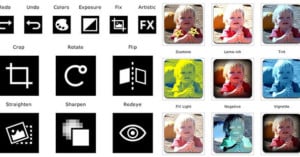
The new app will offer many of the same features you would find in the mobile Photoshop Express or iPhoto: you’ll be able to crop, rotate, add text, sharpen, blur, add preset effects, one-tap enhance and the list goes on. You can also rearrange all of those tools to your liking, so that they better fit the order you would use them in. And when you consider the fact that Aviary sells for the low low price of “free,” there’s really no reason iPhone and Android users shouldn’t go pick it up and give it a shot.
To keep itself lean and focused, Google is planning to do some spring cleaning and shut down a number of non-critical projects and services that don’t attract enough attention to keep alive. One of the services marked for termination is Picnik, the online photo editor that Google acquired back in 2010. The service will remain online until April 19, after which the team will be folded into the Google+ team.
The 4th version of Android, named Ice Cream Sandwich, is set to be released sometime in the next month or so. If you’ve been craving for a built-in photo editor, you may soon get your wish. Android Police has uncovered a boatload of icons and images that strongly suggest that future Android phones and tablets will ship with photo editing tools built into Android Gallery. In addition to basic tools such as crop, sharpen, and rotate, there will apparently be 19 different photo effects you can apply as well. Sadly, they’re of the cheesier variety (e.g. posterize), so don’t expect them to compete with the likes of Instagram anytime soon.
French company Oloneo has just released a free beta for their product, PhotoEngine. The software is a straightforward HDR creator and non-destructive editor that allows you to quickly merge HDR photos. Additionally, it has features that can adjust specific light sources in the photo, to change the white balance or the exposure. This could come in handy when shooting HDR frames that have a variety of different light sources with different temperatures.
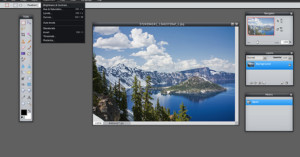
This has been around for a while already, so many of you have probably seen it, but I just started playing around with it today and was so impressed that I had to share it here. Pixlr is a browser-based Flash application for image editing that resembles Photoshop in both features and functionality. If you’re familiar with Photoshop, then you should have no trouble picking up Pixlr, which is great for situations where you’re on a computer that doesn’t have Photoshop installed.
The site is designed quite well, and the editor is actually easy and fun to use. You simply right-click to add elements to the canvas, and then drag, resize, and rotate them as needed. The editor uses HTML5 and CSS3, so it should work fine on devices made by companies run by CEOs who hate Flash.
If you want to try out the editor, we made a test account so you don’t have to create a new one. Use the email address “test@petapixel.com” and the password “password”.
Update: Turns out you actually don’t need an account to create or browse diagrams. Oops. You can use the test account we made to… see what it’s like to have an account?
One of the best online photo editors is now completely free to use. Aviary has decided to offer its entire suite of online apps for free, including its popular Phoenix image editor.
The application used to cost $25 per year, and those who subscribed in the past 30 days can request refunds. While there has always been a free version of Phoenix, everyone can now save files privately on Aviary’s servers, watermark their images, and access the tutorials that previously required a subscription.
Offering the service for free should help Aviary better compete with Adobe, which offers its online version of Photoshop for free as well (up to 2GBs).
I wonder if (or when) online editors will rival traditional programs in terms of power and functionality. Any guesses?