Here’s a super creative video that attempts to capture 100 years of East London fashion, dance, and music in just 100 seconds. Reminds me of Rick Mereki’s amazing “Move” short that we featured earlier this month, except this video travels through “time” rather than space.
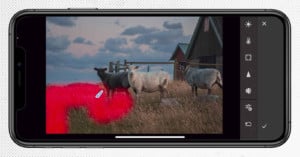
Photoshop product manager Bryan O’Neil Hughes offers this quick tip for getting better results with Content Aware Fill: use smaller selections for more accurate results.
Film student Zach King and his sister made this creative mock commercial for the Macbook Air using a Canon 5D Mark II, some string and a lot of imagination. Read more…
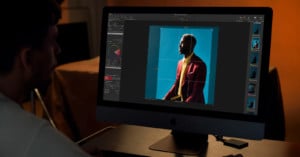
Here’s a helpful tutorial by Tutvid that teaches how to give your photographs dramatic colors using only Adobe Camera Raw. If you’ve started shooting RAW but haven’t played around too much with ACR, this video is also a great primer for becoming familiar with the different panels and sliders.
Vignetting is often viewed as a bad thing when discussing lens quality, but it’s sometimes desirable to add artificial vignetting to a photograph to draw attention to the center of the image, separating the subject from the background. Here’s a helpful tutorial that shows how you can add vignetting using a curves adjustment layer in Photoshop.
There’s plenty of tutorials out there teaching you how to fake the “Lomo effect” using Photoshop, but most of them don’t provide very realistic results. This “ultimate” tutorial by SLR Lounge attempts to mimic all the distinct characteristics of lomo photos (e.g. cross-processed colors, vignetting, blown highlights, and blurred edges) giving you a level of control over the results that an iPhone app could never do.
Perfect Layers is a new plug-in by OnOne Software that brings layers functionality (e.g. image layers, blend modes, layer masks, etc…) to Lightroom and Aperture. The program is currently in Public Beta right now available as a 30-day free trial, meaning you can download and try and a free preview version for Lightroom.
Update: Wow, that was fast. Looks like the program isn’t in Public Beta anymore. Instead, you can try it for 30 days or pay $500 for the full suite of programs/plugins.
HBO posted this interesting behind-the-scenes video that gives a glimpse into the kind of special effects that went into filming the popular miniseries John Adams. It’s pretty crazy how they construct entire realities around the actors using CGI.
This music video by YouTube celebrity Joe Penna (AKA MysteryGuitarMan) shows him dancing in various locations while the world around him moves in slow motion. What’s even cooler is that he also published a behind-the-scenes video showing how you can do the same thing. Check it out! Read more…
This has been around for a while already, so many of you have probably seen it, but I just started playing around with it today and was so impressed that I had to share it here. Pixlr is a browser-based Flash application for image editing that resembles Photoshop in both features and functionality. If you’re familiar with Photoshop, then you should have no trouble picking up Pixlr, which is great for situations where you’re on a computer that doesn’t have Photoshop installed.