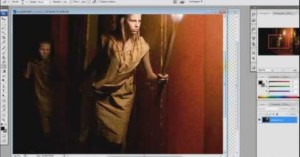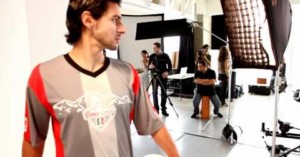
Photographer duo Joachim Guanzon and Marden Blake (AKA aesonica) created this short behind-the-scenes video showing how they recently shot and Photoshopped an Audi A4 photo for a print advertisement. You can read a longer how-to over on the aesonica website:
The goal is to make it look as if you had 20+ lights, grids, flags and reflectors to shoot your project. There is nothing better than hearing someone ask how many lights were needed to create your shot and revealing that you used only one. The trick is by doing something that could realistically be done with enough equipment and lighting skill, with only one light.
On the other hand, if you get too carried away, there is nothing worse than someone asking if you used Photomatix to compile your HDR garbage shot followed by “My 13 year-old has that program too!”
Recently we shared similar on how you can do composite lighting on homes and on an airplane.
Photo enthusiast Robert Simpson created this informative behind-the-scenes video detailing how he created a composite photograph showing tiny children running along a bookshelf. Although a ton of planning and preparation went into the shot, everything was done at home on a small budget rather than in a fancy studio. This may inspire you to dream a little bigger using your current resources.
Here’s an illuminating (pun intended) video walkthrough by photographer Eric Curry, showing how he went about creating a photo of a B-25 bomber. His technique for lighting the plane is similar to the real estate photography walkthrough that we featured last weekend, and involves lighting the scene a bazillion times from different angles, and then combining the different parts of the photo in Photoshop.
As he says in the video, it’s a useful technique that can be done by “anyone with a digital camera and a tremendous amount of patience.”
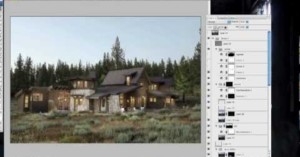
Here’s an educational time-lapse tutorial by Los Angeles-based architectural photographer Mike Kelley in which he walks through how he goes about photographing buildings. His technique might be described “manual HDR” — after shooting the building over a longish period of time to capture different lightings, he then enters the scene and lights different areas of the building using two Canon 430EX Speedlites. Afterward, he loads the stills into Photoshop and selects different portions of the scene from different photos depending on the lighting he wants. The finished composite photo ends up looking as if it were lit by a large number of Speedlites.
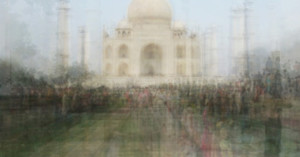
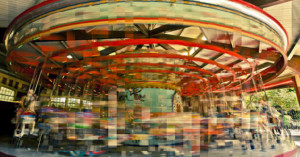
For her series entitled “Photo Opportunities“, photographer Corinne Vionnet gathered hundreds of photographs taken by tourists at famous locations and combined them by layering them together, creating surreal views of places we’ve all seen before in photographs. Read more…
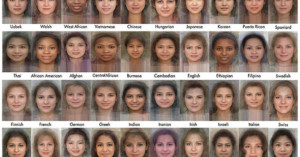
What you see here are portraits created by taking photographs of women in 40 different countries and averaging them with Face Research software. It’s not clear how many faces were used for each country, but if you’re thinking that the faces are more beautiful than average, then it might be because attractive faces are generally average. You can also play around with the software yourself, either with existing faces or by uploading your own.
For his “In Transit” series, Diego Kuffer takes multiple photographs of scenes, then creates neat-looking composite images afterwards. Kuffer tells us,
The idea behind the series is all about time, but in a more condensed way, also known as “moments”. I wanted to capture a moment with photography, but it only allowed me to get instants. So I decided to use the idea behind the movie making techniques (a great way of capturing moments) and apply it to photography. So, I took several snapshots of the same scene, sliced them horizontally and vertically, and assembled them in to a single one, chronologically. I like to think about these grammar as Chrono Cubism.