Posts Tagged ‘bokeh’

Beautiful Look at the Canon 50mm f/1.0

Beautiful Look at the Canon 50mm f/1.0 50mm10

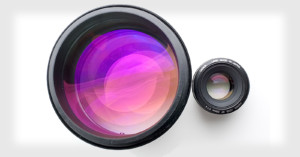
Flickr user Frannie 1 shot these beautiful photographs of the rare Canon 50mm f/1.0. The lens currently goes for over $4,000 used on eBay. That is one beautiful piece of glass!

(via Photojojo)


Image credits: Photographs by Frannie 1 and used with permission

Floating Light Words with Custom Bokeh

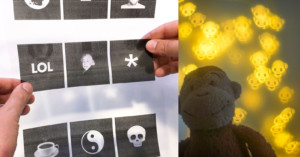
Kaleb Wentzel-Fisher had the brilliant idea of using custom bokeh to spell out words in his videos, and spent a good amount of time developing and perfecting the idea. The above video, titled “Light Works”, is a demonstration of this technique in action. The results are pretty awesome.

Read more…

MIT Scientists Stuff Barcodes into Bokeh

MIT Scientists Stuff Barcodes into Bokeh bokode1

Barcodes can be found everywhere, but using existing barcode systems with ordinary cameras require that the barodes be printed large or that the camera be placed close to the code. MIT’s Bokode project is a new system that magically stuffs barcodes into bokeh, allowing ordinary cameras to be used as barcode readers from a distance. The codes are contained in little points of light that only turn into codes when viewed through an out-of-focus camera lens. You’ve probably seen how little bright points of light grow into larger and fainter points of light when you defocus.
Read more…

Video Tutorial for Making Custom Bokeh

Here’s an easy to follow video tutorial by photographer Lucas Ridley teaching you how to create custom bokeh shapes using a construction paper cap placed over your lens. Ridley’s design is flexible, allowing you to swap shapes easily by sliding them in and out of the cap.

(via Digital Photography School)

Shoot Fireworks Out of Focus for Beautiful Bokeh Explosions

Next time you’re attend a fireworks display, try shooting your photographs or video out of focus. This video by Danny Cooke is a pretty beautiful look at what you can achieve by doing this. What’s more, if you focus on the spectators in the foreground, it looks like they’re watching bokeh fireworks as well!

(via f stoppers)

Bokeh Effect in Scott Pilgrim vs. the World

It’s not just photography enthusiasts that like to play with bokeh — check out this short clip from the new movie Scott Pilgrim vs. the World. Pay careful attention to the bokeh whizzing by in the background outside the bus. The look is so subtle that most people probably wouldn’t even notice it.

To learn how to do this yourself, check out the “Create Your Own Bokeh” tutorial over at DIYPhotography.

(via DIYPhotography)

Customize Your Bokeh with the Bokeh Masters Kit

Customize Your Bokeh with the Bokeh Masters Kit bmklogoHere’s yet another interesting camera accessory that might make a good present this Christmas season.

Back in April of 2007, Udi Tirosh over at DIYPhotography wrote an article describing how to customize your bokeh using a paper cutout in front of your lens. That do-it-yourself project was so successful that Udi has now turned it into a camera accessory you can purchase. Behold, the Bokeh Masters Kit:

Customize Your Bokeh with the Bokeh Masters Kit bmk1

Using the “Bokehtinator” in the kit, you can change the way light enters the lens, giving your bokeh (out of focus light points) creative shapes. Here are some example photographs with custom bokeh:

Customize Your Bokeh with the Bokeh Masters Kit bmkexample

The full kit costs $25, and comes with both pre-cut and uncut disks that you can place in the disk holder. The uncut disks allow you to create truly custom shapes by cutting them out yourself using an exacto-knife.

We’ll be giving away two of these kits in early January 2010, see stay tuned for that. We wish Udi the best of luck on this new venture!

Bokeh Masters Kit (via DIYPhotography)

Using a Shallow Depth of Field for Portraits

People often use a shallow depth of field in portraiture to separate a subject from the distracting background, allowing the face (more specifically, the eyes) to be in sharp focus while the background is blurred. Instead of doing this, sometimes I enjoy focusing on something closer towards me, putting the subject’s face out of focus instead and drawing the viewers attention to something else. Here are some examples:

Using a Shallow Depth of Field for Portraits shallowsean

Even if what you choose to focus on does not have any meaning or significance, it can still make the photograph much more interesting than if everything were in focus.

Using a Shallow Depth of Field for Portraits shallowjeremy

Here I blurred the face enough to bring attention to what I want the viewer to focus on, but not so much that the viewer cannot tell who the subject is or what the facial expressions are.

Using a Shallow Depth of Field for Portraits shallowwesker

Combine the shallow depth of field with interesting angles and creative framing to spice up the portrait even more.

Using a Shallow Depth of Field for Portraits shallowjoseph

Using a shallow depth of field can help you communicate something about a person in a unique way. My friend Joseph often fell asleep on the floor of my room during long undergraduate nights. Here I chose to focus on his hand while telling the story in the blurred background.

Using a Shallow Depth of Field for Portraits shallowpaul

Here I tried to make the photograph more interesting by combining a shallow depth of field, a unique angle, and a wide-angle lens.

How to Take This Type of Photograph

The main technique for taking this kind of photograph is to focus on something and then recompose the photograph before taking the picture. The two main factors that will affect how blurred the background are relative distance and the aperture.

For relative distance, the closer you move in toward what you’re focused on, the more blurred the things in the background (i.e. the face) will be. Thus, you might need to get in very close to the point you’re focusing on in order to throw the subject’s face out of focus, and doing this might require a wide angle lens.

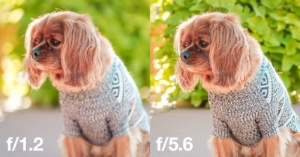
Also, the larger your aperture is (lower f-number) the more blurred the background will become, so to achieve maximum blur you should use the lowest f-number your lens allows.

If you have any other suggestions, tips, or examples regarding this technique, leave a comment and share!