
Adobe Dips Toes in Mac App Store by Offering Photoshop Elements
For the first time ever, an Adobe program is available through the Mac App Store. Yesterday, Adobe began selling …
For the first time ever, an Adobe program is available through the Mac App Store. Yesterday, Adobe began selling …

Microsoft's jaw-dropping Photosynth technology has arrived on the iPhone as an app that allows you to easily create immersive 360-degree panoramas. All you need to do is load up the app and sweep your camera around in every direction, and the app automatically snaps photographs filling in the panoramic image (you can also tap it if it gets sluggish with its snapping).

Ever wish you could take shallow depth of field photos on your iPhone that look like they were taken with a DSLR and large aperture lens? With an app called SynthCam you can. You simply aim the camera at a foreground object, press Record, and then slowly move the phone around a little while keeping it aimed at the subject. The app will then create a "synthetic aperture photograph" that blurs the background while keeping the subject you locked onto in focus.

iPhone photography continues to grow in popularity, but transferring photographs to your computer can be a hassle. If you’re …
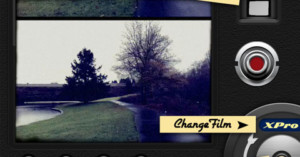
There's a number of notable iPhone apps out there that add a vintage look to your photographs (e.g. Hipstamatic and Instagram), but what if you want to shoot vintage-looking video? 8mm Vintage Camera is an app that does just that, allowing you to choose between a number of films and lenses. You can also turn on "jitter", adding an extra measure of realism to the look.
Cameras usually hide what it’s shooting from you when the sensor is capturing light, so you can’t watch slow …

In addition to slowly replacing the need for compact cameras, the cameras found on mobile phones will also have …

Back in September we featured a creative technique that used an iPad to "light paint" 3D objects and text. Now there's an app called Holographium that allows anyone to light paint words with an iPad, iPhone, or iPod Touch. All you do is provide some text, start taking a long exposure photo, and then drag your iPad (or whatever iDevice) through the photo while the app slowly displays the various slices of the text. The resulting photograph will show the text spelled out in 3D and floating in the air.
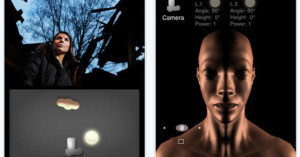
Light Studio is a new iPhone app designed to teach you the basics …

Instagram is a new iPhone photo app developed by Stanford grads Kevin Systrom and Mike Krieger that offers Hipstamatic-style filters for your photos, easy uploads to popular services, and a Tumblr-esque community built right in. While photo sharing apps in the App Store are a dime a dozen, there are a few things that set Instagram apart.
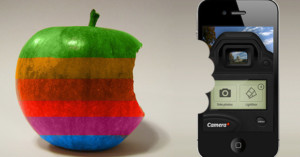
It looks like tap tap tap's Camera+ added one too many features for Apple's liking. When the app developers tweeted a secret workaround that enabled the volume button to double up to control the shutter, Apple pulled Camera+ from the App Store.
Just this week, developer John Casasanta wrote in a blog post that an upgraded version of the app originally intended to launch the feature, VolumeSnap. VolumeSnap would have also allowed users to use the volume control on iPhone headphones as a remote shutter control. Pretty nifty.
But Apple rejected tap tap tap's new version, citing this as a reason:
Your application cannot be added to the App Store because it uses iPhone volume buttons in a non-standard way, potentially resulting in user confusion. Changing the behavior of iPhone external hardware buttons is a violation of the iPhone Developer Program License Agreement. Applications must adhere to the iPhone Human Interface Guidelines as outlined in the iPhone Developer Program License Agreement section 3.3.7
So tap tap tap left out the feature -- at first. The app retained the feature, which was now hidden, but could be enabled by pointing the phone's browser to a specific site provided by the developers.

A common gripe about the iPad is that it doesn’t contain a built-in camera.

British newspaper The Guardian has teamed up with Canon on a new app …

Liquid Scale is an app for the iPhone and iPod Touch that offers content aware image resizing. What does that mean? Basically it's like a URL shortener for your photographs, reducing the dimensions of the photograph but retaining the meaning.