Posts Tagged ‘application’

PhotoPills: Plan Photo Shoots With the Sun and Moon Using Your iPhone

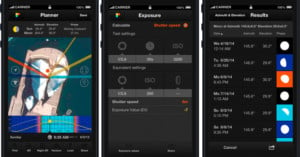
PhotoPills: Plan Photo Shoots With the Sun and Moon Using Your iPhone photopills screenshots

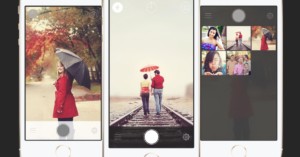
Planning lighting is a critical step in the planning of a photo shoot. But what happens if you don’t exactly have control of your lighting. What if your planned source of light is the sun or the moon?
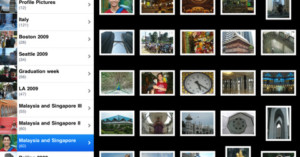
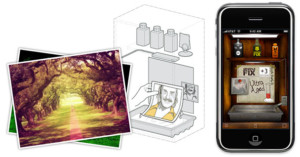
Rafael Pons believes he has the solution to planning photo shoots that involve the sun and the move with a new application for iOS called PhotoPills. “You just have to decide where you want the sun or moon to be and tap the search button to get all possible dates it happens,” he says. Read more…

CCFinder: A Creative Commons Photo Search Program for Windows

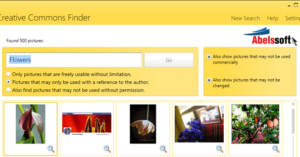
CCFinder: A Creative Commons Photo Search Program for Windows CCFinder
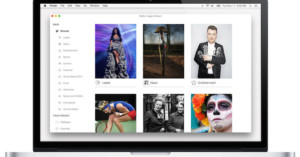
For Windows users who frequently need access to Creative Commons photography, Abelssoft’s free desktop app CCFinder can help streamline the hunt for a good image.

While the web-based searches of CC images through Flickr and Creative Commons’ CC Search have improved over the years, CCFinder offers a smoother user interface for searching multiple CC sources, viewing and downloading images, plus the same features with licensing explanations and options. Also, for those so inclined, CCFinder has a feature to add color filters if you upgrade to the pro version for $10.

CCFinder (via Lifehacker)

Nikon Camera Control: An Open Source App for Remote DSLR Control

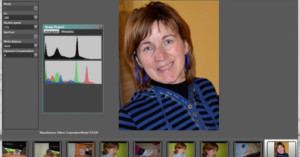
Nikon Camera Control: An Open Source App for Remote DSLR Control nikoncc mini

Nikon shooters: Nikon Camera Control is a new open source Windows application that lets you remotely control your Nikon DSLR using a PC and a USB cable. Features include tethering, remote control over camera’s basic settings, remote shutter triggering, an intervalometer for time-lapses, and fullscreen review.

Nikon Camera Control (via Nikon Rumors)

Nifty Web App Breaks Down Emotions in Online Photos

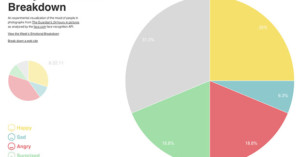
Nifty Web App Breaks Down Emotions in Online Photos breakdown

Emotional Breakdown is a cool new web app that attempts to gauge the mood of the world every day by analyzing the photographs found on The Guardian’s 24 hours in pictures. Using facial recognition technology to find happy, sad, angry, surprised or neutral faces in the images, the app creates a colorful pie chart breaking down the emotions. From the chart above, we see that the world was mostly neutral, surprised, and happy today.

Even cooler is the fact that you can also run the tool on any other URL. Try your own photo collection to see what emotions you’ve been capturing in your images.

Emotional Breakdown (via Mashable)

Photosynth Comes to the iPhone to Help You Shoot Stitched Panoramas

Photosynth Comes to the iPhone to Help You Shoot Stitched Panoramas photosynth

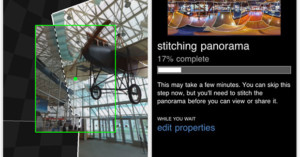
Microsoft’s jaw-dropping Photosynth technology has arrived on the iPhone as an app that allows you to easily create immersive 360-degree panoramas. All you need to do is load up the app and sweep your camera around in every direction, and the app automatically snaps photographs filling in the panoramic image (you can also tap it if it gets sluggish with its snapping).
Read more…

Leaf Capture Remote iPad App Allows You to View Photos Wirelessly As You Shoot

Leaf Capture Remote iPad App Allows You to View Photos Wirelessly As You Shoot ipadipod LCR

Photographers can now use their iPad or iPhone to view images remotely during a photo shoot — if they’ve got a Leaf or a Mamiya digital back. Today, Mamiya and Leaf announced the release of a new App compatible with Leaf backs, as well as Mamiya’s DM-series and RZ33 digital cameras and backs. When tethered shooting on a Mac, the Leaf Capture Remote v 2.0 App allows one or more iPad or iPhone to function as a remote image viewer over Wi-Fi.

There is no live view mode, but images are available to view as they are taken. There are obvious benefits to workflow with this sort of program, since the photographer can move around while reviewing the results from shots. Also, several people can view and flip through the images on different devices, which could come in handy in large photo shoots.

The App is free from the Apple store, and works in tandem with Leaf’s Capture server, which must be installed on your computer.

Mugtug Darkroom is a Browser-Based Photo Editor Powered Entirely by HTML5

Mugtug Darkroom is a Browser Based Photo Editor Powered Entirely by HTML5 mugtugdarkroomMugtug Darkroom is a new browser-based photo editor that uses HTML5 rather than Flash. It was presented at the Google I/O web developer conference yesterday to show off what’s possible with HTML5, the proposed next version of HTML that’s gaining steam.

Web apps taking advantage of HTML can take advantage of new scripting APIs that allow such things as offline data storage and drag and drop functionality.

The app is indeed impressive, but only worked in Firefox 3.6 for us. It might or might not work for you depending on what browser you’re using.

Mugtug Darkroom is a Browser Based Photo Editor Powered Entirely by HTML5 mugtugscreen

After loading up an image via upload, URL, Flickr, or Picasa, you can do many of the basic edits you might do on a photo in more advanced programs like Photoshop.

Looks like there’s big improvements coming to our internet experience in the very near future.

Stay Organized with Adebis Photo Sorter

Stay Organized with Adebis Photo Sorter adebisphoto

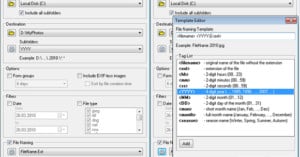
If you’re not naturally an organized person, then figuring out where certain photos are on your computer or external hard drive might be a pain. Adebis Photo Sorter [now defunct] is a free Windows program that uses the EXIF data in image files to automatically rename and/or organize your image files in a new directory, leaving the originals untouched. It supports pretty much all the popular image formats, from JPEG to Raw image formats, and can even help you include EXIF data in the new filenames.

(via Lifehacker)

Send Your Best Images into Photo Battle

Send Your Best Images into Photo Battle photobattle

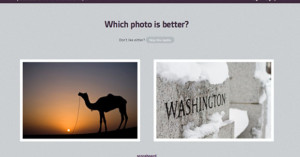
photobattle.me is a fun little web application that pits two submitted photographs against each other and asks the visitor to vote on which photo they think is better. Of course it’s entirely subjective, and photos can be of different types and flavors, but it’s an interesting way to see what the general public thinks of your work compared to other photos.

You can submit up to 9 of your photographs into photobattle, and the 10 most successful photographs are displayed on a scoreboard.

The app was built using Rails by Canada-based developer Kyle Fox. Fox also works for Fotojournal, a newly launched photoblogging service that we covered recently.

If any of your photographs make the top 10 list, leave a comment letting us know!


Thanks for the tip Noah!

Unofficial Flickr App Approved for the iPad

Unofficial Flickr App Approved for the iPad flickrphotos

An unofficial iPad Flickr app called “Flickr Photos” has been approved for the iPad app store. The $2.99 app, created by Garlic Dumpling, allows you to do download and view both your own photos and your contacts’ photos in a minimalistic interface. There’s no word on whether the official Flickr application will be ready for the iPad when the store launches, but the iTunes preview page for the official Flickr app already states “Flickr for iPhone, iPod touch, and iPad on the iTunes App Store”.

The official app has an average rating of only 3.5 stars, so if a third party app can come along and offer a better experience for using Flickr, it might just take off and strike big in this upcoming “gold rush”.

(via MacStories)